
This article explains how to control which users can submit listings from the front-end User Dashboard in WPRentals.
You can use these settings to separate renters from owners, allow only selected users to publish listings, or run the website as a single-owner platform where only the site admin or specific owner accounts can add listings.
The settings are managed from:
Theme Options > Register & Login Settings > Renter / Owner Separation
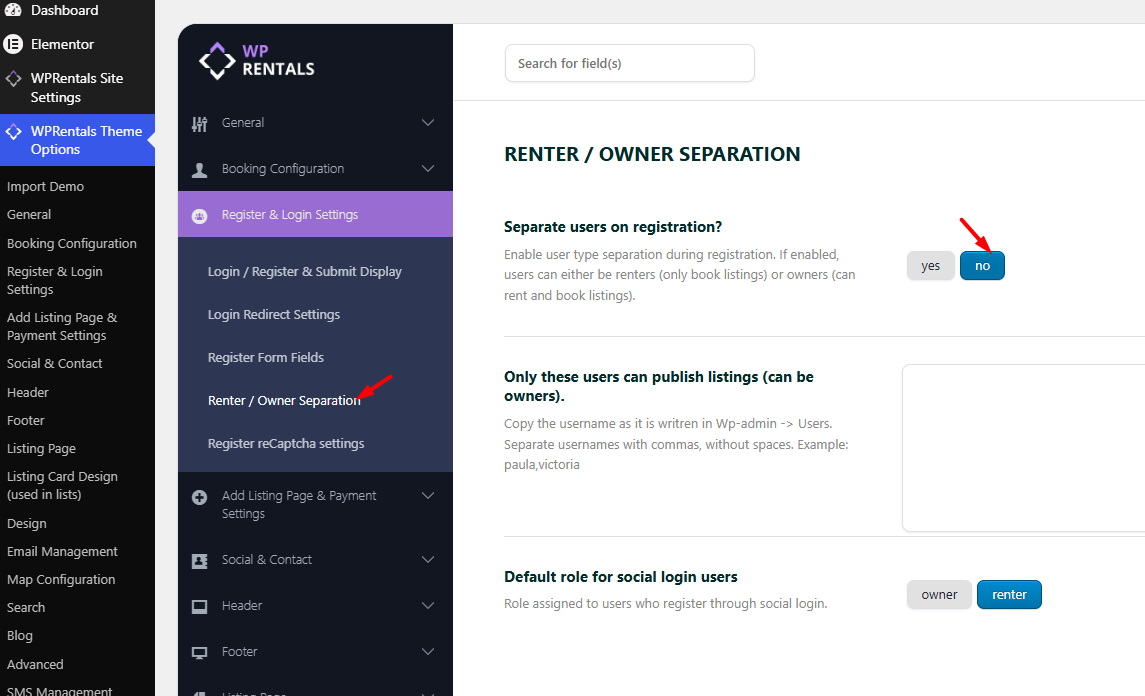
What These Settings Do
In this section, there are two important options:
- Separate users on registration
- Only these users can publish listings
These options control whether users register as renters or owners and whether all users or only selected usernames can submit listings.
Listings are submitted from the front-end User Dashboard using:
User Dashboard > My Listings > Add New Listing
or edited from:
User Dashboard > My Listings > Edit Listing
Option 1: Separate Renters and Owners on Registration
If Separate users on registration is enabled, users must choose what type of account they want when they register.
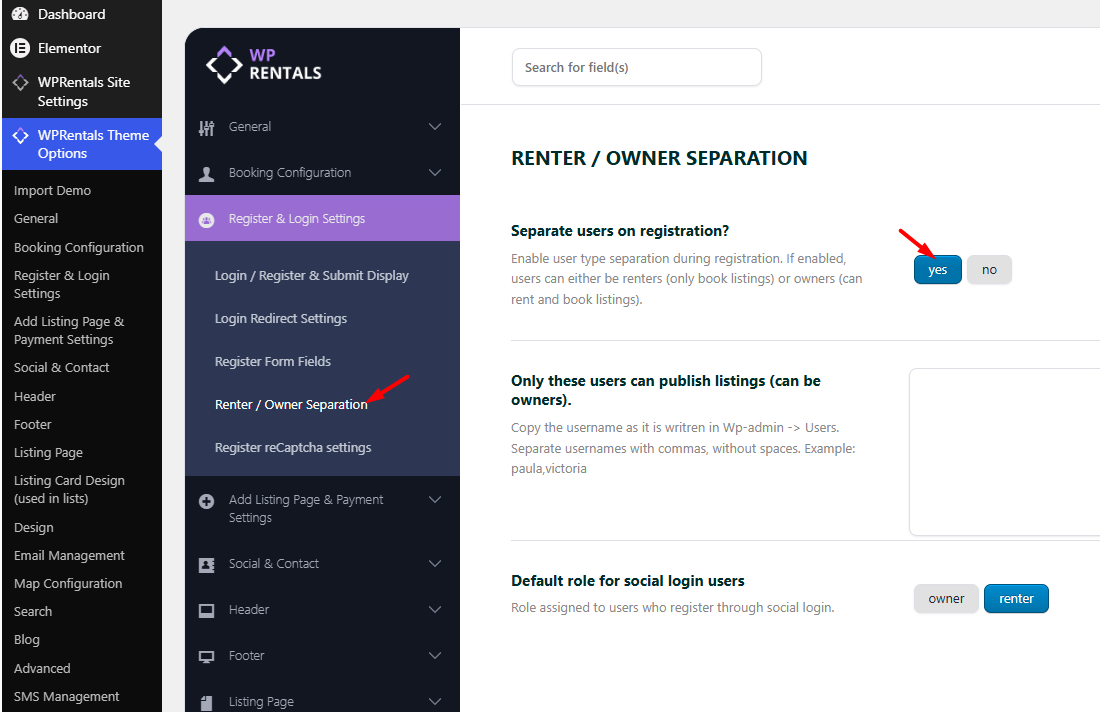
The register form will show two options:
- I want to book and rent – creates an owner account and owner profile page. This user can submit listings.
- I only want to book – creates a renter account. This user can book properties but cannot submit listings.
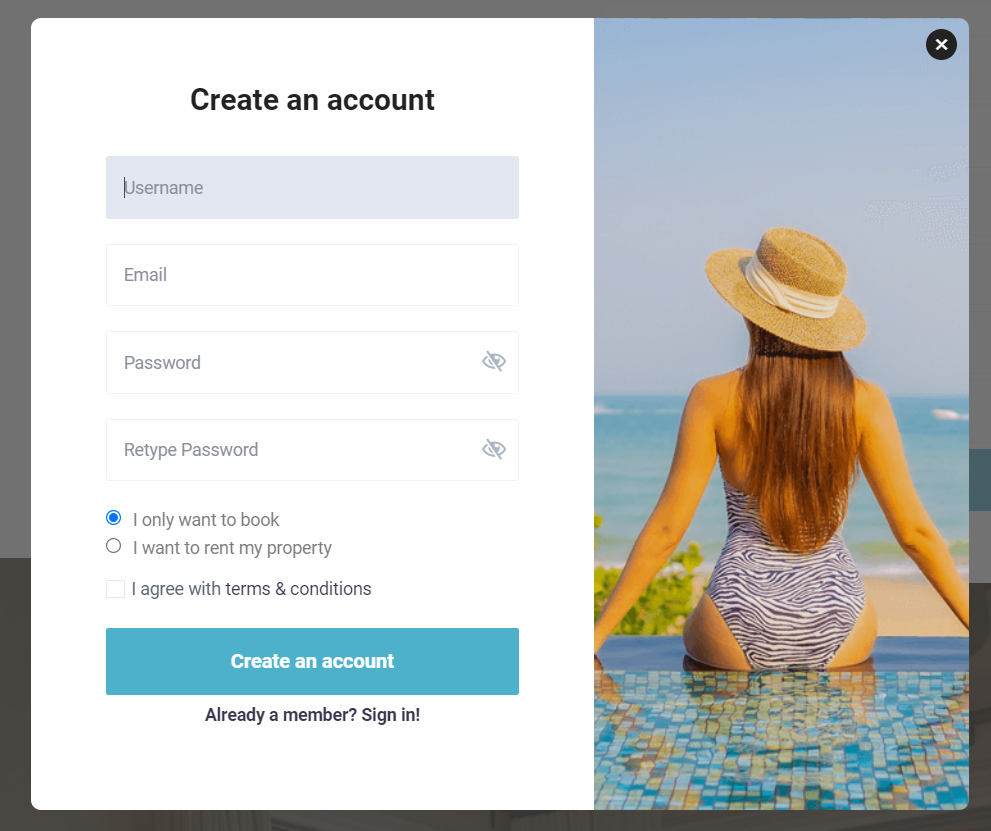
Renter Account
If the user selects I only want to book, the user will have limited dashboard access.
This user will not see the listing submission pages.
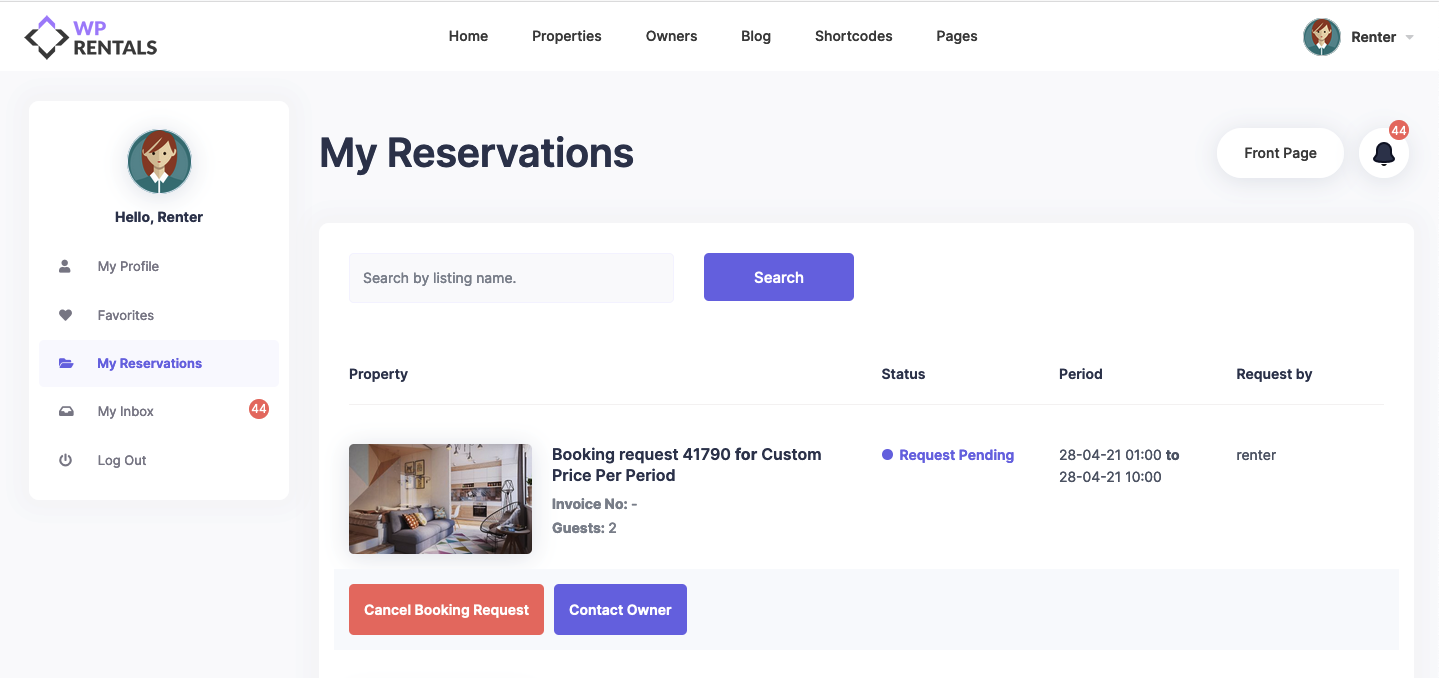
Owner Account
If the user selects I want to book and rent, the user will have owner dashboard access.
This user can submit listings, edit their own listings, manage bookings, and update their owner profile.
Option 2: Do Not Separate Users on Registration
If Separate users on registration is disabled, users will not choose between renter and owner during registration.
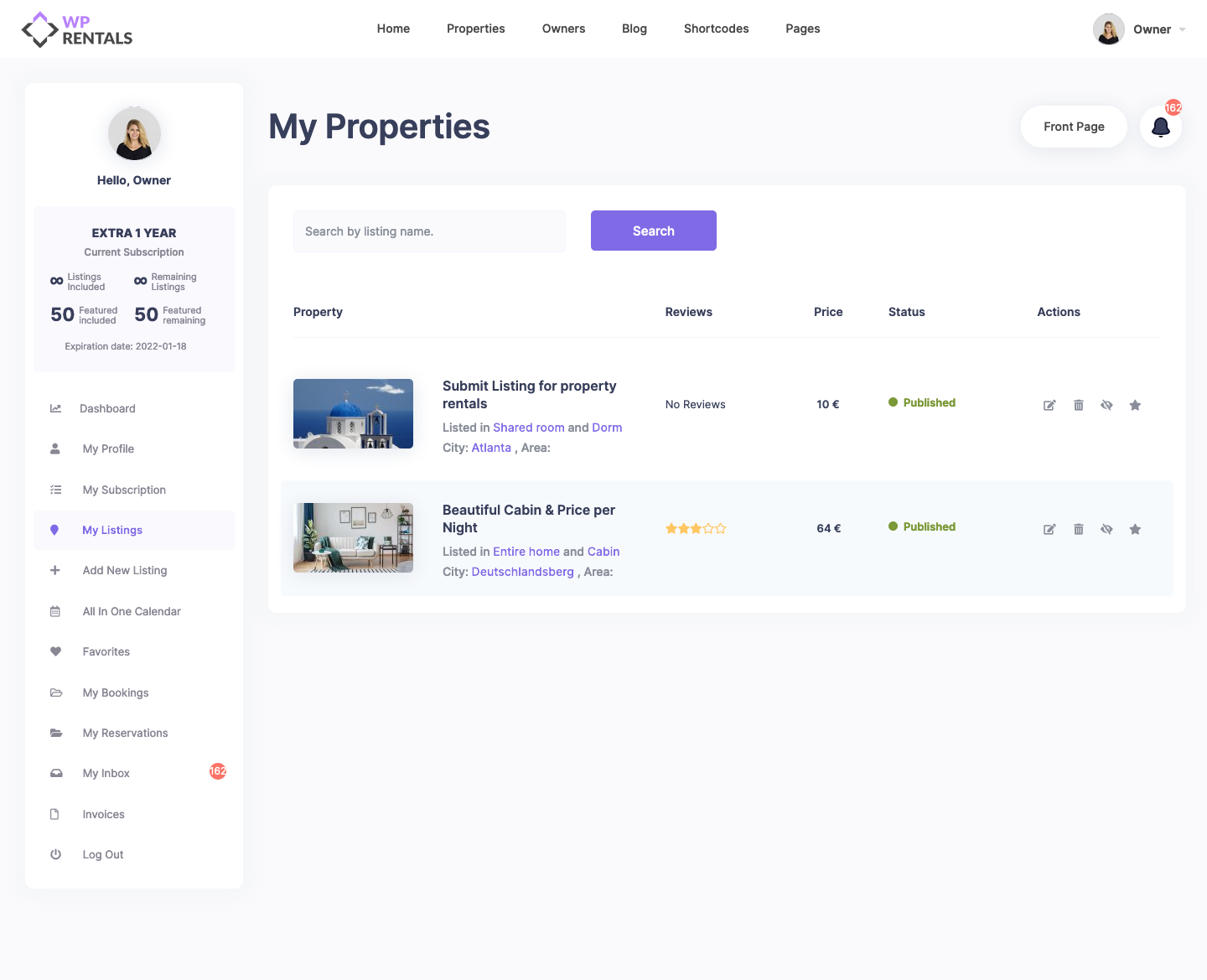
Depending on the rest of your setup, registered users can receive full dashboard access, including listing submission access.
This is how the full owner dashboard can look:
Option 3: Allow Only Specific Users to Submit Listings
If you want to restrict listing submission to specific users, add their usernames in the Only these users can publish listings field.
Use this option when:
- only the site admin should submit listings
- only one owner should submit listings
- only selected owners should submit listings
- registered renters should be able to book but not submit listings
Users added in this field will have full dashboard access, including listing submission.
Users not added in this field will have limited dashboard access and will not see the listing submission option.
Correct format:
username1,username2,username3
Incorrect format:
username1, username2, username3
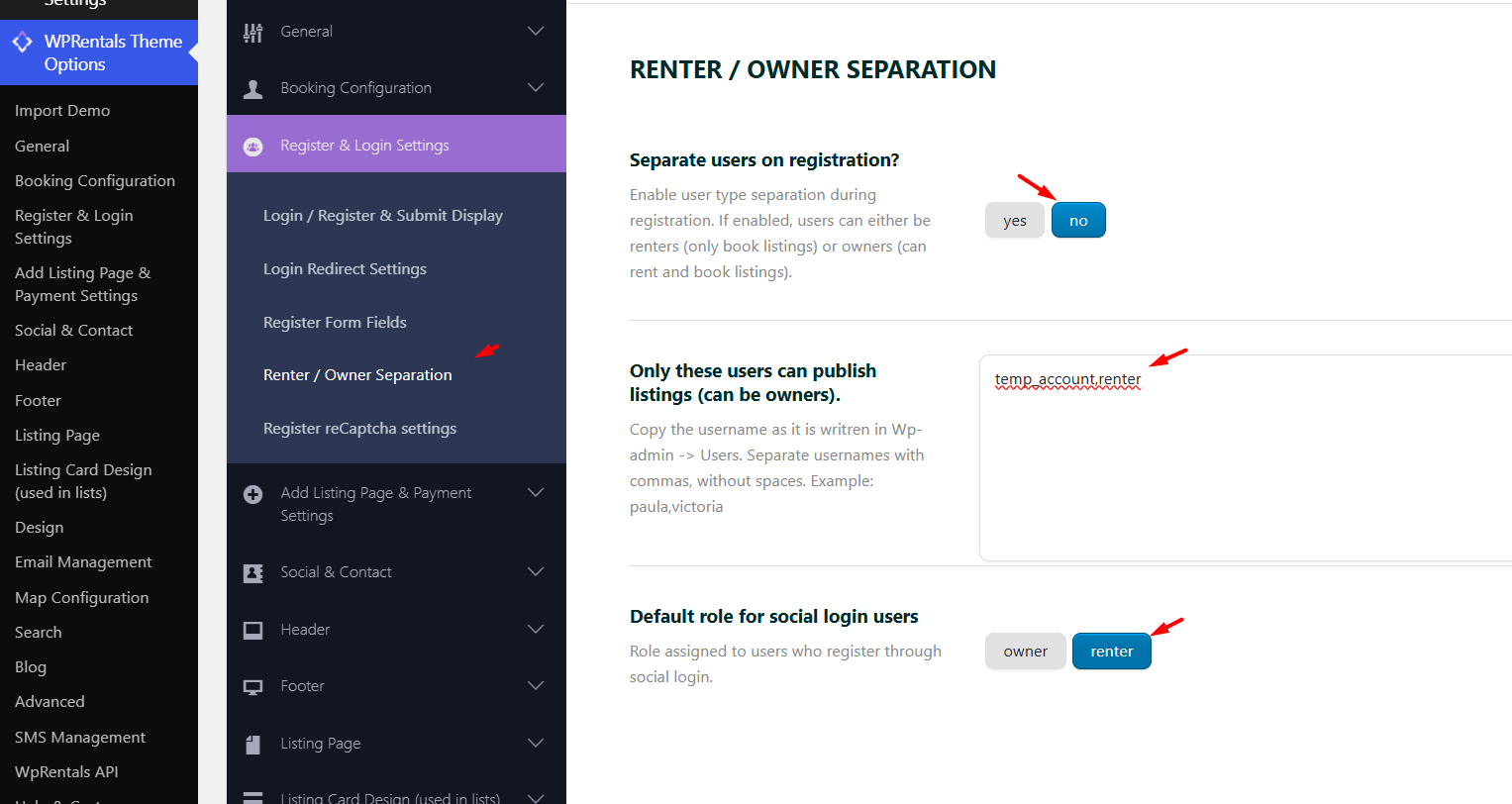
Only the usernames added in this option will have access to the full owner dashboard pages.
All other users will have limited dashboard pages, without listing submission options.
Dashboard Access for Renters and Owners
The dashboard menu changes based on the user access.
Users with owner access can usually see:
- My Listings
- Add New Listing
- My Bookings
- My Inbox
- My Profile
- Dashboard Overview
- Invoices
- Payment, Membership, depending on your setup
Users with renter-only access can usually see:
- My Reservations
- My Inbox
- My Profile
Important Note About Social Login
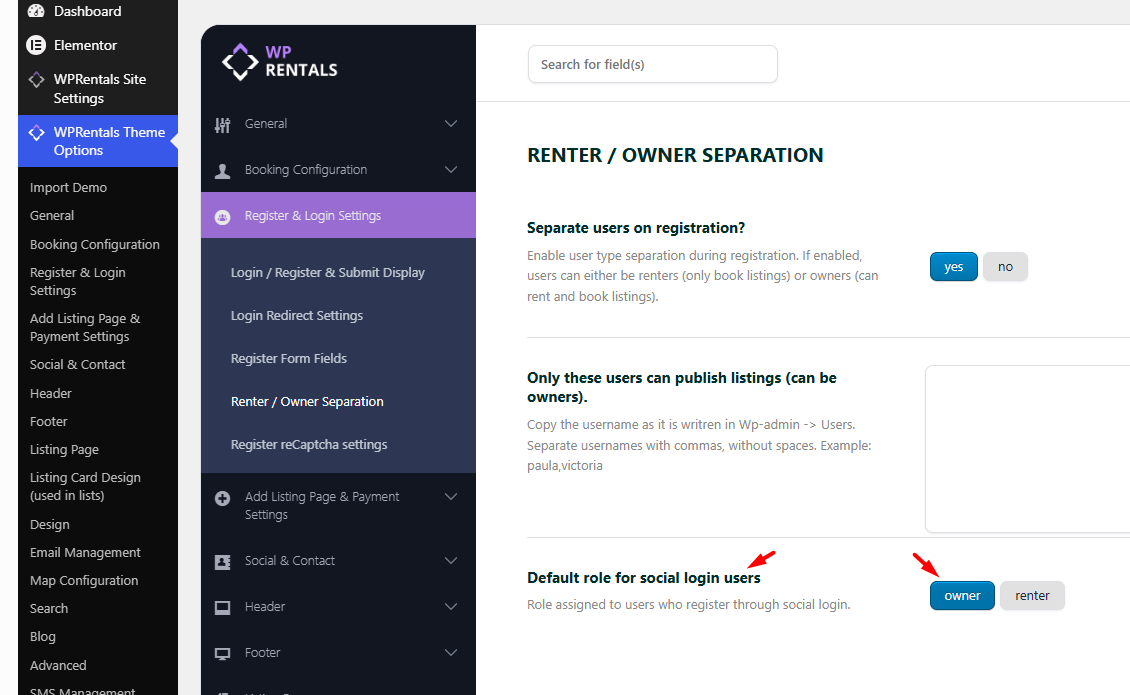
Social login does not show the same renter/owner selection from the standard register form.
If users register through social login, they can bypass the renter/owner checkbox selection shown in the normal WPRentals registration form.
Because of this, check your social login role/access settings for new users from the start.
Booking Without Login First With WooCommerce
WPRentals can allow users to start a booking without logging in first when the property uses Instant Booking and payments are processed through WooCommerce.
With this setup, the user can continue to WooCommerce checkout, and WooCommerce can create the account during checkout.
If you want users created during WooCommerce checkout to have only booking-related dashboard access, use this setup:
- Set Separate users on registration to NO.
- Add only the owner usernames in Only these users can publish listings.
This way, the owner usernames added in Theme Options can submit listings, while users created during WooCommerce checkout are treated as booking users and do not receive listing submission access.
Install WooCommerce and Use WooCommerce Payments
Related Help
How to use WPRentals with multiple owners
How to use WPRentals as a single owner or site admin
How to hide the Submit Listing button
Install WooCommerce and Use WooCommerce Payments
Summary
- Separate users on registration controls whether users choose renter or owner access during registration.
- I only want to book creates renter access without listing submission.
- I want to book and rent creates owner access with listing submission.
- Only these users can publish listings limits listing submission to specific usernames.
- Usernames must be added exactly and separated by commas, with no spaces.
- Social login can bypass the standard renter/owner checkbox, so social login access should be tested.
- For WooCommerce booking without login first, use selected owner usernames to keep checkout-created users limited to booking access.