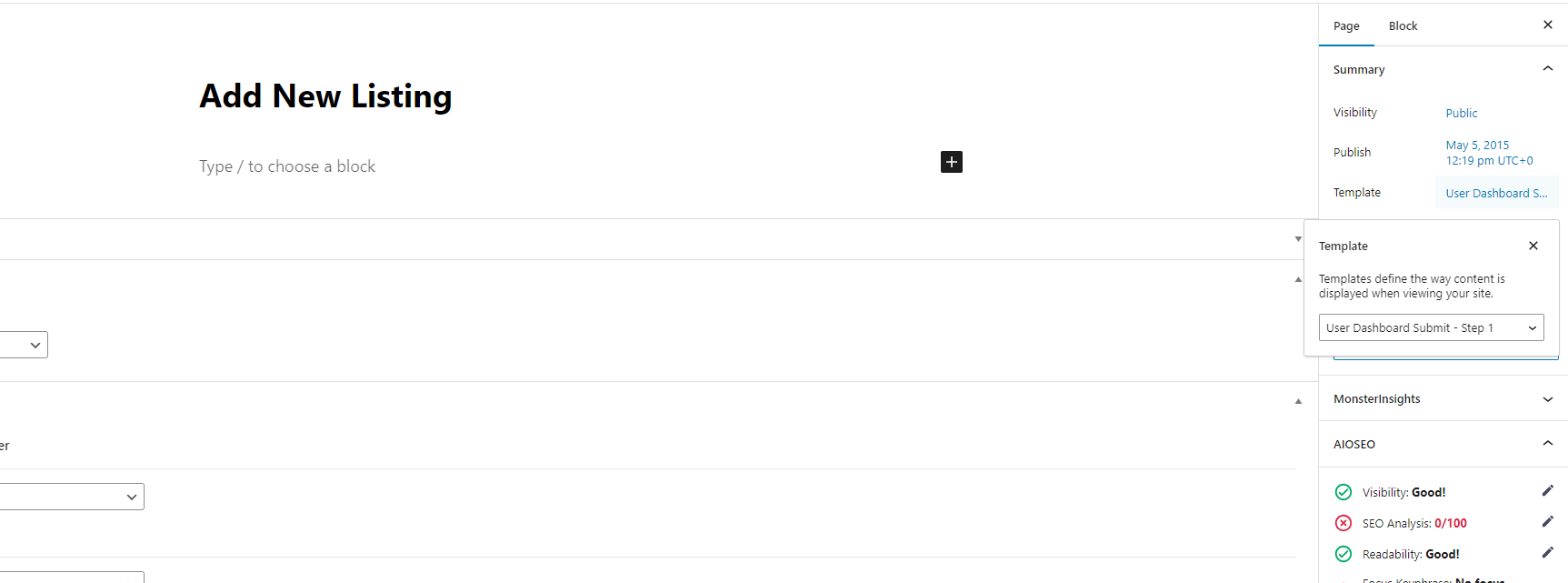
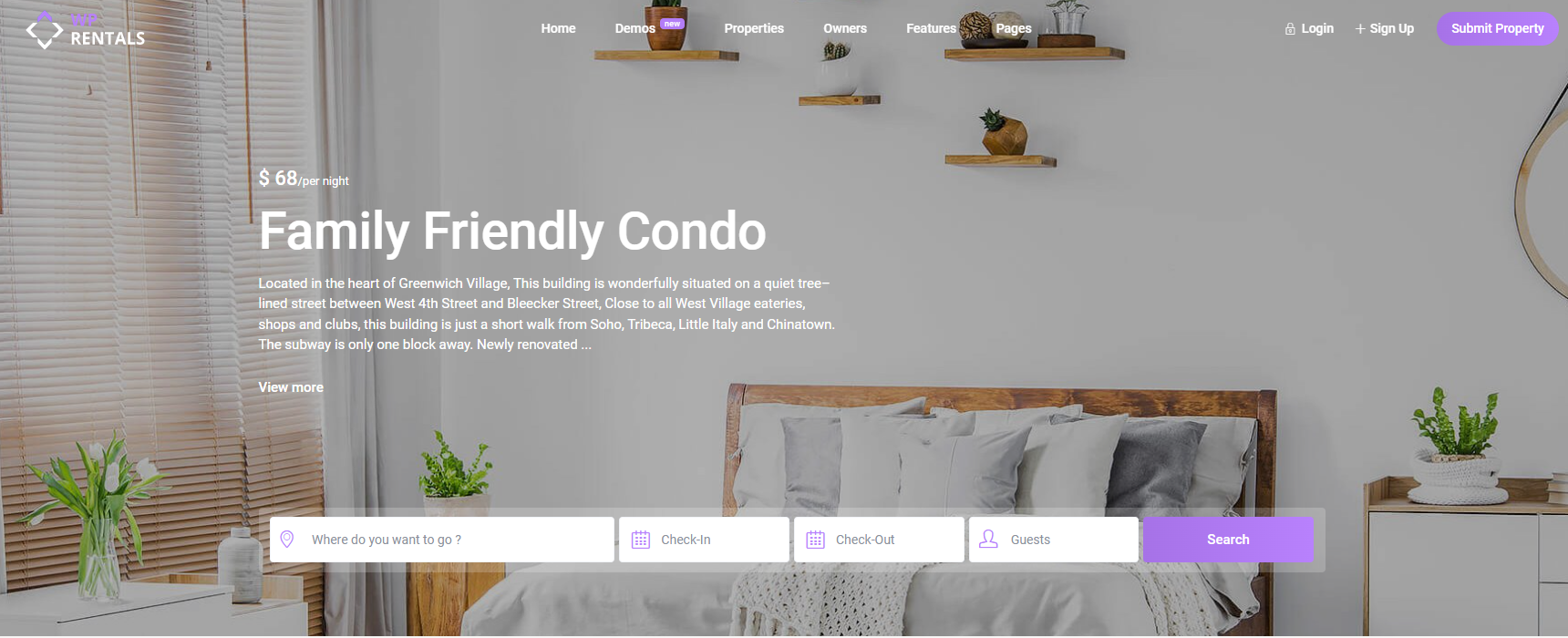
Location of the Submit Property and Login / Sign up Buttons
- The Submit Property and Login/Register buttons are in the Menu section.
- They guide users to the respective pages for submitting properties or signing in/up.
Before you disable the buttons, please read below about the purpose of the 2 buttons.
Purpose of the Submit Property Page
The Submit Property page is the first step for users who want to add property listings to your site.
Important notes:
- Users must register or log in before they can complete the submission.
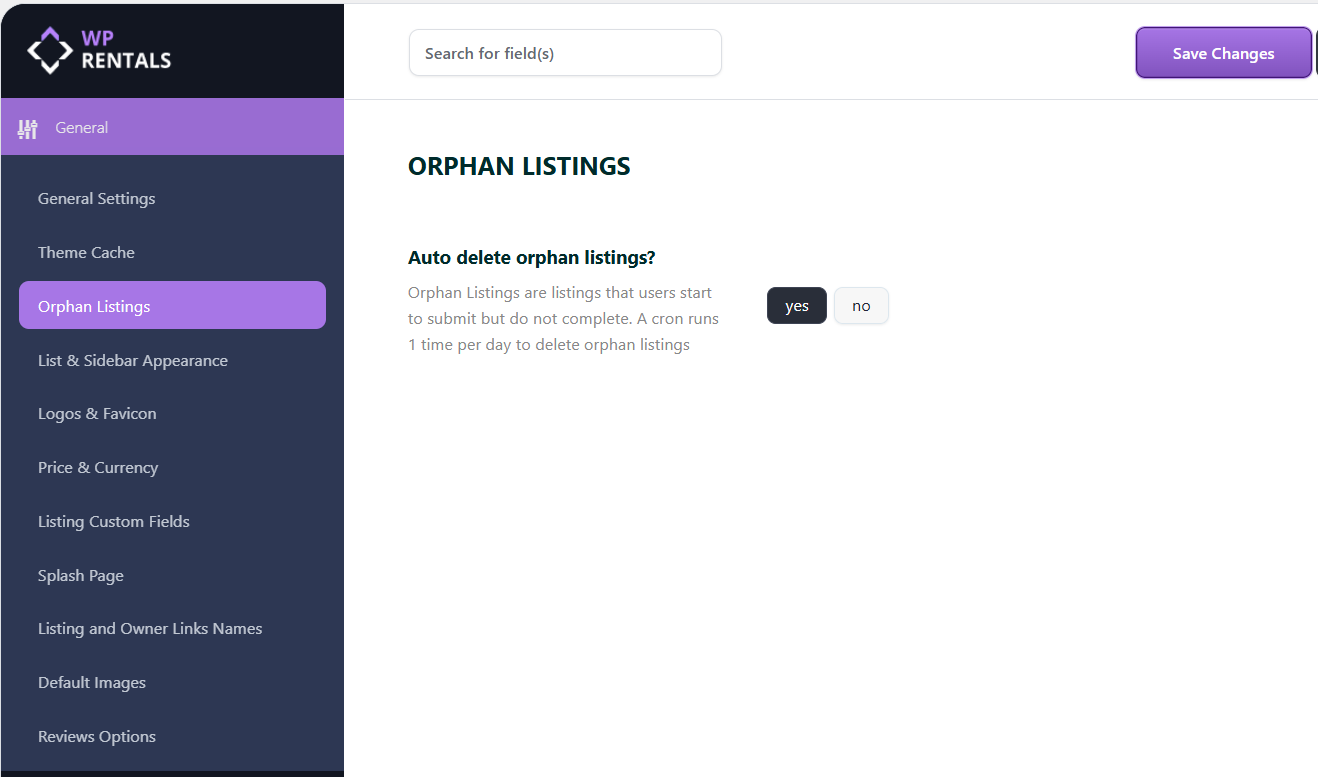
- If a user does not register, any property they submit will be saved as an orphan listing.
- Orphan listings may be automatically deleted based on your theme setting under:
Dashboard → Theme Options → General → Orphan Listings (Learn more).
Purpose of the Login & Register
Users need to log in or register to:
- Submit property listings
- Send booking requests
How it works:
- Clicking the Login/Register buttons triggers a modal window with registration and login forms.
- If a user tries to send a booking request without logging in, the modal will still appear, ensuring only logged-in users can proceed.
- These buttons can be disabled from the Header/Menu settings in Theme Options.
- For websites where users only need to send booking requests and not list properties, consider enabling the Single Owner setting. Learn more.
Hiding the Buttons (Optional)
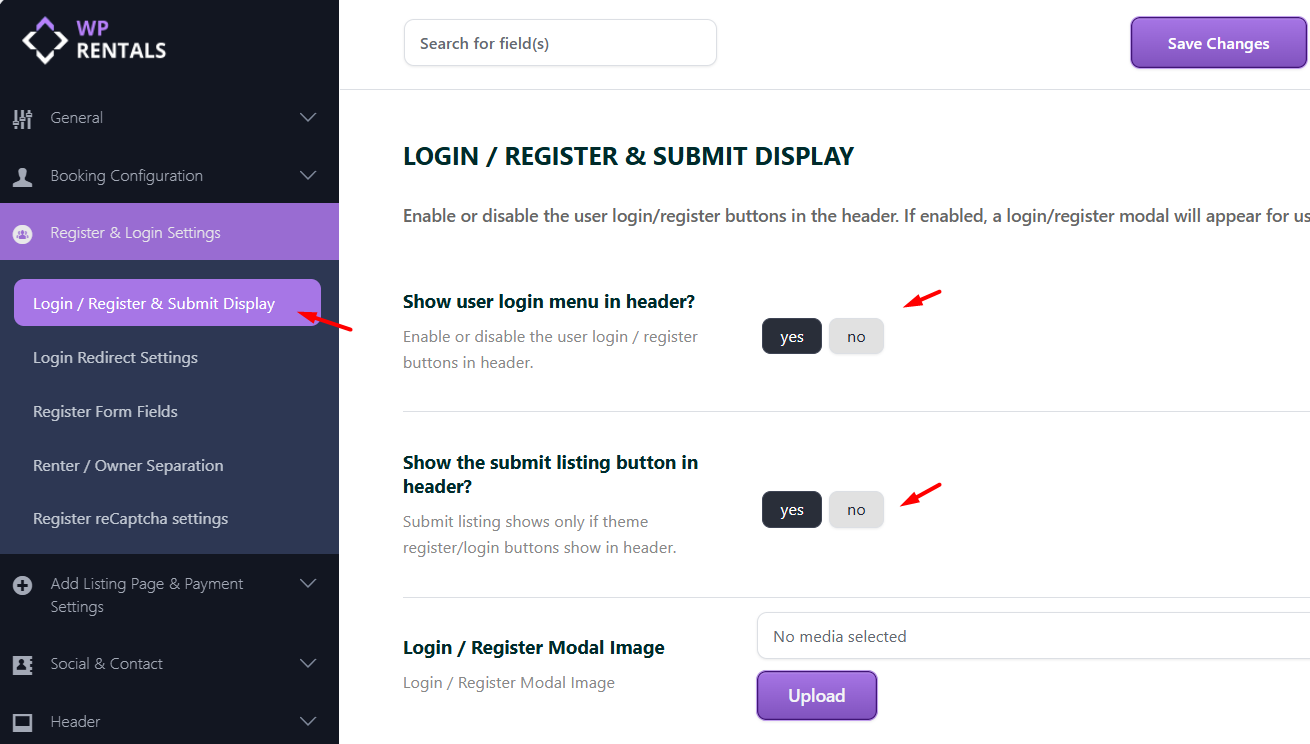
You can hide the Login/Register and Submit Property buttons via Theme Options:
- Go to Dashboard → Theme Options → Register & Login Options → Login / Register & Submit Display
- To hide:
- Submit Property button: Set “Show submit listing button in header?” to NO
- Login/Register modal: Set “Show user login menu in header?” to NO
- Click Save Changes
Optional: Delete the Submit Property Page
If you no longer want users to submit properties:
- Go to Dashboard → Pages
- Search for the page named Submit Property
- Delete it or move it to Trash