
WPRentals Theme Documentation WPRentals Theme Documentation

  • Client Support
  • Video Tutorials
  • WPRentals
  • WPEstate
  • API
Home / WP Rentals Theme Options / How to redirect to a different page then My profile after login

How to redirect to a different page then My profile after login

9110 views

Important Notes:

  • Login from a Property page will always redirect back to the same Property page, regardless of this setting, to allow users to complete the booking process.

  • Login from the Submit Property page will always redirect to “Edit Listing” in the User Dashboard.

  • This option does NOT apply to Social Login.

By default, users are redirected back to the same page they logged in from. You can change this behavior using the options below.

Redirect users to the same page after login? (Yes/No toggle)

  • Yes: Users will return to the same page after login.

  • No: Users will be redirected to a custom URL you set. If left blank, users will go to their User Dashboard → Profile page.

Custom Redirect URL

Specify a custom URL where users will be sent after login (only applies when the toggle is set to No).
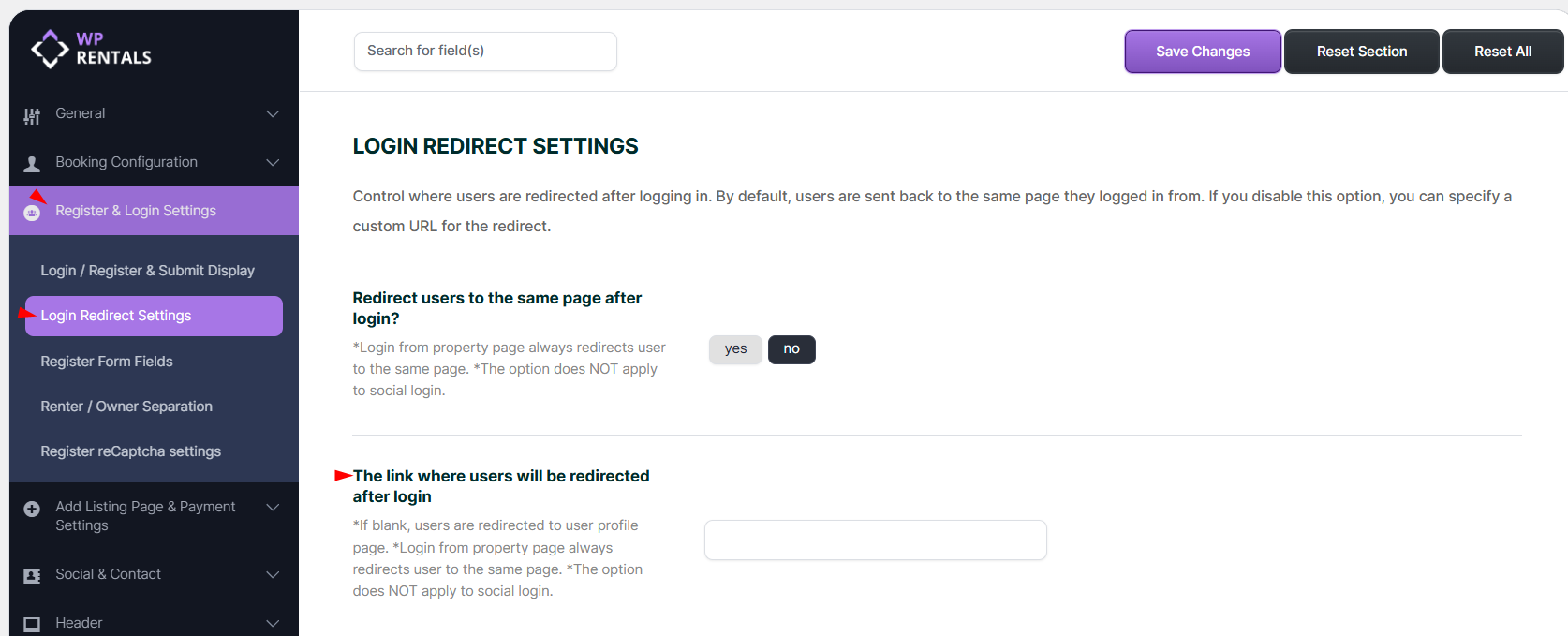
WP Rentals Theme Options

Related Articles

  • What Is the WPESTATE FAN Option
  • White-Label WPRentals with Your Brand
  • Listing Submission Form – How to Manage Submit Form Fields and Mandatory Fields in WPRentals
  • How SMS Notifications Work in WP Rentals (WpestateEmail Class): A Complete Guide

HELP CATEGORIES

  • 61. General
  • 72. Installation & Basic Setup
  • 373. How Booking Works
  • 18Advanced Search
  • 17Elementor WPRentals Studio
  • 14Email Notifications
  • 23FAQ
  • 14Installation FAQ
  • 10Menu Options
  • 33Owner & Renter
  • 8Page Templates
  • 24Property / Listing
  • 22Shortcodes
  • 4Supported Maps
  • 99Technical how to
  • 5Third Party plugins
  • 4Translation & Multi Languages
  • 3WordPress Blog Post
  • 13WordPress Widgets
  • 12WP Rentals Payments
  • 80WP Rentals Theme Options
  • 26WPML & Weglot

Join Us On

Powered by WP Estate - All Rights Reserved
  • Client Support
  • Video Tutorials
  • WPRentals
  • WPEstate
  • API