
This help explains how to reset the unread messages counter shown in the WPRentals user dashboard Inbox for an affected user account.
What the Inbox Counter Is
The unread messages counter from the user dashboard Inbox is saved as user meta.
The user meta key is:
unread_messBecause this value is saved in the database for each user account, clearing browser cache or WPRentals cache will not reset it.
When to Use This Reset
Use this reset only if one user account still shows unread messages, but the Inbox does not have unread messages anymore.
Example:
- The dashboard shows 5 unread messages.
- The user opens the Inbox.
- There are no unread messages left.
- The counter remains stuck.
Normal Way to Clear Unread Messages
Unread messages are normally cleared when the user opens and reads the messages directly from the Inbox.
When messages are deleted without being read, the counter is still not updated. To clear it, use the technical reset below.
Technical Reset by Code
Before making any file change, create a full website backup.
Edit this file:
wp-content/themes/wprentals/user_dashboard_inbox.phpAdd this code temporarily, as shown in the screenshot:
update_user_meta($userID,'unread_mess',0);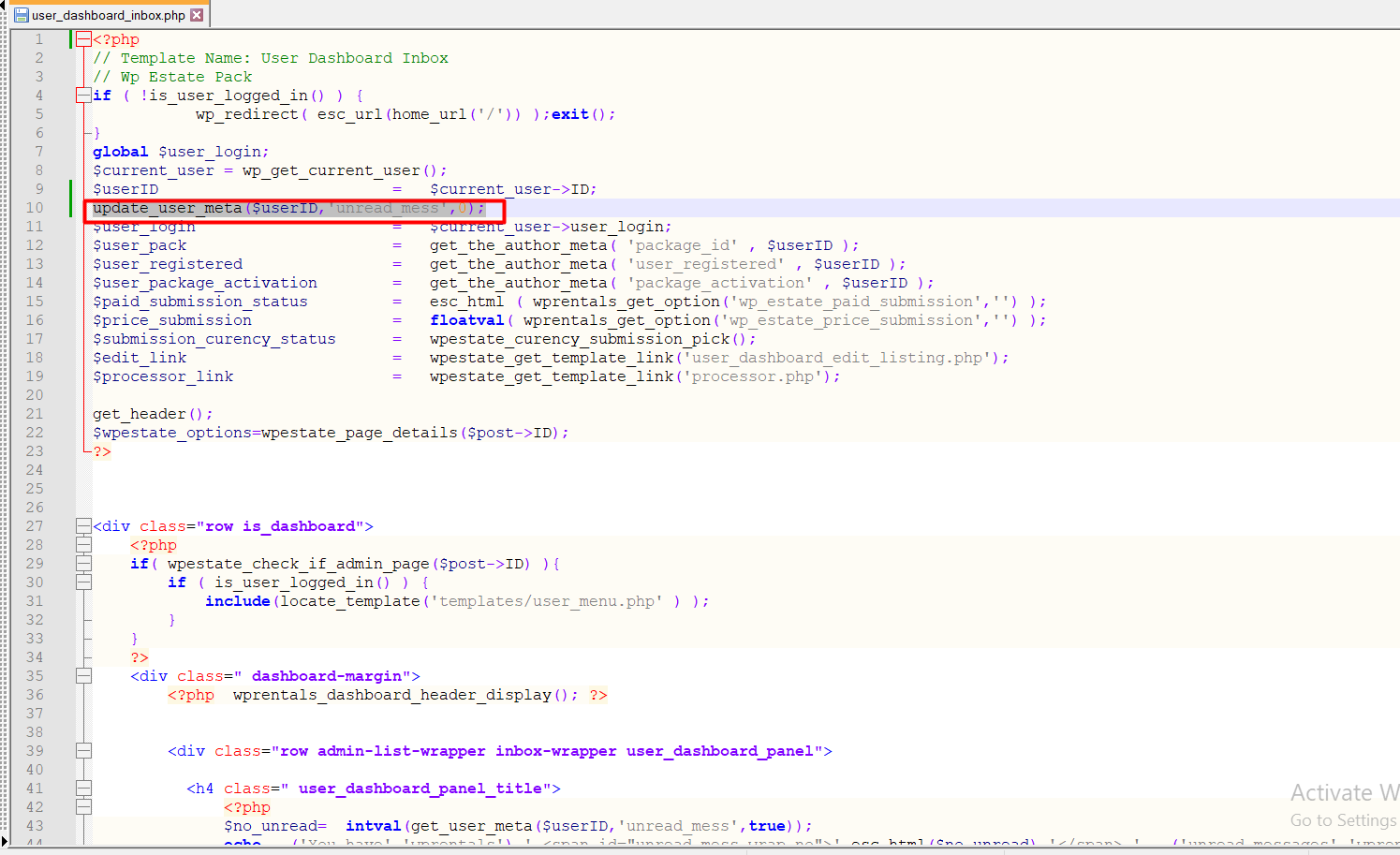
Then open the dashboard Inbox for the affected user account.
This code resets the counter only for the user account that loads the Inbox page.
Confirm the Counter Was Reset
After adding the temporary code:
- Open the affected user account.
- Go to the user dashboard Inbox.
- Check that the unread counter is reset.
- Remove the code from the file.
- Save the file again.
Important Notes
- This is a technical reset for a stuck unread messages counter.
- The counter is stored as user meta, so cache clearing will not reset it.
- The normal way to clear unread messages is to read the messages from the Inbox.
- The temporary code resets only the user account that opens the Inbox page.
- The code must be removed after the counter is reset.
- Editing theme files is a custom technical change and can be overwritten by theme updates.
- Always make a full backup before changing theme files.