
The Object Rental option in WPRentals is used for rental websites where the guest number is not needed.
This setup is useful for rentals such as equipment, cars, boats, bikes, tools, spaces, or other items where the booking is based on the item and date/time, not on the number of guests.
What Object Rental Means
The Object Rental option is designed for rentals where guest count is not part of the booking calculation.
When Object Rental is enabled:
- the guest field is hidden from the booking form
- the label per night changes to per day
- the booking form becomes more suitable for item-based rentals
- the calendar still blocks the selected booking period
This means Object Rental is useful for non-accommodation rentals, but it does not change WPRentals into a non-calendar system.
If you need partial-day rentals or time-based rentals, you must also configure Hourly Booking.
Enable Object Rental
Go to:
Theme Options > Booking Configuration > Guest Selector Settings
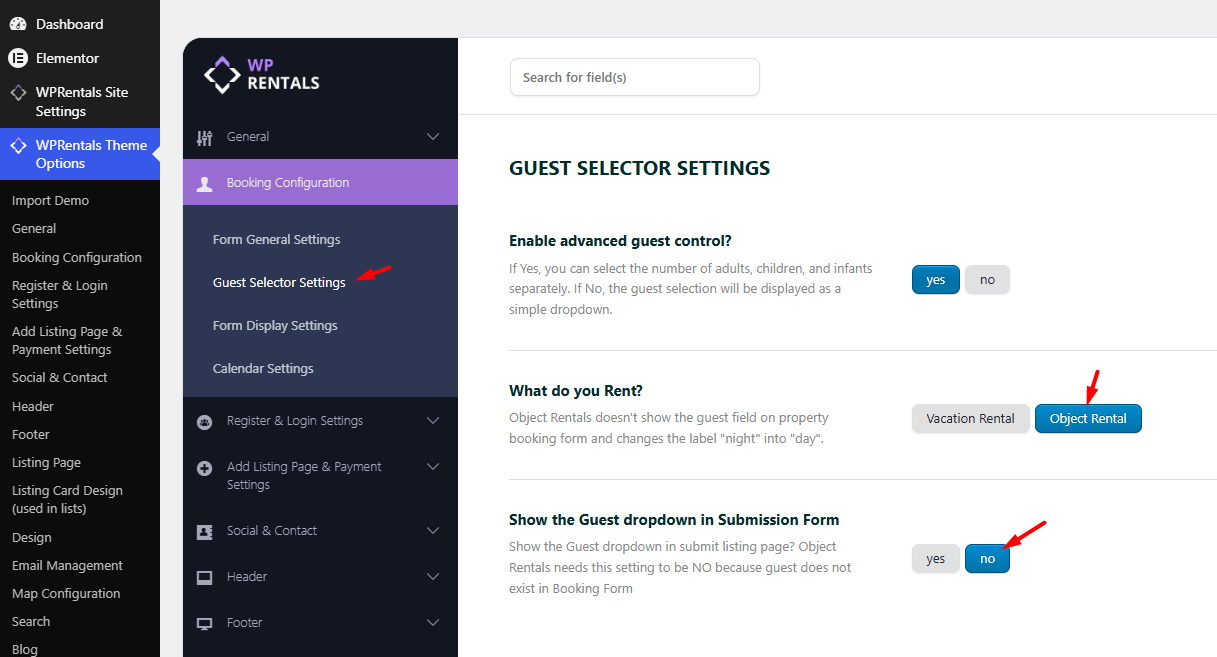
In this section, set:
- What Do You Rent? to Object Rental
- Show the Guest Dropdown in Submission Form to No
Choose the Booking Type
After enabling Object Rental, choose how bookings should be calculated.
Go to:
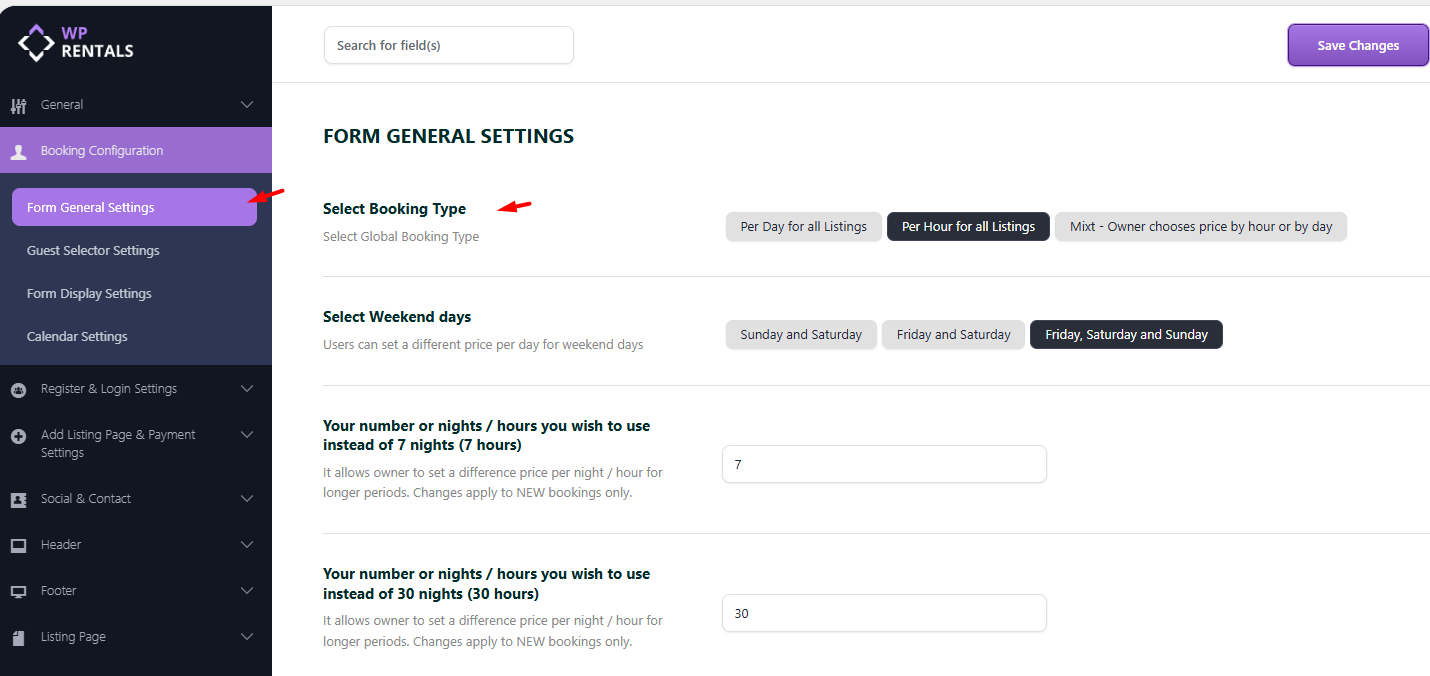
Theme Options > Booking Configuration > Form General Settings
From this section, choose the booking type for your website:
- Per Day / Night for all listings – use this if all items are rented by day.
- Per Hour for all listings – use this if all items are rented by hour.
- Mix – Owner chooses price by hour or by day – use this if some listings are rented by day and others by hour.
Recommended Setup
- Use Per Day if the rental is booked by full days.
- Use Per Hour if the rental is booked by time slots.
- Use Mix if each listing owner should choose whether the listing is rented by day or by hour.
Configure the Listing Submission Form
After enabling Object Rental, review the fields shown in the listing submission form.
Go to:
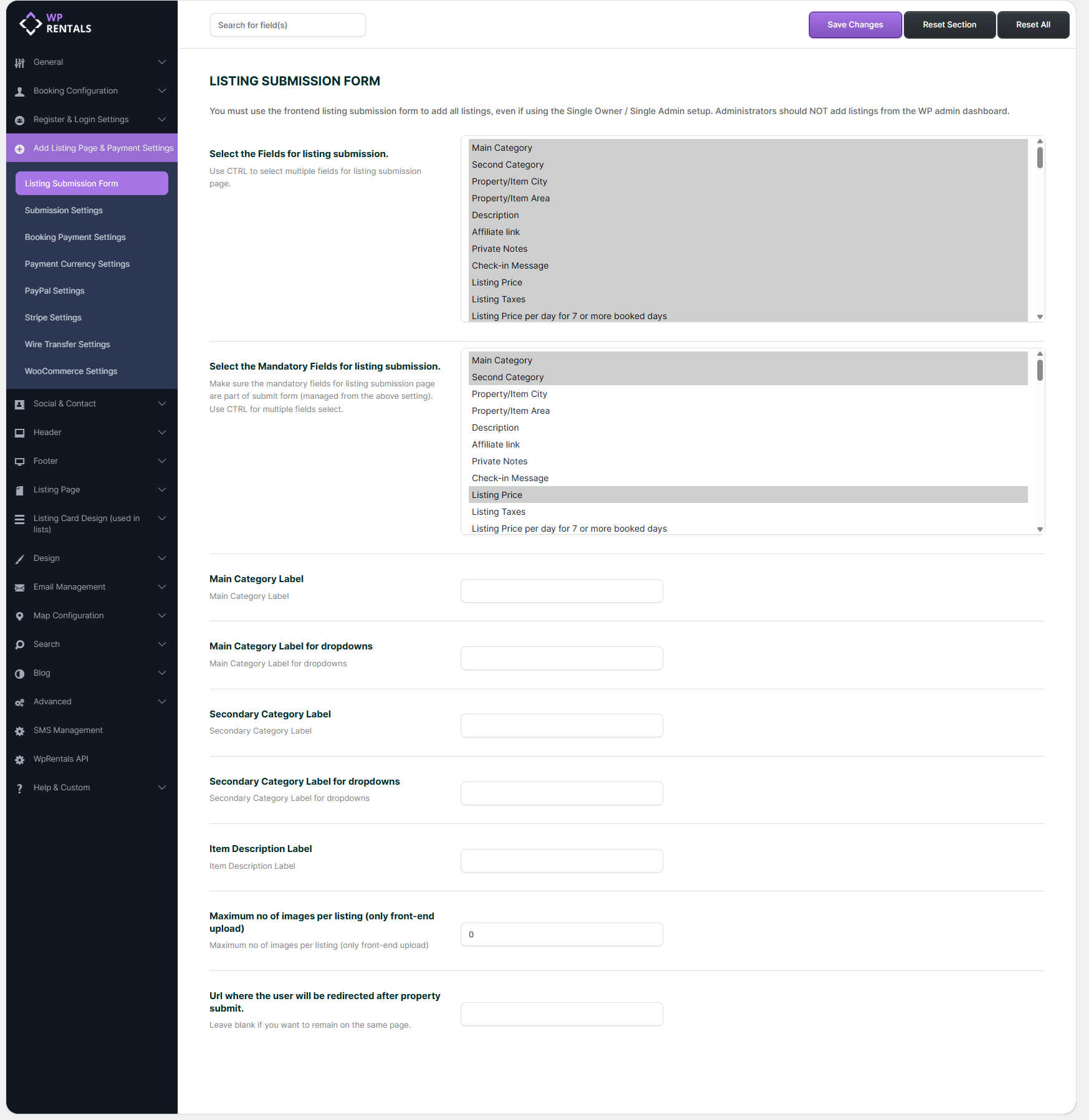
Theme Options > Add Listing Page & Payment Settings > Listing Submission Form
From this section, you can control which fields owners or admins see when they add or edit listings.
For Object Rental websites, remove fields that are specific to guest-based accommodation if they are not relevant to your business model.
For example, you may want to review fields related to:
- guest capacity
- bedrooms
- beds
- rooms
- bathrooms
- accommodation-only details
You can also adjust the labels for the main and secondary categories so the submission form matches your object rental website.
Where Admins and Owners Manage Listings
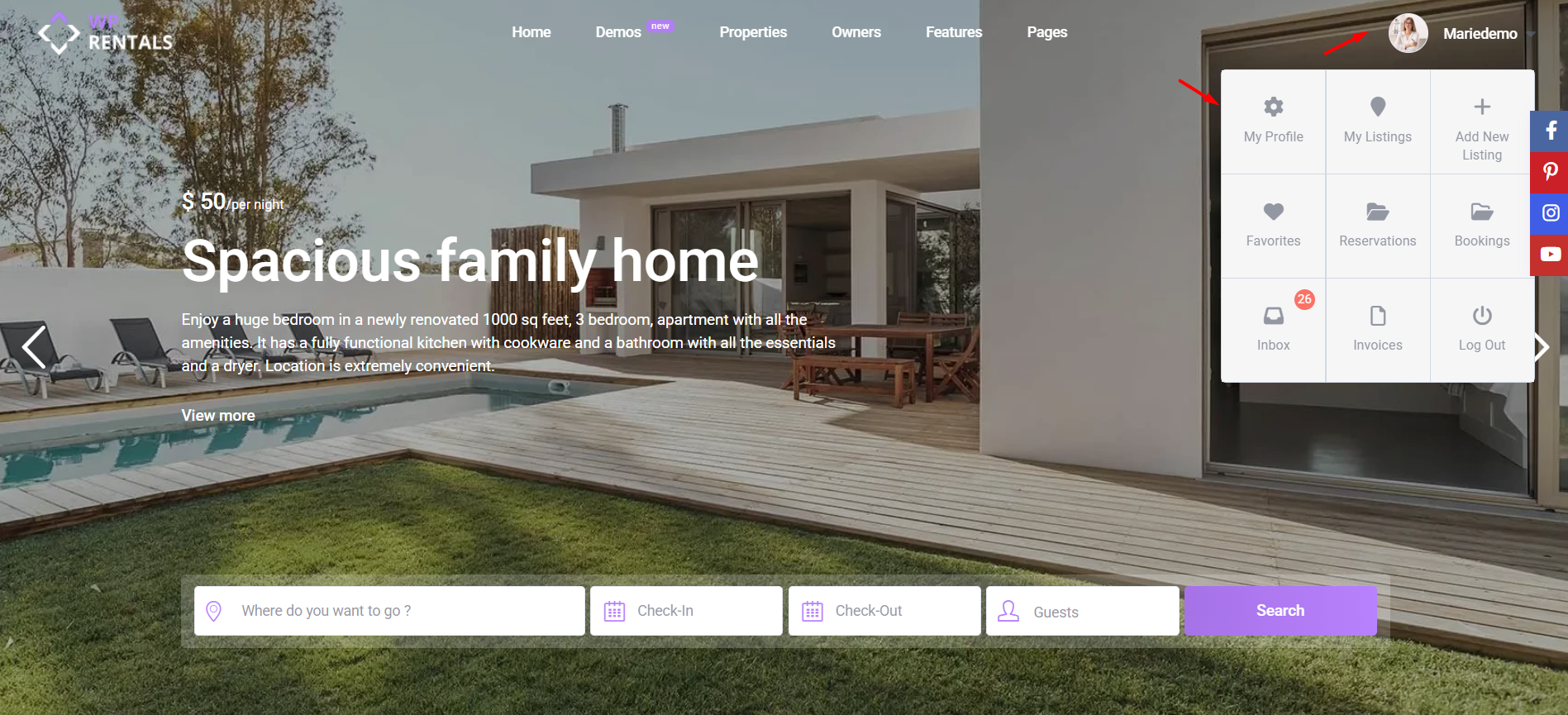
Listing details are managed from the front-end User Dashboard.
This applies to:
- site admins managing listings from the front end
- single owners managing all listings
- registered owners managing their own listings
The correct paths are:
User Dashboard > My Listings > Add New Listing
or
User Dashboard > My Listings > Edit Listing
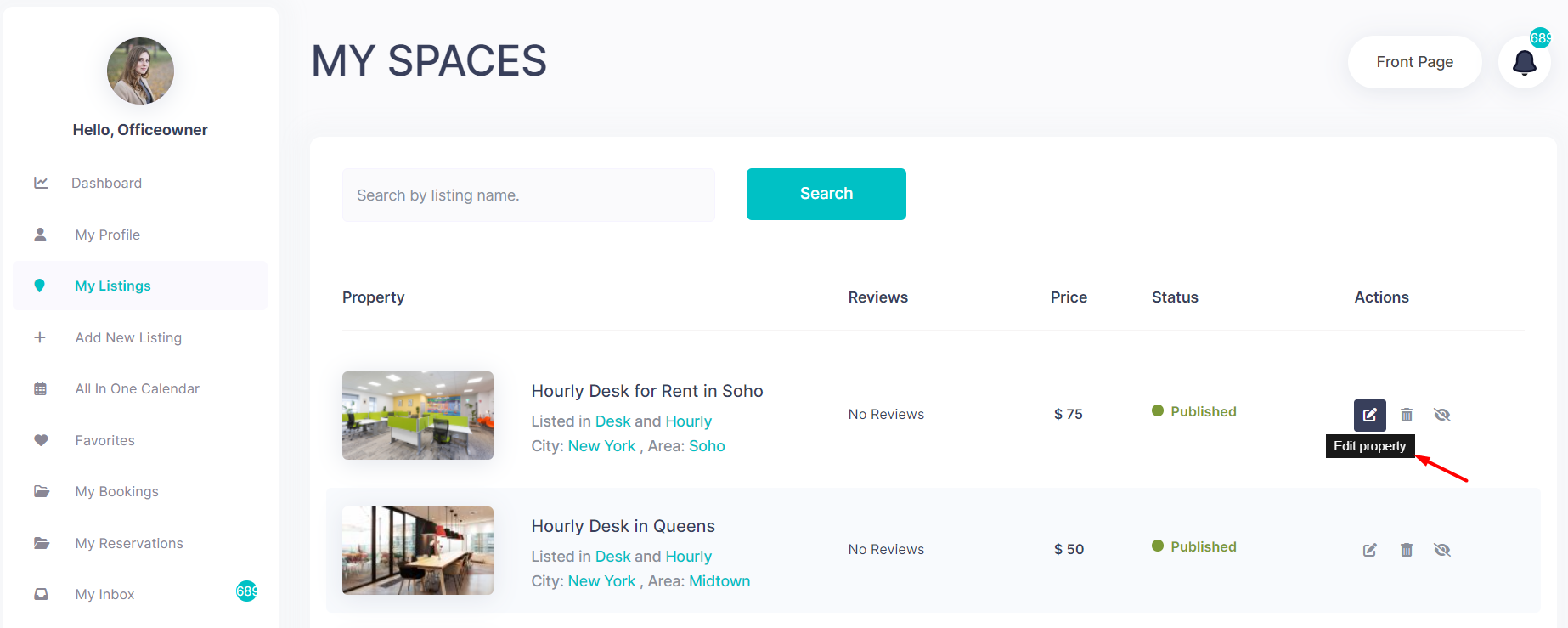
If the website uses Mix – Owner chooses price by hour or by day, the listing owner or admin will manage the listing-specific booking type from the front-end listing form.
How Object Rental Affects the Front End
When Object Rental is enabled, the front-end booking form changes to better match item-based rentals.
The main changes are:
- the booking form does not show the guest field
- price wording changes from per night to per day
- the booking remains calendar-based
- the selected period is blocked in the listing calendar
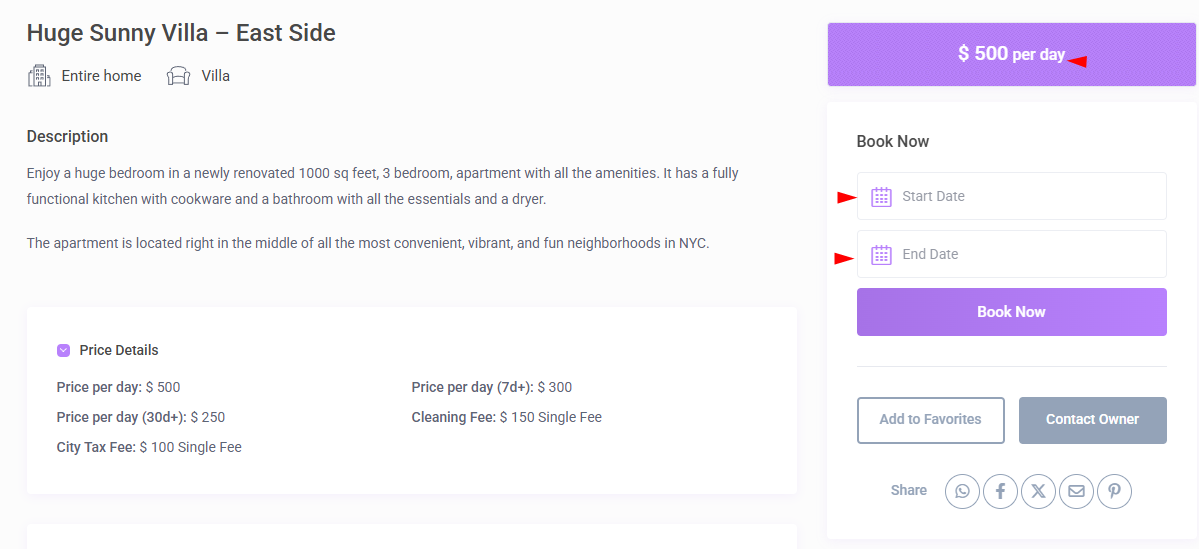
This makes the booking form cleaner for rentals where the number of guests is not needed.
Object Rental and Hourly Booking
Object Rental can be used together with Hourly Booking, but hourly booking must be enabled separately.
Go to:
Theme Options > Booking Configuration > Form General Settings
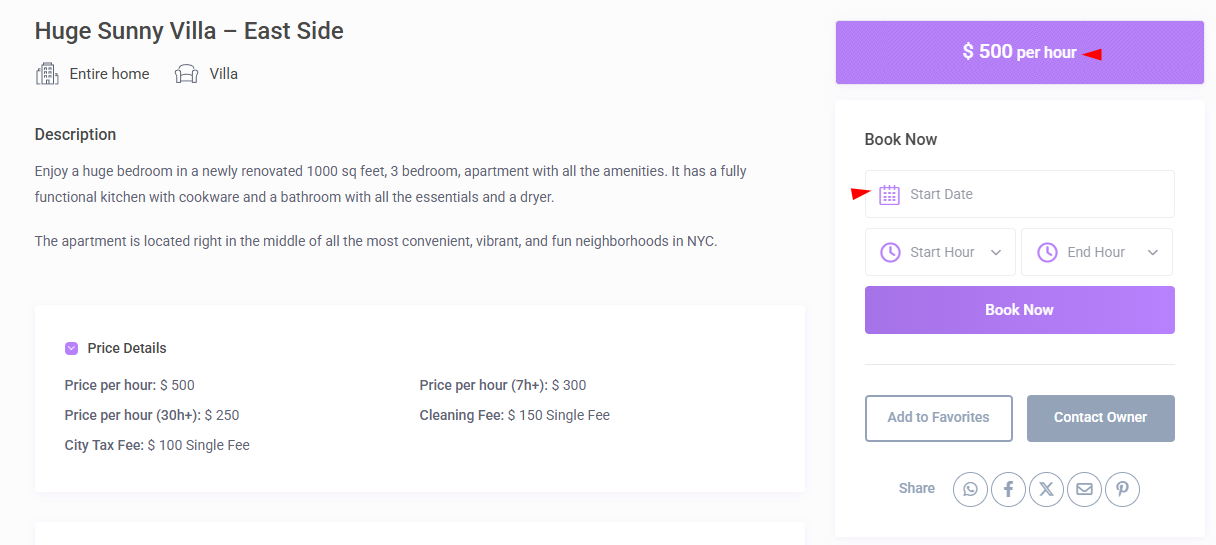
For hourly booking:
- the guest field can still be hidden when Object Rental is enabled
- owners or admins can set hourly prices
- owners or admins can define business hours
- hourly selection is limited to one calendar day, up to 24 hours
A common setup for equipment, gear, or item rentals is:
- What Do You Rent? set to Object Rental
- Booking Type set to Per Hour or Mix
Important Notes
- Object Rental does not turn WPRentals into a non-calendar booking system. It hides guest logic and changes labels from night to day.
- The reservation still blocks the selected period in the calendar.
- If you need booking by hour, enable Hourly Booking separately.
- If you need owners to choose between daily and hourly booking per listing, use the Mix booking type.
- For vacation rentals, apartments, villas, rooms, or accommodation websites, use Vacation Rental instead of Object Rental.
- For Object Rental websites, review the listing submission form and remove fields that are not relevant to item-based rentals.
Related Help
How to manage advanced search options
Summary
- Object Rental is used when the guest number is not needed.
- It is suitable for equipment, cars, boats, bikes, tools, items, and spaces.
- It hides the guest field and changes night wording to day wording.
- The booking still uses the calendar and blocks availability.
- Hourly booking must be enabled separately if rentals are booked by time slots.
- Listings are managed from User Dashboard > My Listings > Add New Listing or Edit Listing.