
WP Rentals Help WP Rentals Help

  • Client Support
  • Video Tutorials
  • WpRentals
  • WpEstate
  • API
Home / WP Rentals Theme Options / Theme Options – Design – Custom CSS

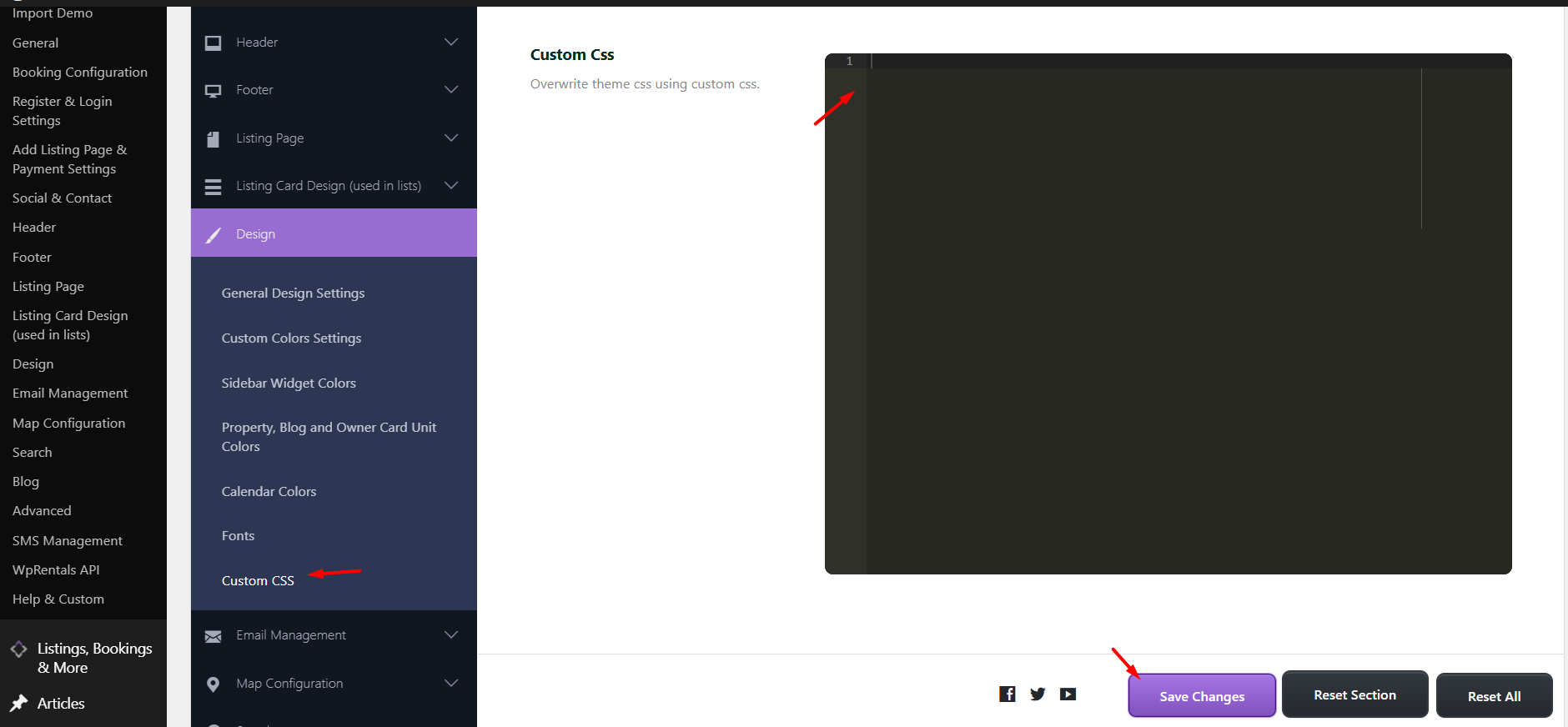
Theme Options – Design – Custom CSS

10327 views

You may wish to modify some design elements, which may require using custom CSS.

You can add custom CSS in Theme Options > Design > Custom CSS. The changes you make here will not be overwritten when you update the theme.

To see the CSS changes, you may need to clear cache from WpRentals Cache (if enabled).
The theme includes a basic child theme in the theme pack. Using a child theme allows you to make customizations without modifying the parent theme. You can add your custom CSS to the style.css file in the child theme. When a new version of the parent theme is released and you update it, your modifications in the child theme will remain intact and unaffected. .
Help article for child theme installation.

If your CSS changes are not showing up, it may be due to incorrect CSS code or browser caching. As an alternative, you can use the WordPress Customizer (a default WordPress feature), which allows you to preview changes immediately and helps bypass cache issues.

WP Rentals Theme Options

Related Articles

  • Theme Options -> General -> Orphan Listings
  • Theme Options -> Payment Currency Settings
  • Enabling Multi-Selection for Property Categories | Taxonomies in the Search Form
  • Booking: How to work with Deposit Fee and Service Fee

HELP CATEGORIES

  • 71. General
  • 102. Installation & Basic Setup
  • 393. How Booking Works
  • 20Advanced Search
  • 19Elementor Free & WP Rentals Studio
  • 13Email Notifications
  • 10FAQ
  • 14Installation FAQ
  • 10Menu Options
  • 27Multi-Languages - 3rd party
  • 32Owner & Renter
  • 9Page Templates
  • 24Property / Listing
  • 22Shortcodes
  • 4Supported Maps
  • 97Technical how to
  • 5Third Party plugins
  • 3Translation
  • 3WordPress Blog Post
  • 13WordPress Widgets
  • 12WP Rentals Payments
  • 78WP Rentals Theme Options

Join Us On

Powered by WP Estate - All Rights Reserved
  • Client Support
  • Video Tutorials
  • WpRentals
  • WpEstate
  • API