
WPRentals Theme Documentation WPRentals Theme Documentation

  • Client Support
  • Video Tutorials
  • WPRentals
  • WPEstate
  • API
Home / WP Rentals Payments, WP Rentals Theme Options / Theme Options -> Payment Currency Settings

Theme Options -> Payment Currency Settings

2366 views

The Payment Details for WPRentals Included Merchants are managed from:

Theme Options > Payments & Submit > Submission Payment Settings

These settings apply to the payment merchants included with WPRentals, such as PayPal and Stripe.

Read more about all supported payment methods here:
Supported Payment Platforms in WPRentals
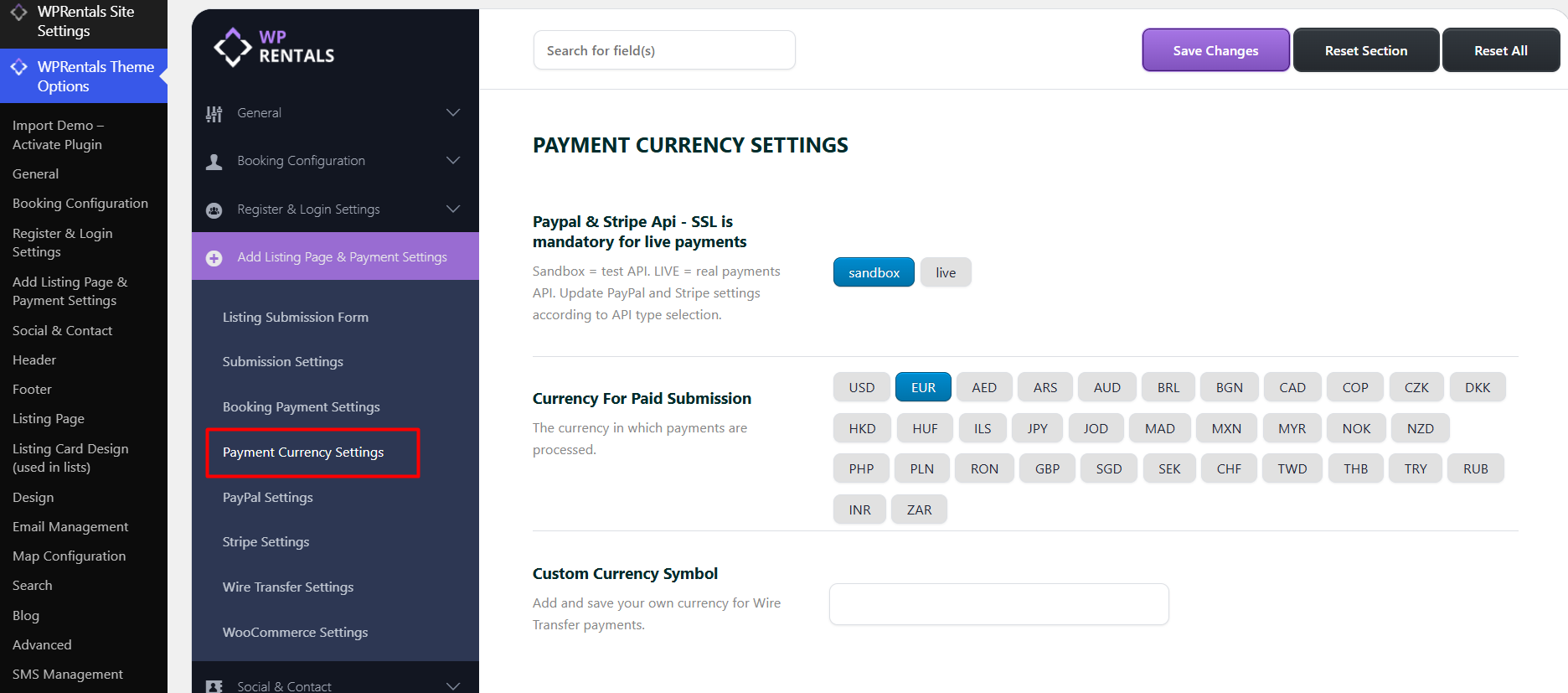
CONTENT

  • Payment Mode: Sandbox or Live
  • Payment Currency
  • Currency support for PayPal and Stripe
  • What to do if your currency is not listed
  • Related help

Payment Mode: Sandbox or Live

For WPRentals included merchants, you can choose whether payments should run in Sandbox mode or Live mode.

  • Sandbox is used for testing payment API credentials before accepting real payments.
  • Live is used when you are ready to accept real payments from users.
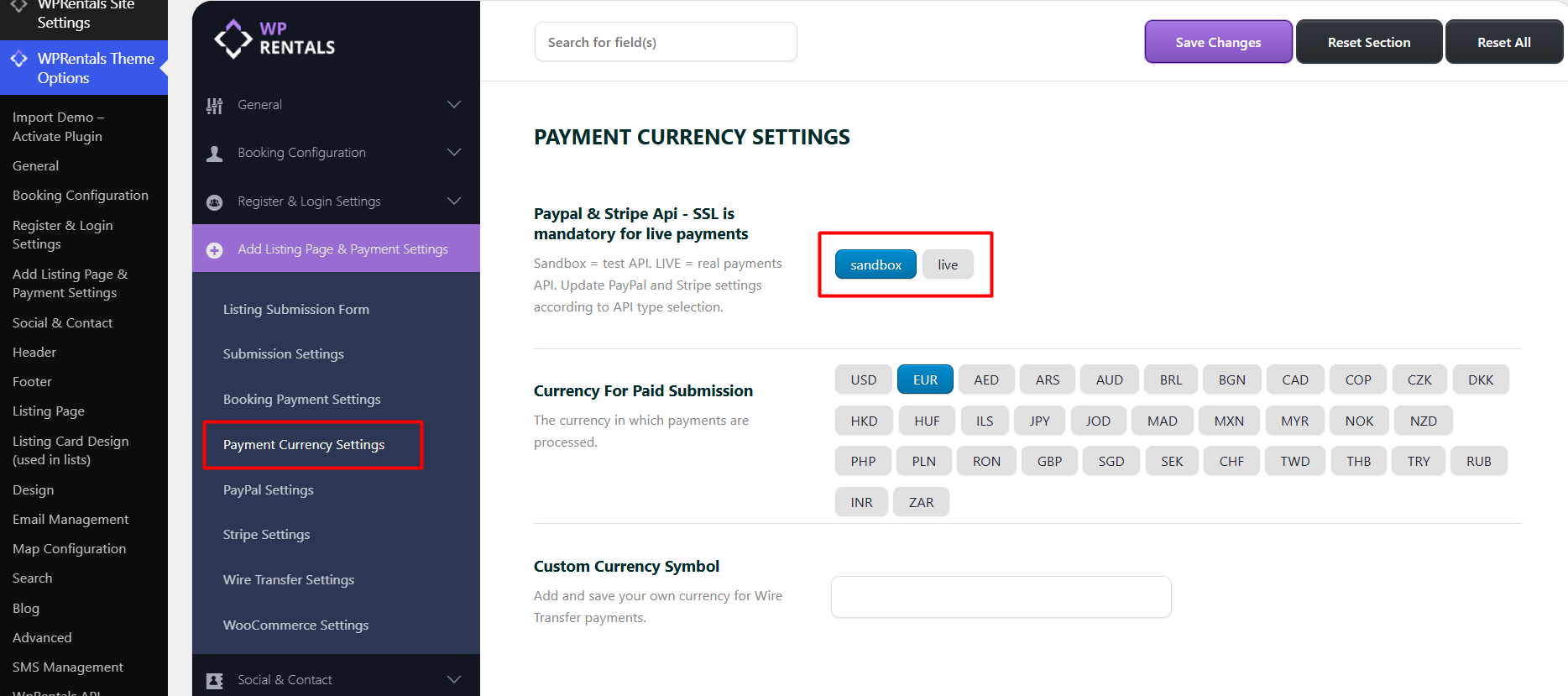
Important: Use Sandbox mode only for testing. When the website is ready to accept real payments, switch the payment mode to Live and add the live API credentials from your merchant account.

Payment Currency

For WPRentals included merchants, you must also select the Payment Currency.

Go to:

Theme Options > Payments & Submit > Submission Payment Settings > Currency for Paid Submission

Important: The payment currency selected here must be supported by the payment merchant you use. For example, PayPal and Stripe do not support all countries and currencies.

Currency support for PayPal and Stripe

Before enabling live payments, check that your selected currency is supported by your payment provider.

  • PayPal supported currencies:
    PayPal currency codes
  • Stripe supported currencies:
    Stripe supported currencies
  • Stripe supported countries:
    Stripe global availability

What to do if your currency is not listed

If your country currency is not available in the Currency for Paid Submission dropdown, please open a ticket in our support system and ask for your currency to be added.

Please include the exact currency name and currency code in your request.

Example:

Romanian Leu - RON

Related help

  • Supported Payment Platforms in WPRentals
WP Rentals PaymentsWP Rentals Theme Options

Related Articles

  • What Is the WPESTATE FAN Option
  • Stripe Workbench Set-Up Tutorial
  • White-Label WPRentals with Your Brand
  • How SMS Notifications Work in WP Rentals (WpestateEmail Class): A Complete Guide

HELP CATEGORIES

  • 61. General
  • 72. Installation & Basic Setup
  • 373. How Booking Works
  • 18Advanced Search
  • 17Elementor WPRentals Studio
  • 14Email Notifications
  • 23FAQ
  • 14Installation FAQ
  • 10Menu Options
  • 34Owner & Renter
  • 8Page Templates
  • 23Property / Listing
  • 22Shortcodes
  • 4Supported Maps
  • 99Technical how to
  • 5Third Party plugins
  • 4Translation & Multi Languages
  • 3WordPress Blog Post
  • 13WordPress Widgets
  • 12WP Rentals Payments
  • 80WP Rentals Theme Options
  • 26WPML & Weglot

Join Us On

Powered by WP Estate - All Rights Reserved
  • Client Support
  • Video Tutorials
  • WPRentals
  • WPEstate
  • API