
What Is the WPESTATE FAN Option
The WPESTATE FAN option controls whether the default WPESTATE text appears in the footer copyright area.
If this option is enabled, the theme may show the WPESTATE text in the footer on the front end.
This is usually noticed when the website owner wants to use a custom footer message or remove the default WPESTATE branding from the footer.
Where to Find the WPESTATE FAN Option
You can find this option in Theme Options > Help & Custom
Check the footer settings area for the WPESTATE FAN option and review whether it is enabled or disabled.
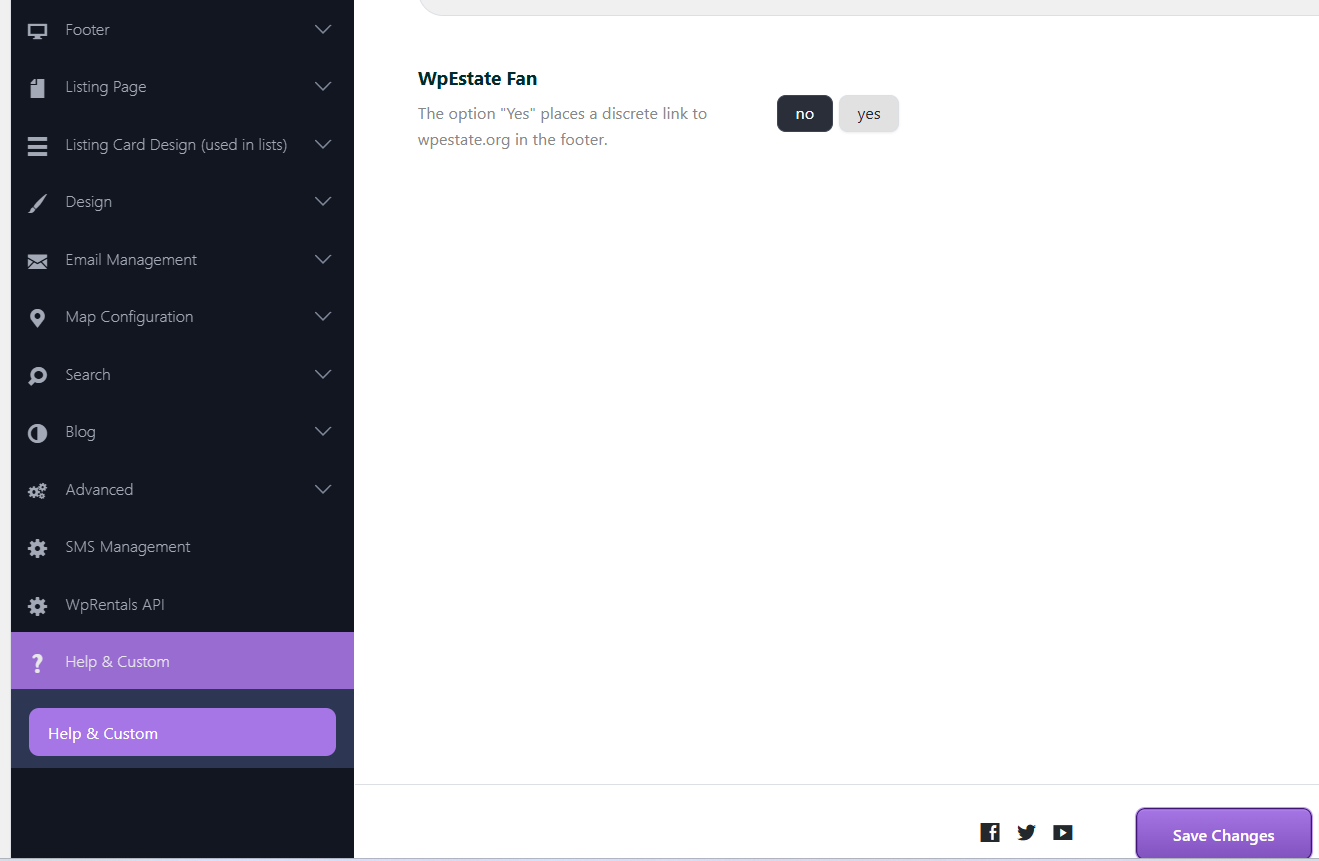
What Happens When WPESTATE FAN Is Enabled
When WPESTATE FAN is enabled, the footer may display the default WPESTATE text.
This can appear even if you expected a different footer message or did not want any branding text shown there.
If you want a cleaner footer with only your own content, this option should normally be disabled.
How to Disable the WPESTATE FAN Option
To remove the WPESTATE text from the footer:
- Go to Theme Options > Footer
- Find the WPESTATE FAN option
- Set it to Disabled or No, depending on how the option is shown in your panel
- Save the changes
After saving, refresh the front end and check the footer again.
If the old footer text is still visible, clear any theme, plugin, server, or browser cache and reload the page.
When to Check This Option
You should check the WPESTATE FAN option if:
- the footer shows WPESTATE text that you do not want
- you want to use only your own copyright message
- you updated footer settings but the default footer branding still appears
If you want to customize the footer further, including footer widgets, colors, and footer menu, check the footer settings and widget areas as well.