
Currently, it is not possible to edit or modify booking dates once a guest has completed a booking.
This applies to both confirmed and pending bookings, regardless of whether payment was made as a deposit or in full.
The reason for this limitation is that WpRentals supports multiple pricing structures (such as custom prices, weekend rates, and discounts). Updating dates after a booking is created would affect invoices, totals, and payment records — which could lead to inconsistencies and incorrect calculations in the system.
What to do instead
If a guest needs to change their stay dates:
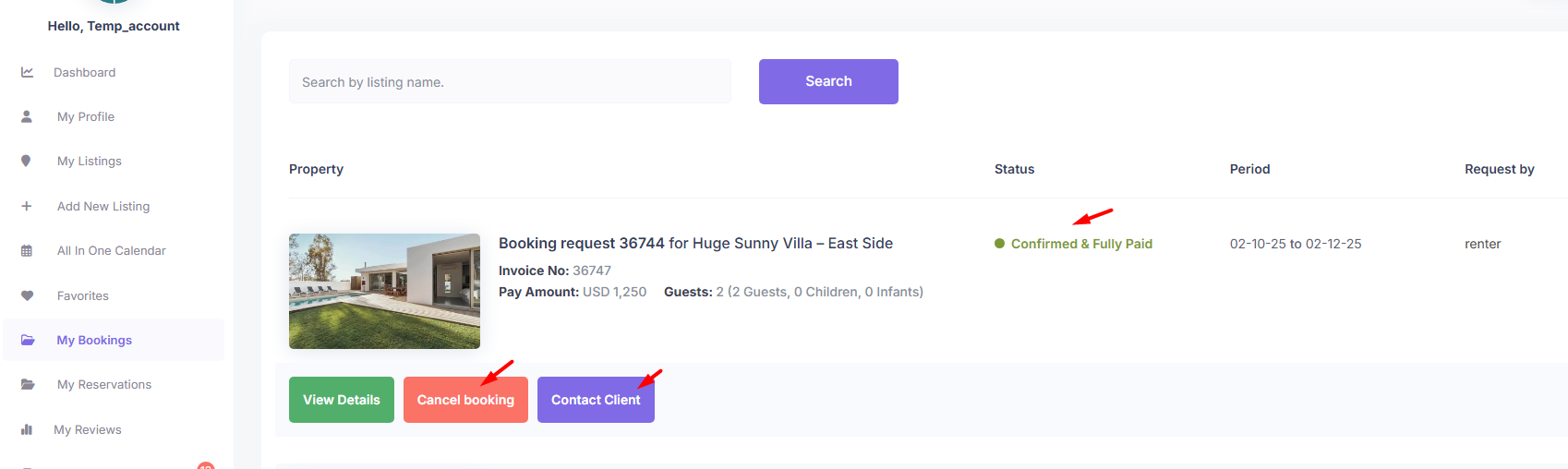
- Cancel the original booking (as owner in owner dashboard – My Bookings).
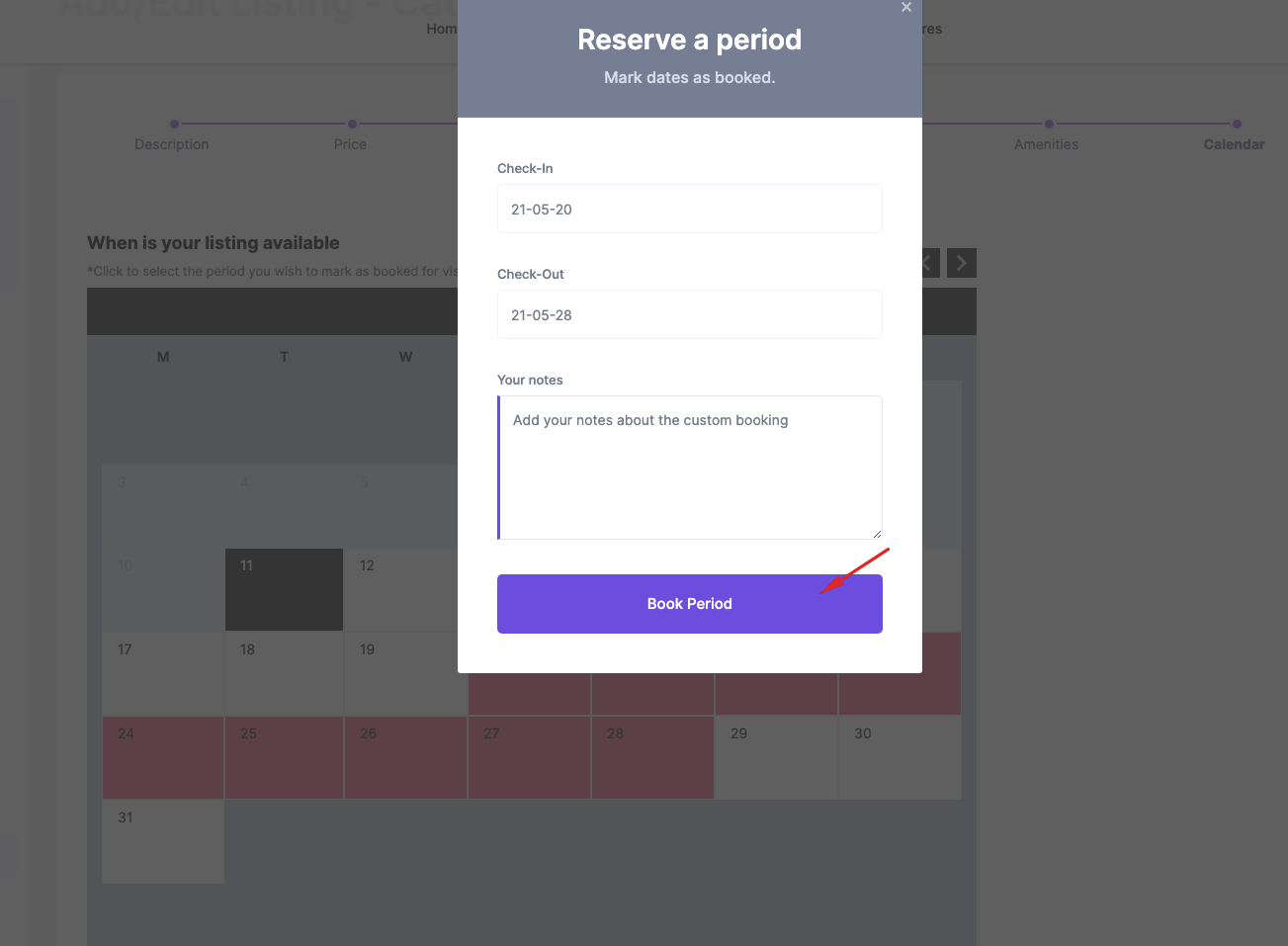
- Create a new booking manually with the corrected dates. Help to add manual bookings https://help.wprentals.org/article/adddelete-booked-periods-as-owner/
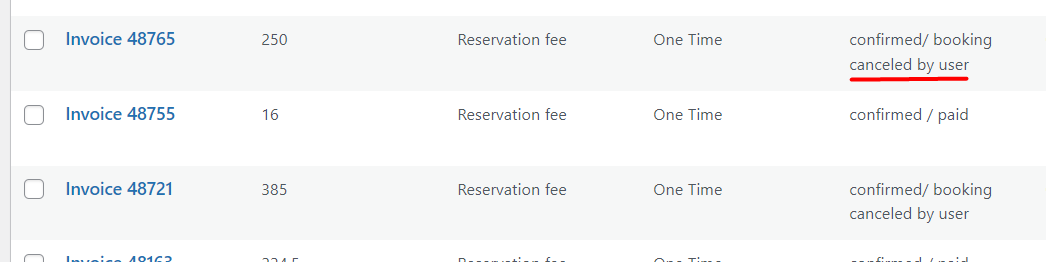
- If any payment has already been made, you can manually note or adjust what was paid and what remains due. Payments are always possible to admin only and admin will see the invoices for bookings canceled by owner for any manual modifications.
- If a booking is already confirmed but needs to be canceled, the owner can cancel it. The booking will be deleted from both the owner’s and the user’s dashboards.
- Once an invoice is issued, it will appear in the Admin Dashboard. This helps the admin track any deposits that have been paid.
Tip
If you encounter this situation often, consider mentioning in your property policies that guests should contact the host directly for booking adjustments before making payment.
We understand this feature would be helpful, and our team is exploring ways to handle it safely in future updates. For now, this manual rebooking process ensures accurate invoices and prevents data issues.