
WPRentals Theme Documentation WPRentals Theme Documentation

  • Client Support
  • Video Tutorials
  • WPRentals
  • WPEstate
  • API
Home / WPML & Weglot / WPML translations don’t work with Google Places search

WPML translations don’t work with Google Places search

6168 views
When you use Google to autocomplete the property needs to be added from front end submission to show in search results.  Since you use WPML and the translation is made from admin, the google autocompletes will not work for the translated version of the properties.
​
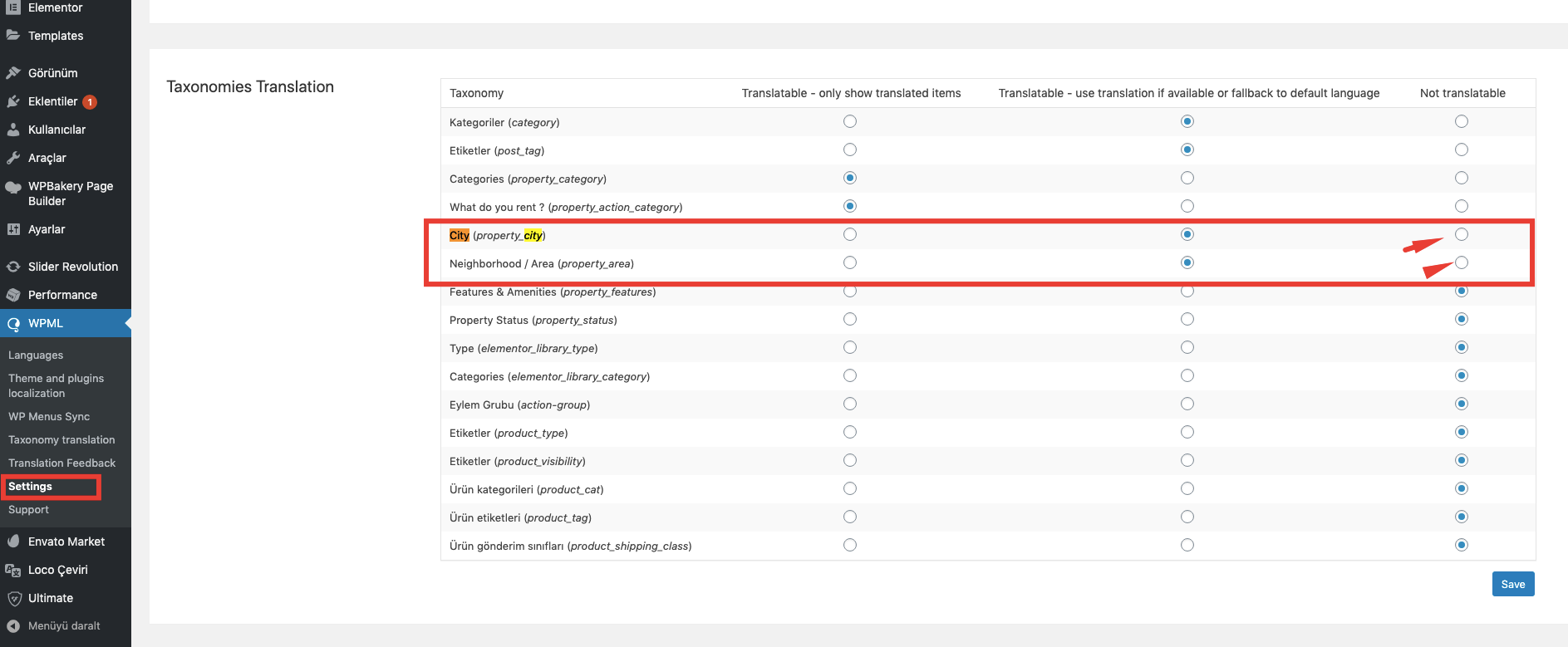
You need to set City, area State to not be translatable or disable Google autocomplete.
​
Help: https://help.wprentals.org/article/how-to-disable-google-places-in-search-and-submit-how-to-enable-advanced-search-with-theme-auto-complete/
​
To not translate city -> area -> country you need to change this in WPML
​
​
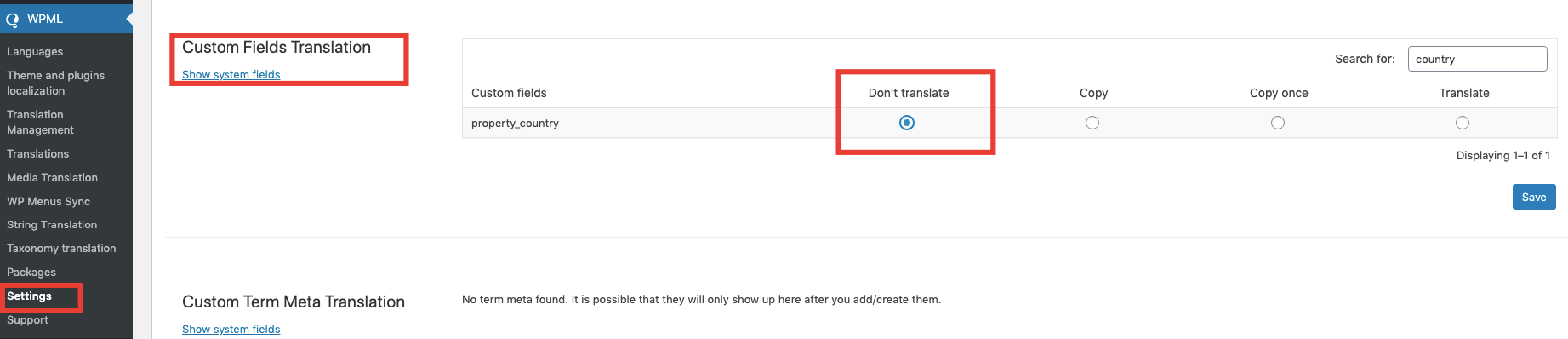
To not translate country in WPML you need to change this  from Settings -> Custom Fields
​
WPML & Weglot

Related Articles

  • WPML Elementor Widgets Translation Help
  • How to translate Features and amenities in WPML
  • Multi Language 3rd Party Recommended Solutions
  • WPML – Shows duplicate translated categories

HELP CATEGORIES

  • 61. General
  • 72. Installation & Basic Setup
  • 373. How Booking Works
  • 18Advanced Search
  • 17Elementor WPRentals Studio
  • 14Email Notifications
  • 23FAQ
  • 14Installation FAQ
  • 10Menu Options
  • 34Owner & Renter
  • 8Page Templates
  • 23Property / Listing
  • 22Shortcodes
  • 4Supported Maps
  • 98Technical how to
  • 5Third Party plugins
  • 4Translation & Multi Languages
  • 3WordPress Blog Post
  • 13WordPress Widgets
  • 12WP Rentals Payments
  • 79WP Rentals Theme Options
  • 26WPML & Weglot

Join Us On

Powered by WP Estate - All Rights Reserved
  • Client Support
  • Video Tutorials
  • WPRentals
  • WPEstate
  • API