WPRentals Theme Documentation WPRentals Theme Documentation

  • Client Support
  • Video Tutorials
  • WPRentals
  • WPEstate
  • API
Home / WPML & Weglot / How to translate Features and amenities in WPML

How to translate Features and amenities in WPML

6798 views

These instructions are created with WPML team support instructions. You can reach WPML directly as buyer of their plugin for further instructions (if needed)

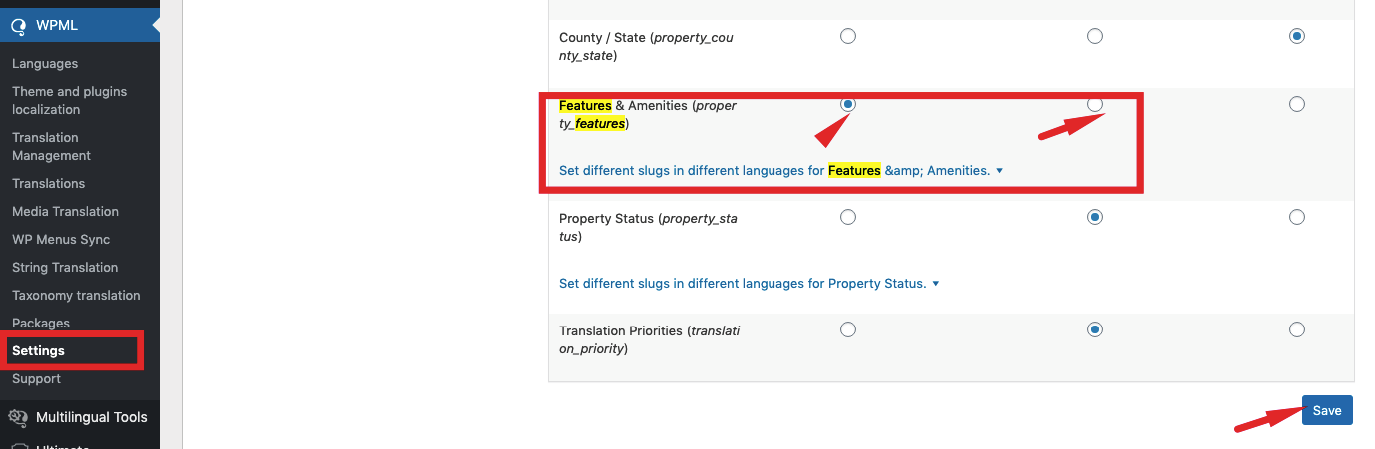
Check in SETTINGS features are set to translate (1st or 2nd option)

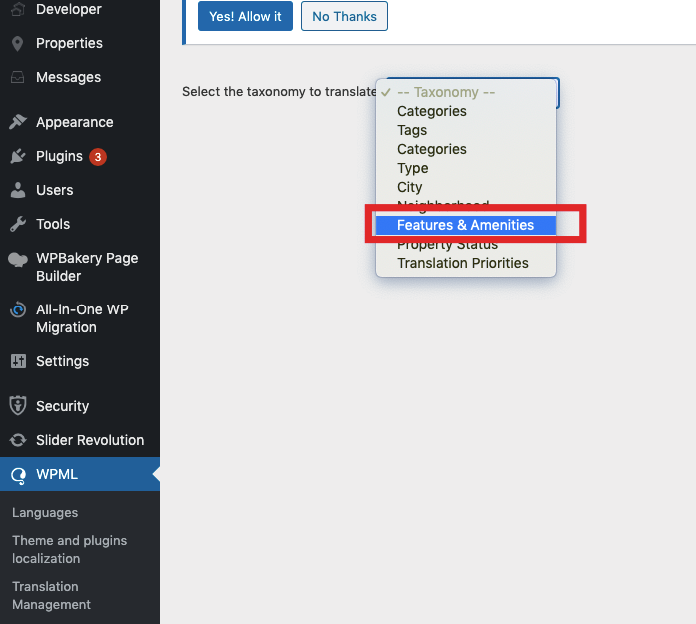
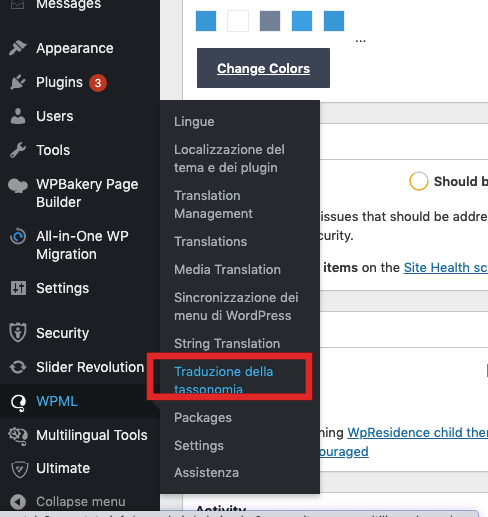
Translate Features and amenities as taxonomies:
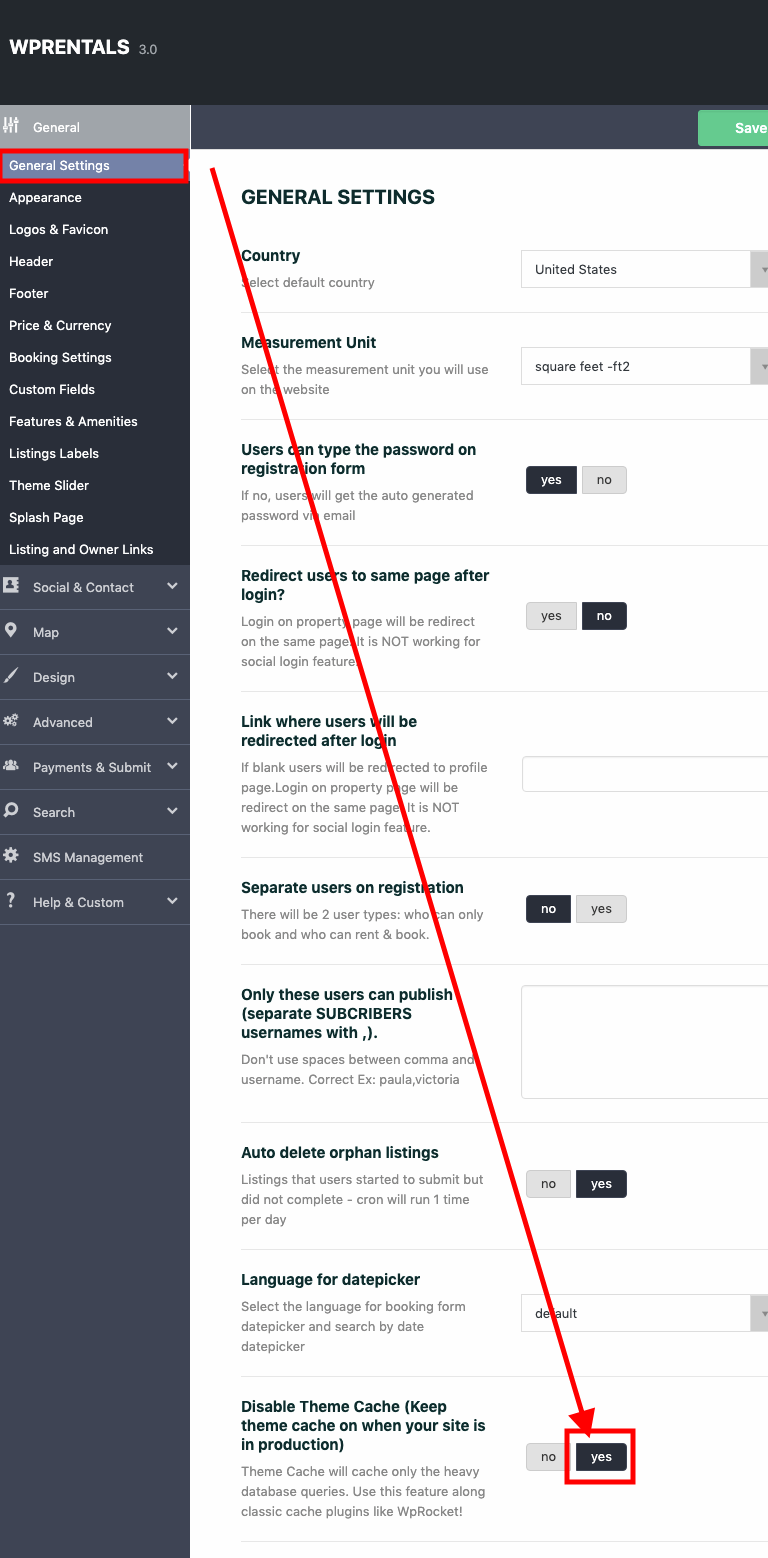
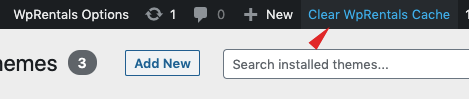
Disable theme cache to see features and amenities translated in all theme languages
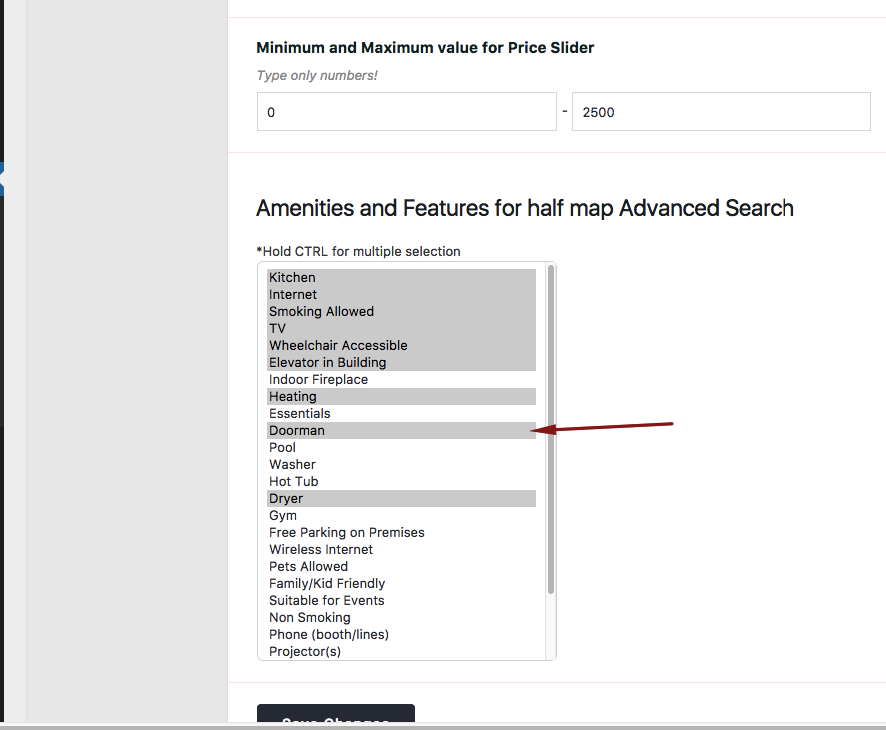
Show features and amenities in search in all languages

WPML & Weglot

Related Articles

  • WPML Elementor Widgets Translation Help
  • Multi Language 3rd Party Recommended Solutions
  • WPML translations don’t work with Google Places search
  • WPML – Shows duplicate translated categories

HELP CATEGORIES

  • 61. General
  • 72. Installation & Basic Setup
  • 373. How Booking Works
  • 18Advanced Search
  • 17Elementor WPRentals Studio
  • 14Email Notifications
  • 23FAQ
  • 14Installation FAQ
  • 10Menu Options
  • 34Owner & Renter
  • 8Page Templates
  • 23Property / Listing
  • 22Shortcodes
  • 4Supported Maps
  • 98Technical how to
  • 5Third Party plugins
  • 4Translation & Multi Languages
  • 3WordPress Blog Post
  • 13WordPress Widgets
  • 12WP Rentals Payments
  • 79WP Rentals Theme Options
  • 26WPML & Weglot

Join Us On

Powered by WP Estate - All Rights Reserved
  • Client Support
  • Video Tutorials
  • WPRentals
  • WPEstate
  • API