
WpRentals has 2 options for guest display. You can use a Classic Guest Dropdown or the Advanced Guest Selector. You can control the maximum number of guests shown in the selector only for the Classic Guest Dropdown option.
Manage Guests as Classic Dropdown
For the Classic Guest Dropdown, the number of guests to show can be set from Theme Options.
Go to Theme Options > Booking Configuration > Guest Selector Settings and set Enabled advanced guest Control? to No.
Below, you will see Maximum Guest Number.
Enter the number you want and save your changes.
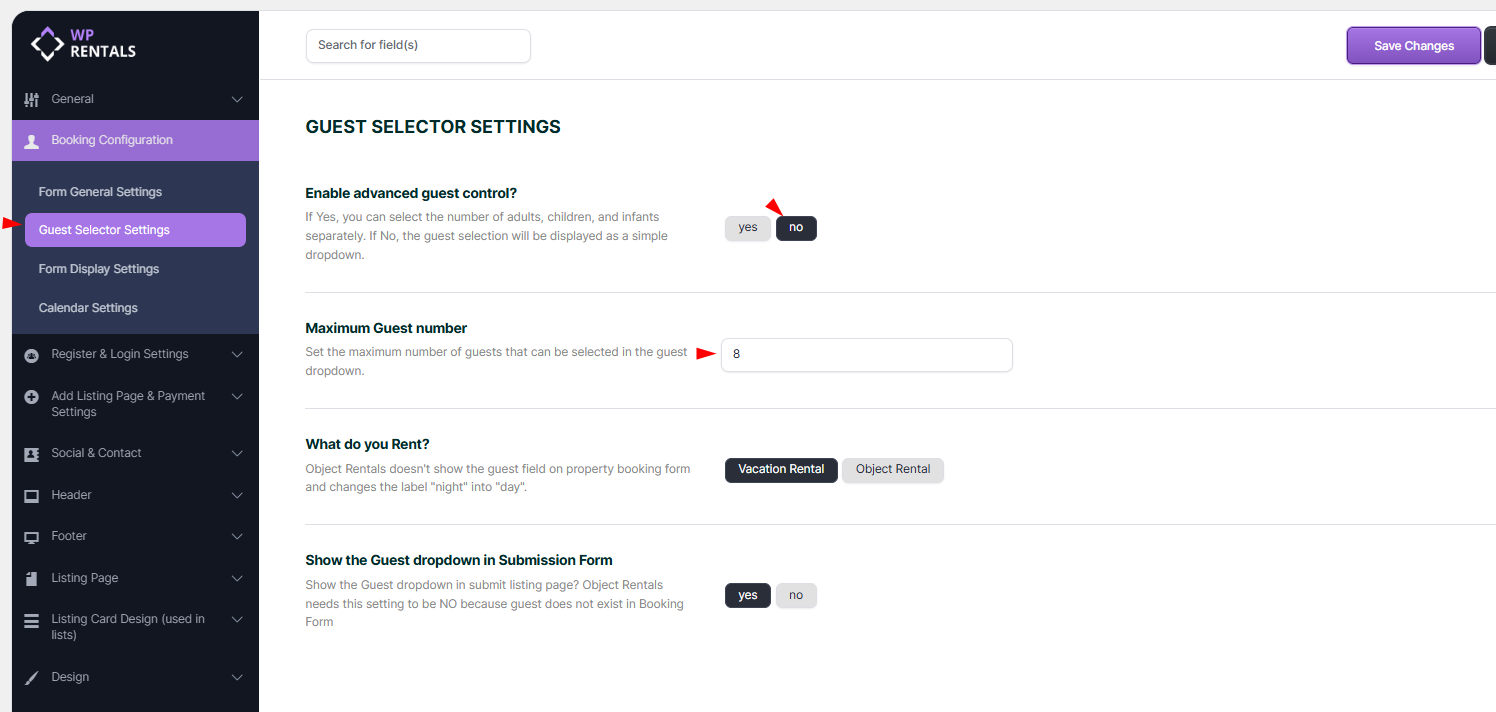
The maximum guest number set in Theme Options will also apply to the guest dropdown in the submission form.
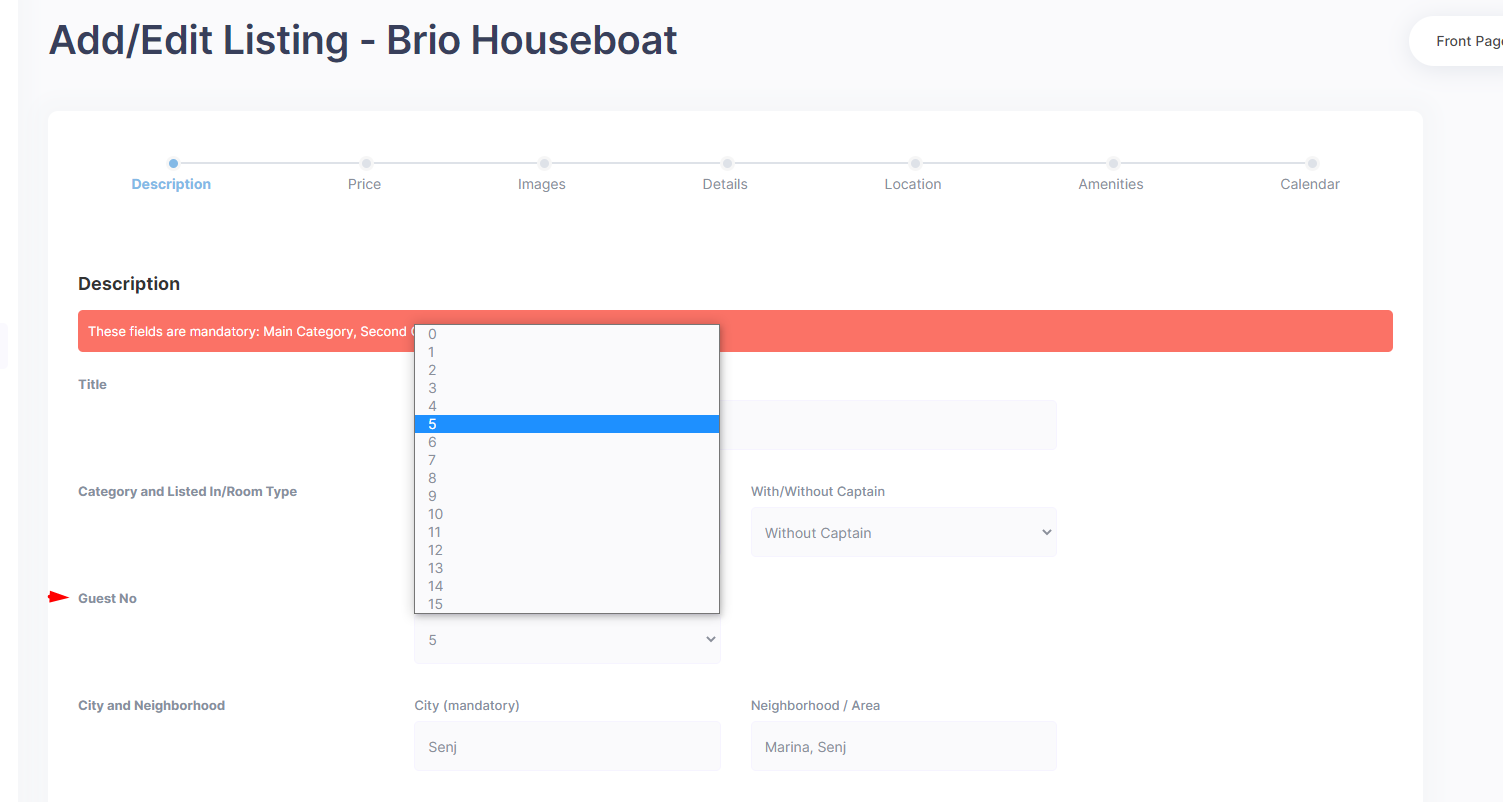
The number of guests will show in the search form too (when using the classic guest dropdown).

The number of guests will show in the booking form as well.

Advanced Guest Selector (Adults/Children Separation)
The Advanced Guest Selector provides separate fields for Adults, Children, and Infants.
If you enable Advanced Guest Control, the maximum number of guests users can select in the search form will not follow the “Maximum Guest Number” set in Theme Options.
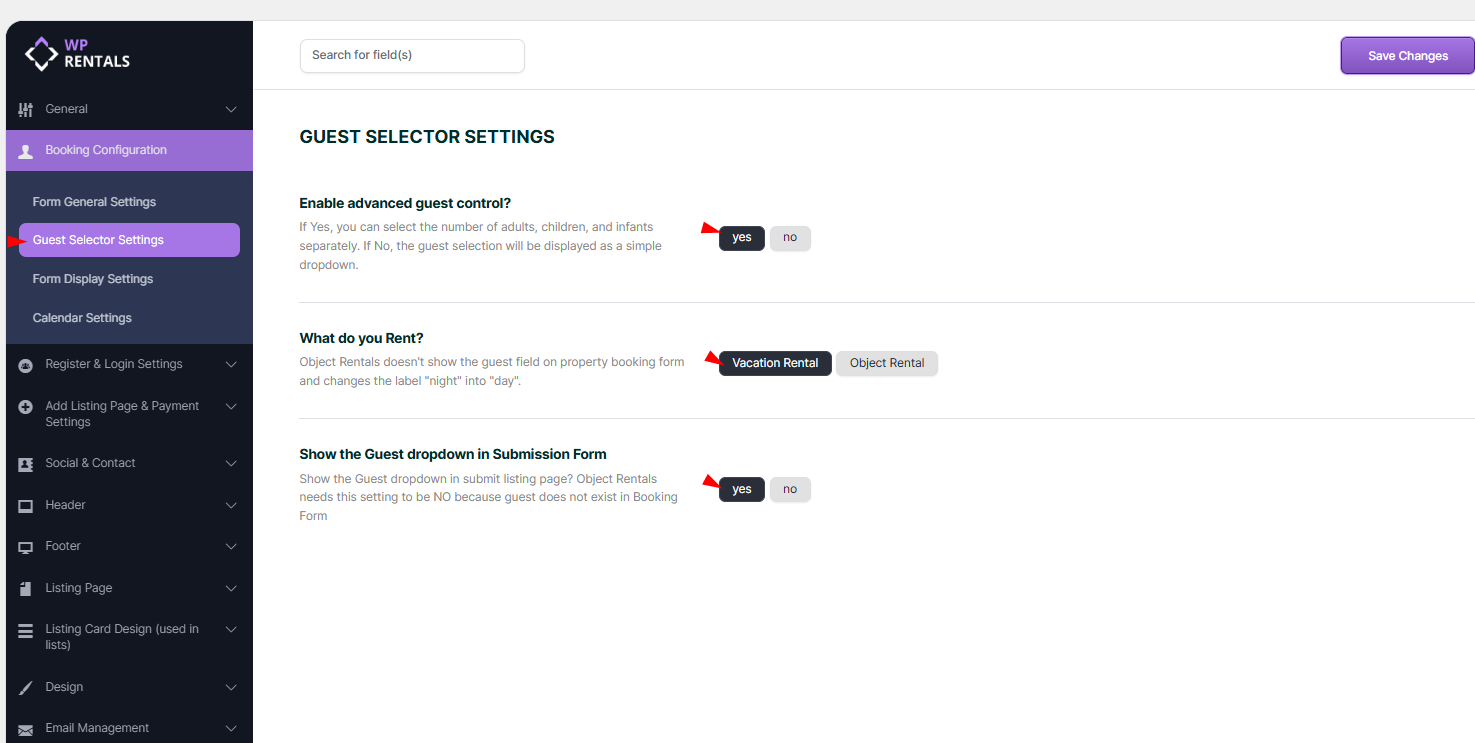

However, even if the advanced guest selector allows users to select any number of guests in the search form, the property booking form will still enforce the maximum guests set for each property. Also, search results will not return properties where the guest capacity does not match the number of guests selected.
Example of how the advanced guest selector works on a single property page (booking form):
