
WPRentals Theme Documentation WPRentals Theme Documentation

  • Client Support
  • Video Tutorials
  • WPRentals
  • WPEstate
  • API
Home / Multi-Languages - 3rd party / WPML translate calendar

WPML translate calendar

8307 views

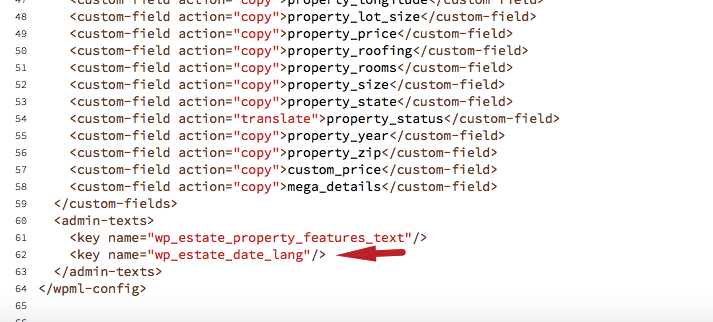
Check the WPML config file and make sure that this line is added – If you cannot find the line,  add it to your/wp-content/themes/wprentals/wpml-config.xml file
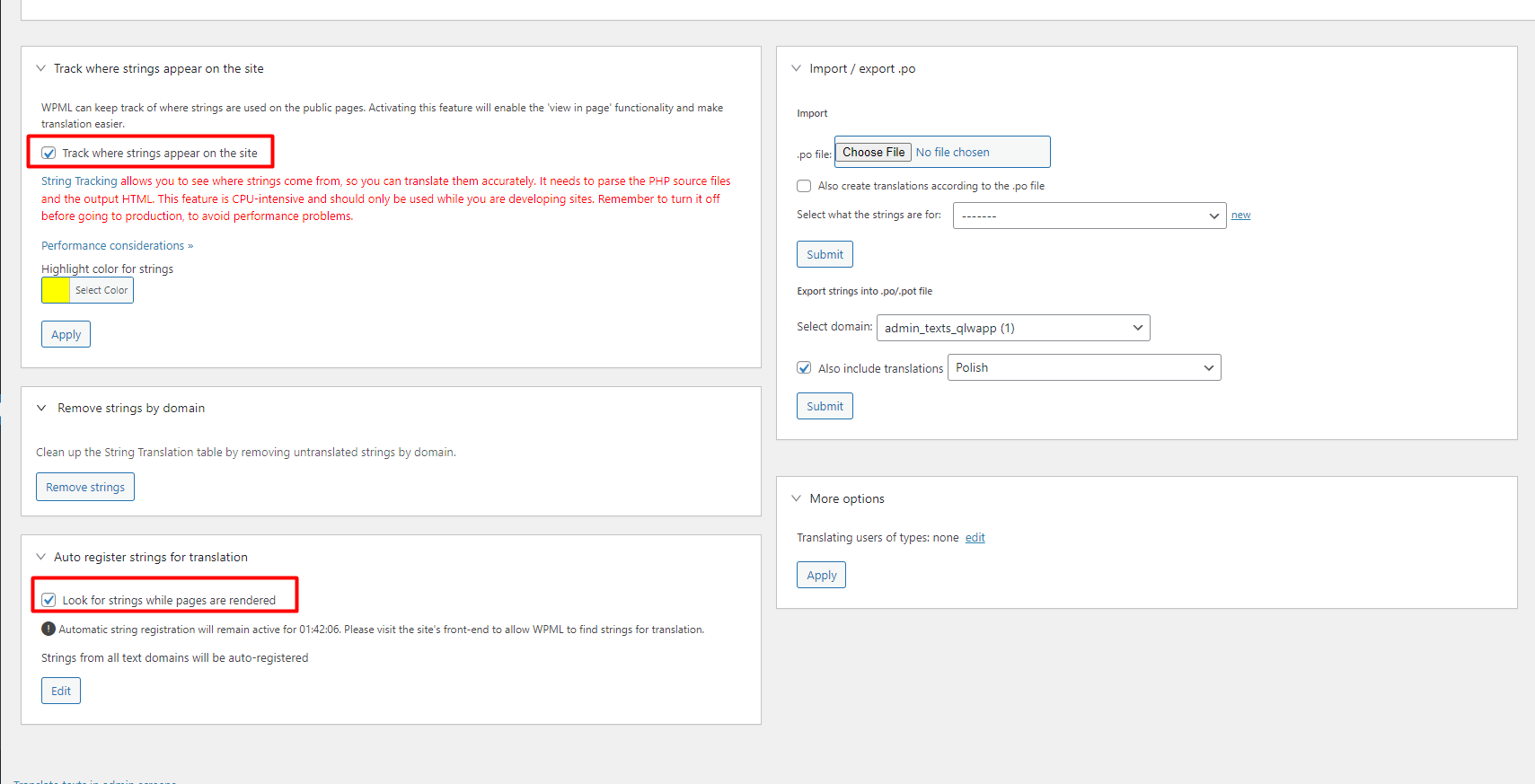
  • Deactivate and reactivate WPML
  • Go to String Translation and select the option to register new strings
  • Access the translated version of your listings
  • Go to string translation and look for wp_estate_date_lang
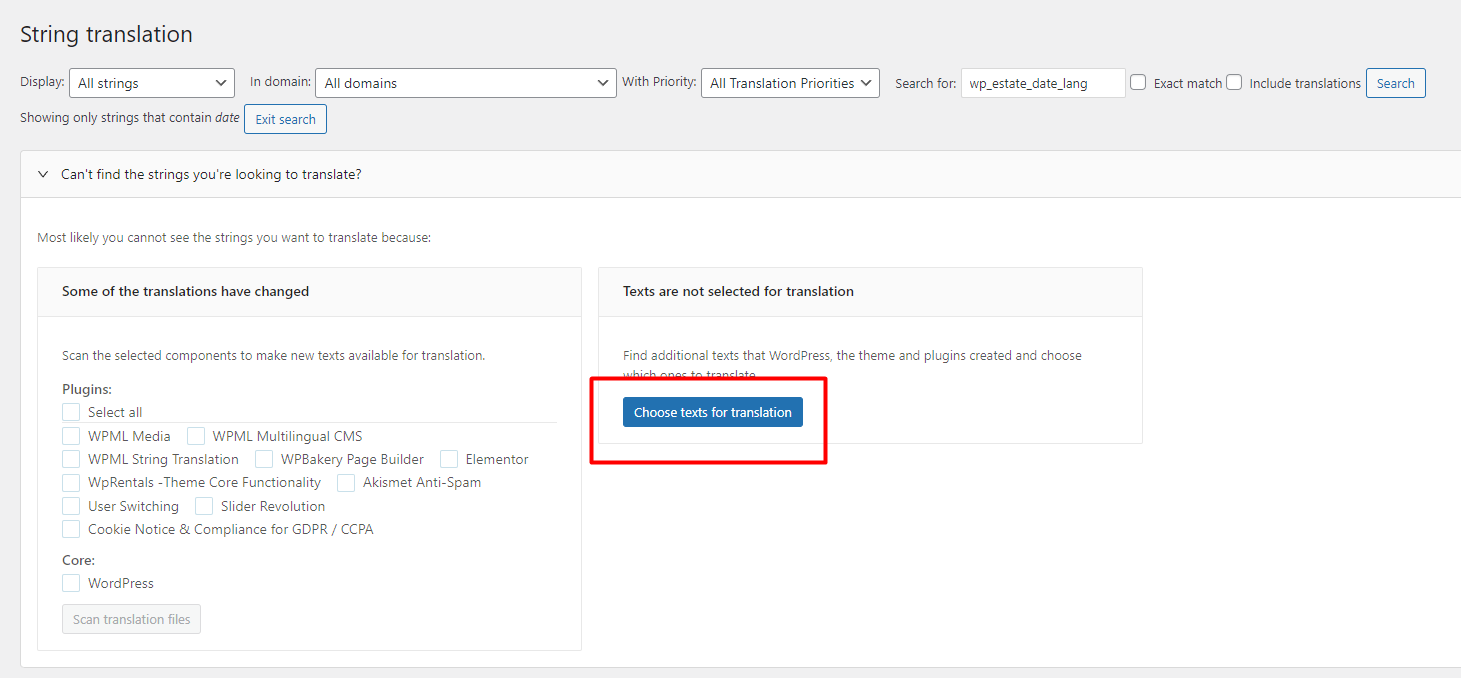
  • If you do not find it, you need to manually register the string

Click Choose Texts for translation 
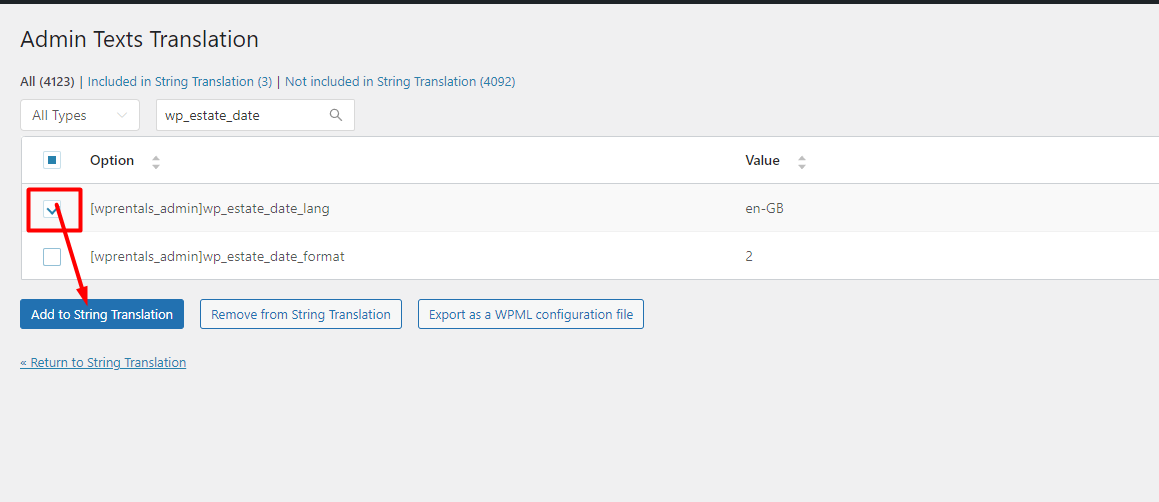
Look for the String and add it In String Translation
 

  • Look for the string again in String Translations and enter the language code for each language (screenshot). This will load the date picker per language.


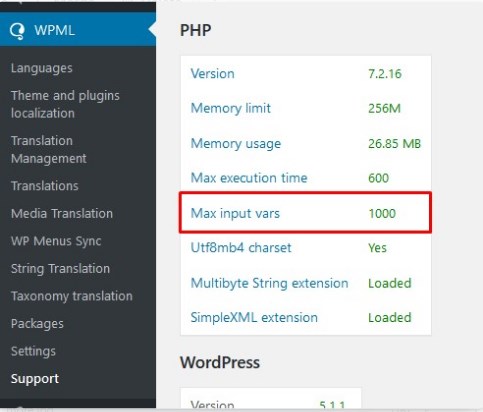
If the above does not work please try to increase MaxInputVars to 10000 or more.


Multi-Languages - 3rd party

Related Articles

  • WpRentals & Elementor Widgets Translation Help
  • How to translate Features and amenities in WPML
  • Multi Language 3rd Party Recommended Solutions
  • WPML translations don’t work with Google Places search

HELP CATEGORIES

  • 71. General
  • 102. Installation & Basic Setup
  • 393. How Booking Works
  • 20Advanced Search
  • 18Elementor Free & WP Rentals Studio
  • 14Email Notifications
  • 22FAQ
  • 15Installation FAQ
  • 10Menu Options
  • 27Multi-Languages - 3rd party
  • 34Owner & Renter
  • 9Page Templates
  • 23Property / Listing
  • 22Shortcodes
  • 4Supported Maps
  • 98Technical how to
  • 5Third Party plugins
  • 3Translation
  • 3WordPress Blog Post
  • 13WordPress Widgets
  • 13WP Rentals Payments
  • 80WP Rentals Theme Options

Join Us On

Powered by WP Estate - All Rights Reserved
  • Client Support
  • Video Tutorials
  • WPRentals
  • WPEstate
  • API