
You can enable Google reCaptcha v2 for the user registration form to help prevent spam or bot registrations.
Note: All theme forms are already protected by WordPress security measures (nonces), so reCaptcha is optional. But enabling it provides extra anti-spam protection.
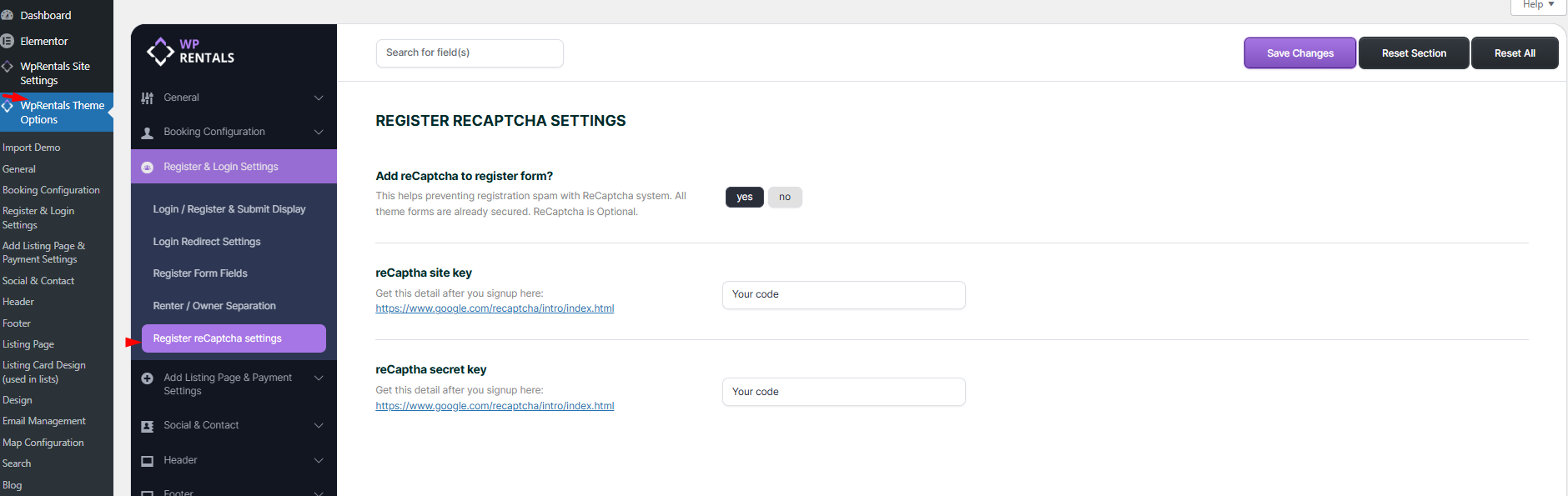
Enable this option to show a “I’m not a robot” checkbox on the user registration from Theme Options – Register & Login Settings – reCaptcha settings.
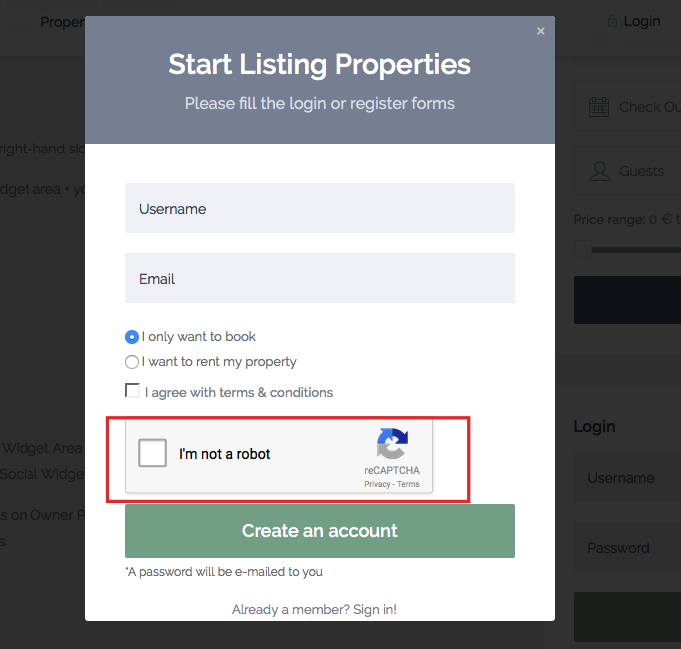
If enabled – the register form looks like this:
To use reCaptcha, you need to generate a Site Key and Secret Key from Google:
- Go to: https://www.google.com/recaptcha/admin/create
- Choose reCaptcha v2
- Add your domain name (e.g.,
example.com) - Submit the form
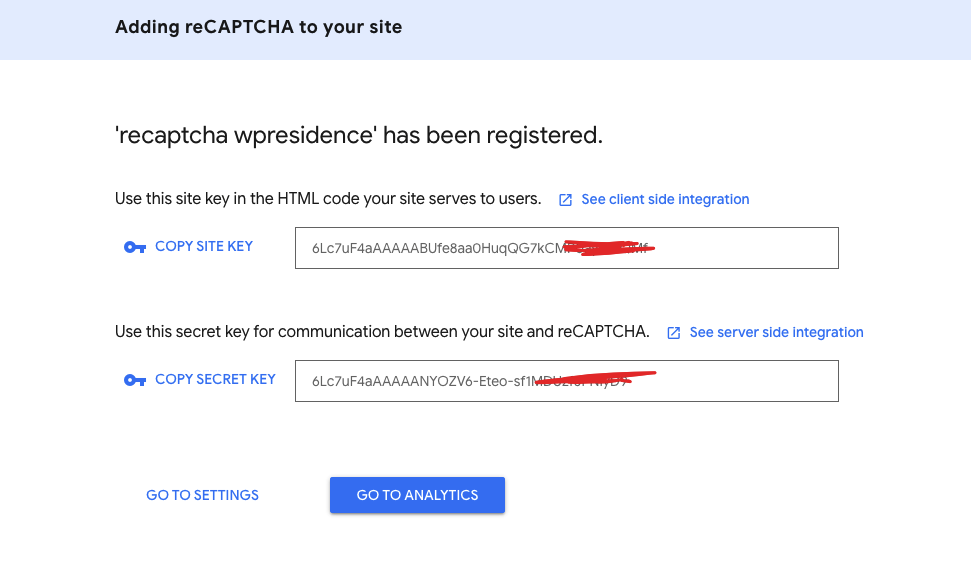
- Copy the credentials
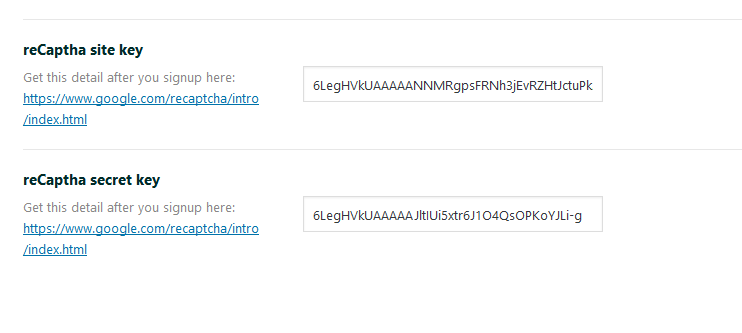
- Site Key → Paste into the “reCaptcha Site Key” field in Theme Options
- Secret Key → Paste into the “reCaptcha Secret Key” field in Theme Options
If you get this error
Error: “Invalid domain for site key”
- Double-check that your domain is entered correctly in Google reCaptcha (e.g., no https://, no paths or ports).
- Example of a valid domain: yourwebsite.com
A valid domain requires a host and must not include any protocol, path, port, query or fragment.
2.” I am not a robot” not working
- In PHP ini the setting allow_url_fopen may be set to OFF. Setting it to ON should solve this.
- Please ask your server to disable modSecurity from their end and test this again. In the past, we had similar situations and it was fixed by the server.
- It can be a server-side SSL certificate trust issue – the server system might not be able to verify Google’s certificate during the siteverify API request. After updating the CA certificates and configuring PHP to recognize the proper certificate path, everything should be working perfectly.
This setting is required for the reCaptcha system to verify responses.