WP Rentals Help WP Rentals Help

  • Client Support
  • Video Tutorials
  • WpRentals
  • WpEstate
  • API
Home / Multi-Languages - 3rd party / How to translate Features and amenities in WPML

How to translate Features and amenities in WPML

6099 views

These instructions are created with WPML team support instructions. You can reach WPML directly as buyer of their plugin for further instructions (if needed)

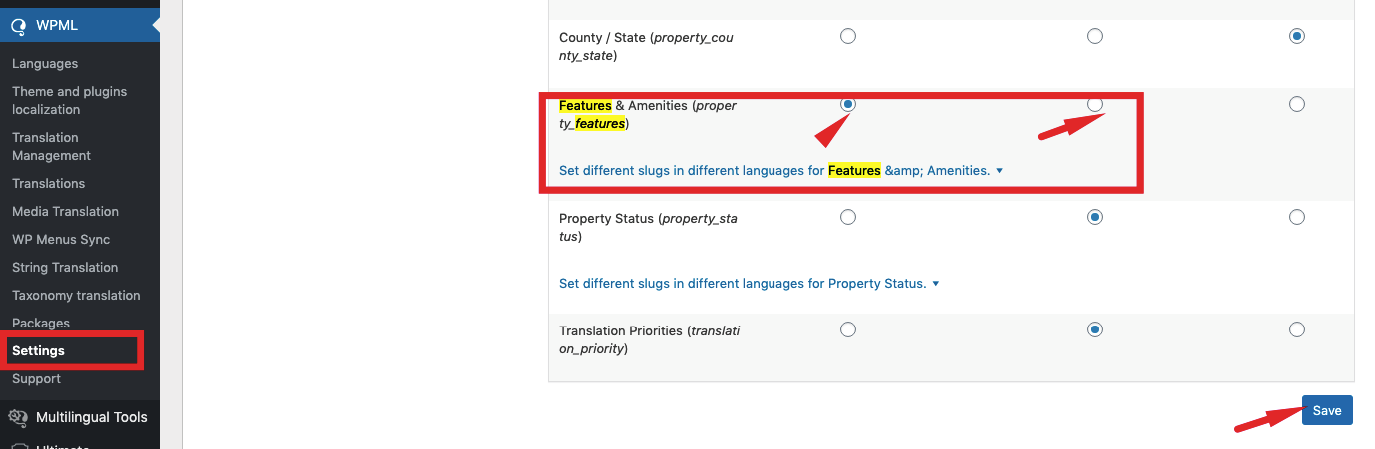
Check in SETTINGS features are set to translate (1st or 2nd option)

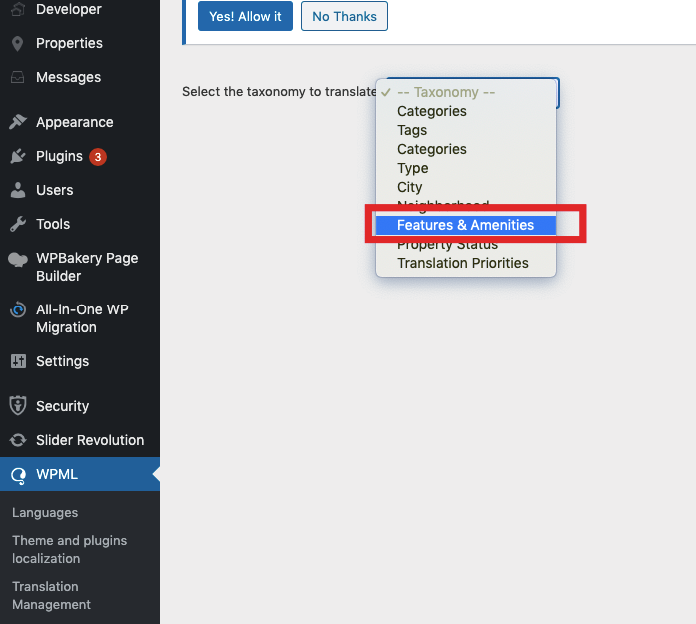
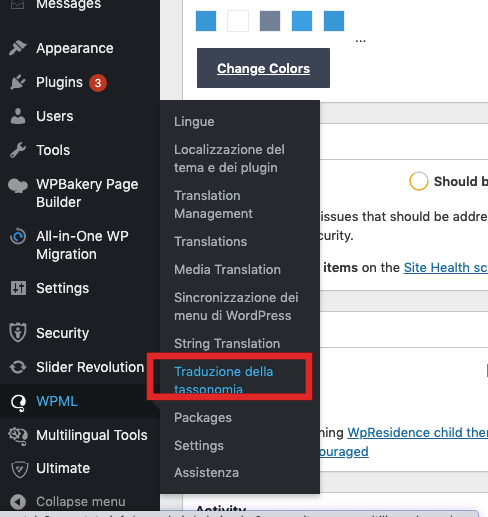
Translate Features and amenities as taxonomies:
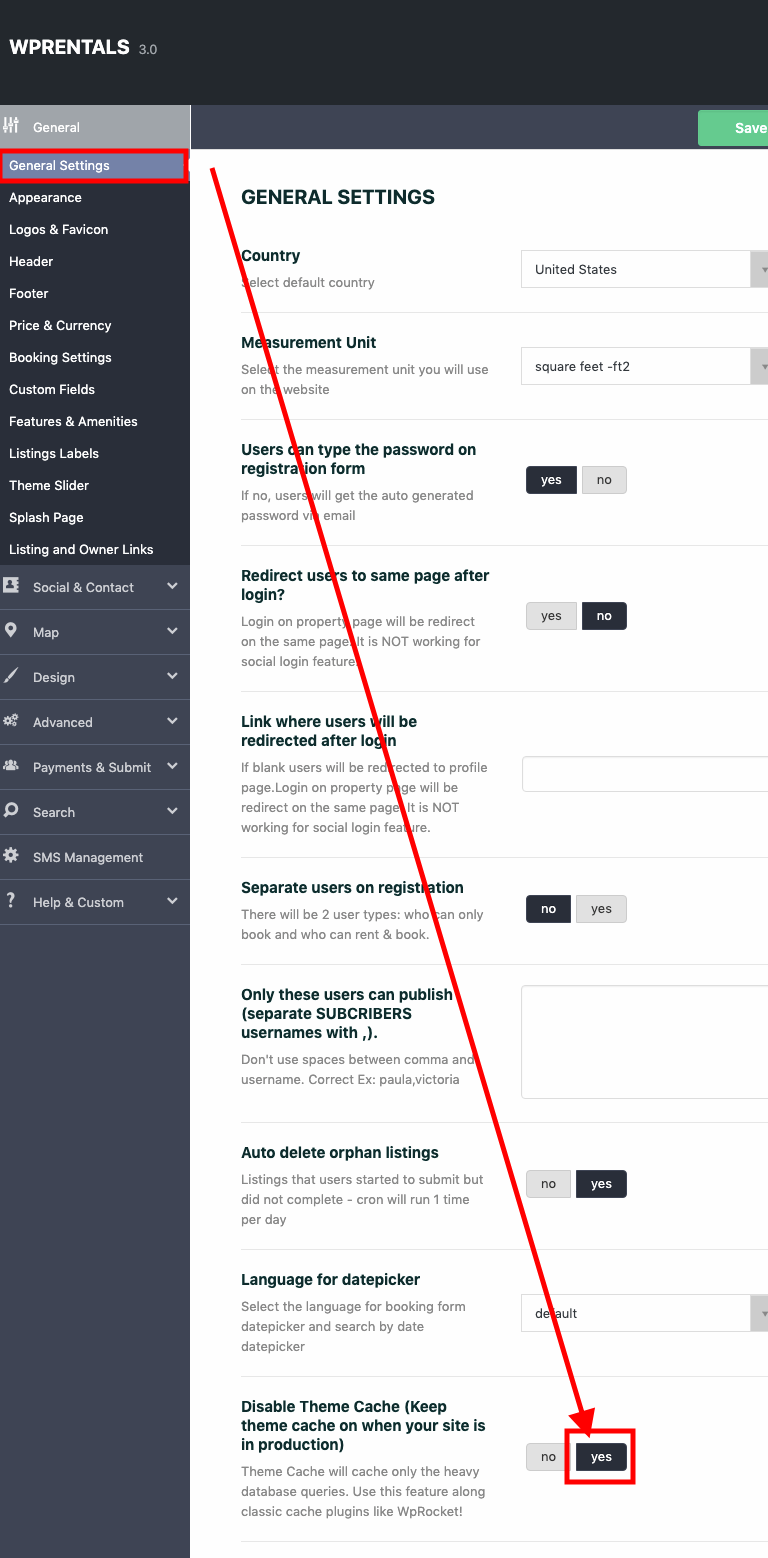
Disable theme cache to see features and amenities translated in all theme languages
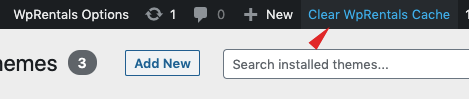
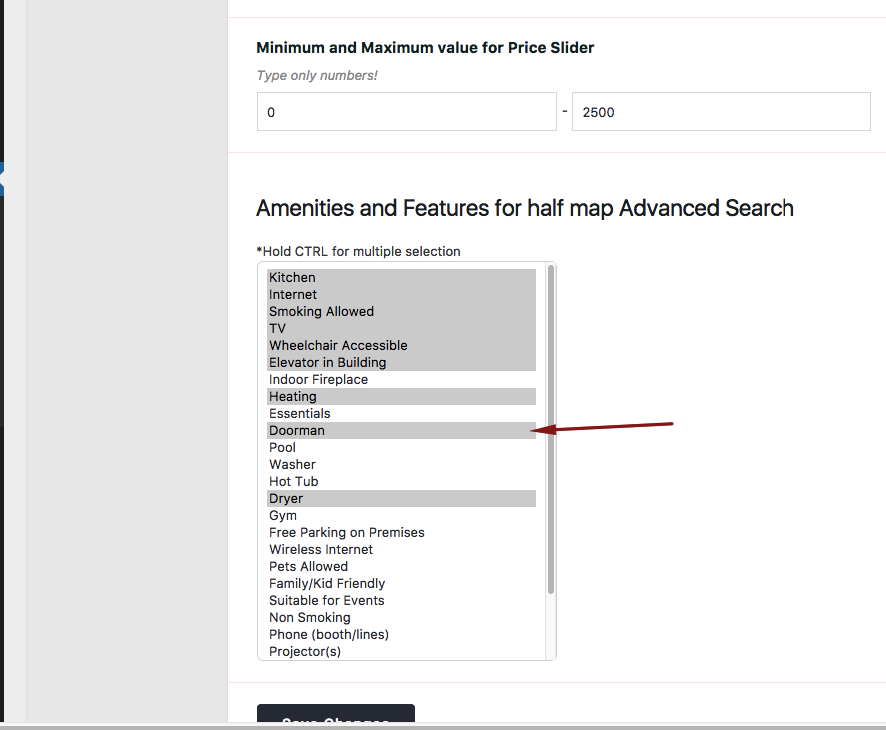
Show features and amenities in search in all languages

Multi-Languages - 3rd party

Related Articles

  • WpRentals & Elementor Widgets Translation Help
  • Multi Language 3rd Party Recommended Solutions
  • WPML translations don’t work with Google Places search
  • WPML – Shows duplicate translated categories

HELP CATEGORIES

  • 71. General
  • 102. Installation & Basic Setup
  • 393. How Booking Works
  • 20Advanced Search
  • 19Elementor Free & WP Rentals Studio
  • 13Email Notifications
  • 10FAQ
  • 14Installation FAQ
  • 10Menu Options
  • 27Multi-Languages - 3rd party
  • 32Owner & Renter
  • 9Page Templates
  • 24Property / Listing
  • 22Shortcodes
  • 4Supported Maps
  • 98Technical how to
  • 5Third Party plugins
  • 3Translation
  • 3WordPress Blog Post
  • 13WordPress Widgets
  • 13WP Rentals Payments
  • 78WP Rentals Theme Options

Join Us On

Powered by WP Estate - All Rights Reserved
  • Client Support
  • Video Tutorials
  • WpRentals
  • WpEstate
  • API