
If Google Search Console reports Invalid ISO 4217 currency code (in “offers”), the Currency code field in Theme Options holds a symbol instead of a currency code. Changing that field fixes the error.
Why this error appears
WPRentals listing cards include price and currency data for search engines. Google accepts a three-letter currency code here, such as USD, EUR or GBP.
The theme takes this value from the Currency code field. The default value of that field is the $ sign, so a site that never changed it sends $ and Google reports the error. Search Console marks it as critical in the Merchant listings report.
How to fix it
- In your WordPress admin, go to WPRentals Theme Options > General > Price & Currency.
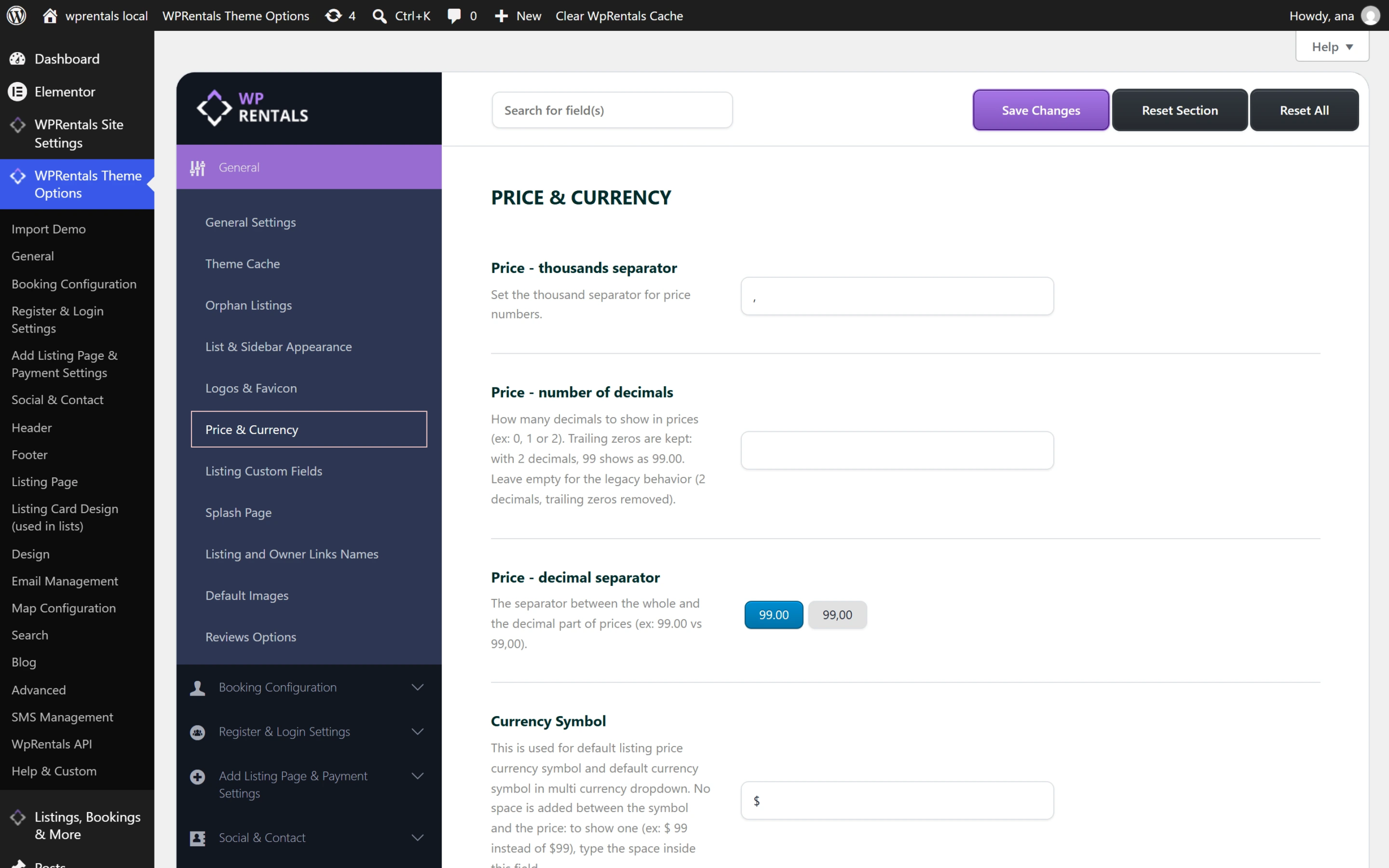
- Scroll down to the Currency code field. If it contains a symbol such as $, that is the cause of the error.
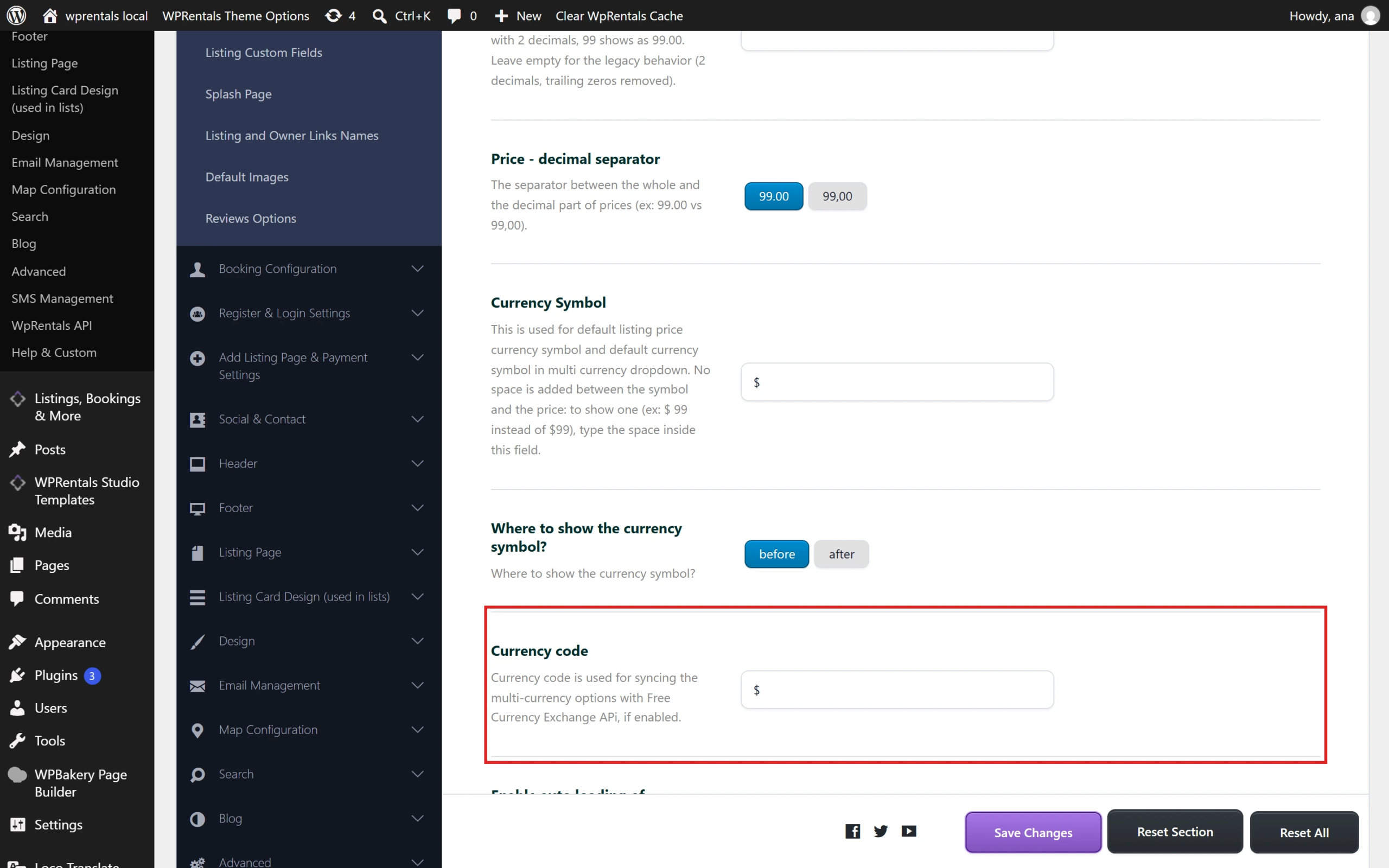
- Replace it with the three-letter code for your currency, in capital letters and with no spaces. For US dollars, enter USD.
- Leave the Currency Symbol field as it is. That field controls the symbol visitors see next to listing prices.
- Click Save Changes.
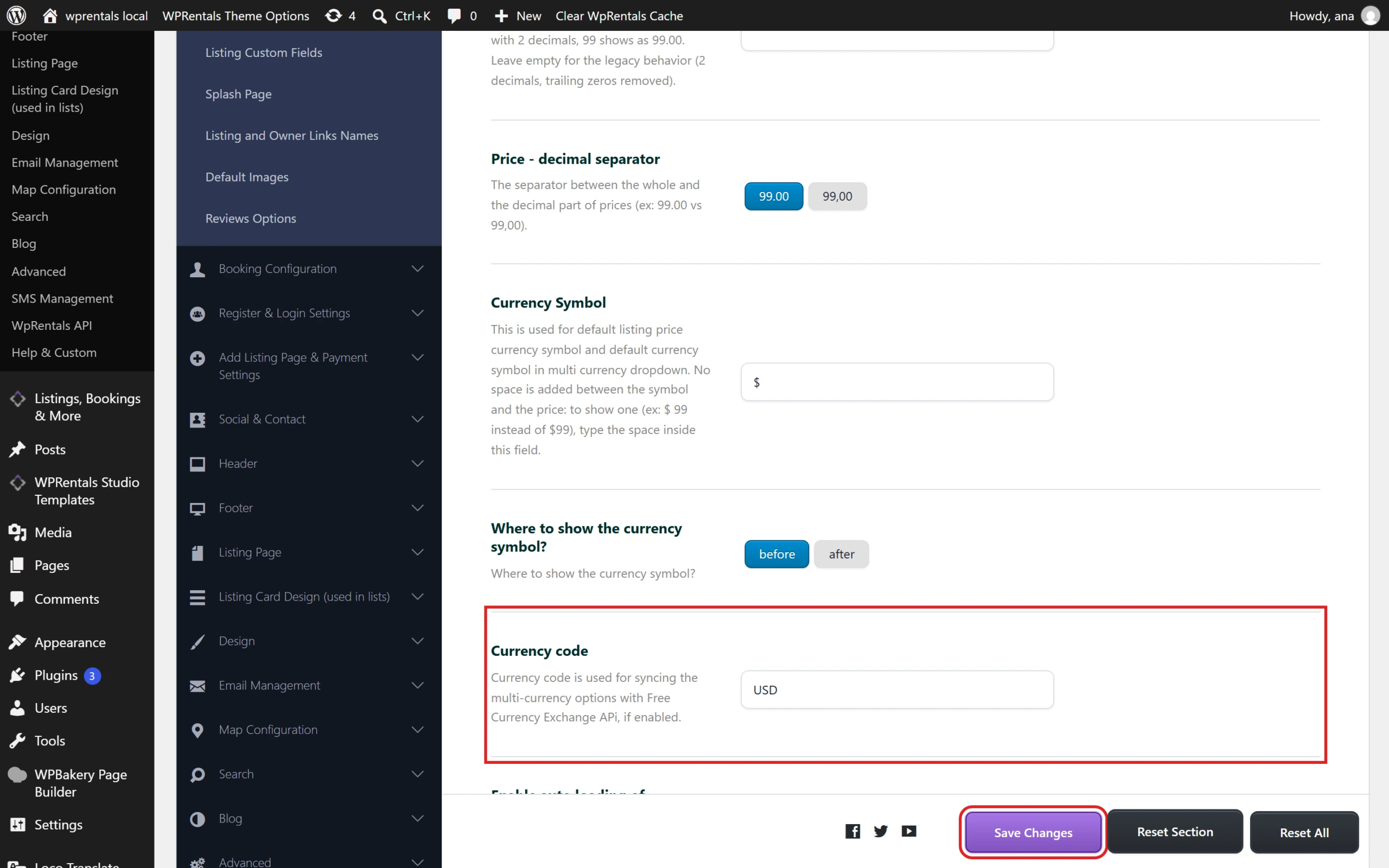
- If you use a cache plugin or your host has a cache, clear it.
How to check that it worked
- Open the Google Rich Results Test and test a page that shows your listing cards, such as your homepage. The invalid currency error should be gone.
- In Search Console, open the Merchant listings report, click the Invalid ISO 4217 currency code issue and click Validate Fix. Google can take some time to finish rechecking.
What changes on your site
The price slider in the search forms reads the same field, so its label changes to the code, for example USD 100 to USD 500. A few other price displays read this field too, so check your search forms and listing pages after saving.
The other Merchant listings warnings
Google may list these non-critical issues in the same report:
- No global identifier provided (e.g., gtin, brand)
- Missing field “availability” (in “offers”)
- Missing field “hasMerchantReturnPolicy” (in “offers”)
- Missing field “description”
- Missing field “shippingDetails” (in “offers”)
They appear because listing cards are marked as products, so Google checks them against its rules for items sold and shipped online. Shipping, return policies and product identifiers don’t apply to a vacation rental. The cards also carry no availability or description data.
Google says non-critical issues don’t prevent a page from appearing in Search. These warnings stay in the report after you fix the critical error.