
WP Rentals Help WP Rentals Help

  • Client Support
  • Video Tutorials
  • WpRentals
  • WpEstate
  • API
Home / Owner & Renter / How to change the number of images that can be uploaded in submission form

How to change the number of images that can be uploaded in submission form

6647 views

You can change the number of images that can be uploaded in submission form for each listing by going to: Theme options -> Add Listing Page & Payment Settings -> Listing Submission Form 
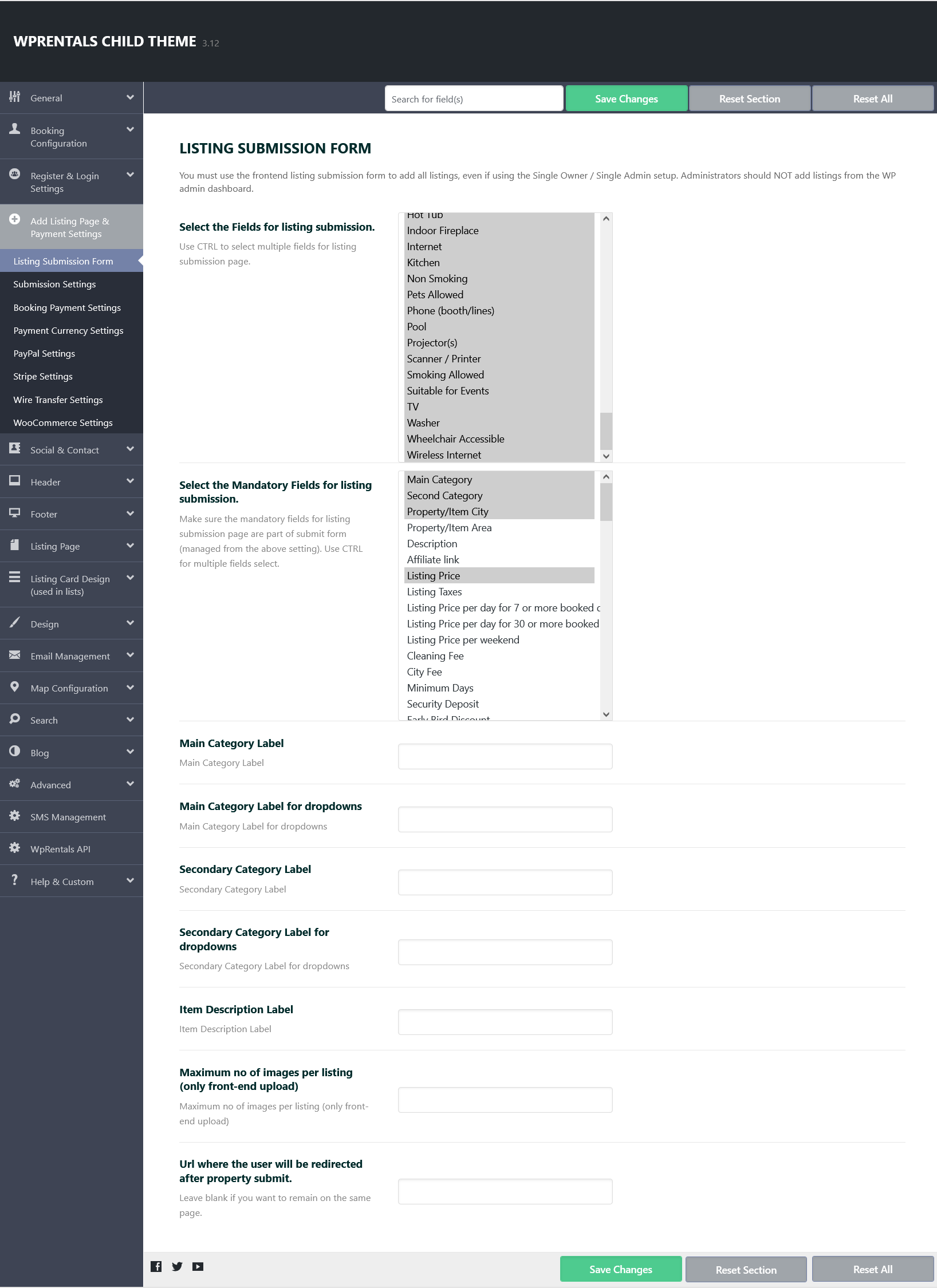
Go to Maximum number of images per listing (only front-end upload)

Defines how many images a user can upload per listing when submitting a property from the front end of the website.

Owner & Renter

Related Articles

  • Owner Profile Page
  • WpRentals Login & Register – How to Create Renters / Owners
  • iCalendar Import / Export
  • My Profile – Payment Info – Hidden Field

HELP CATEGORIES

  • 71. General
  • 102. Installation & Basic Setup
  • 393. How Booking Works
  • 20Advanced Search
  • 19Elementor Free & WP Rentals Studio
  • 13Email Notifications
  • 10FAQ
  • 14Installation FAQ
  • 10Menu Options
  • 27Multi-Languages - 3rd party
  • 32Owner & Renter
  • 9Page Templates
  • 24Property / Listing
  • 22Shortcodes
  • 4Supported Maps
  • 98Technical how to
  • 5Third Party plugins
  • 3Translation
  • 3WordPress Blog Post
  • 13WordPress Widgets
  • 13WP Rentals Payments
  • 78WP Rentals Theme Options

Join Us On

Powered by WP Estate - All Rights Reserved
  • Client Support
  • Video Tutorials
  • WpRentals
  • WpEstate
  • API