
WPRentals Theme Documentation WPRentals Theme Documentation

  • Client Support
  • Video Tutorials
  • WPRentals
  • WPEstate
  • API
Home / 3. How Booking Works / Can I hide or remove the guest number?

Can I hide or remove the guest number?

9221 views

The Guests Dropdown will not show if you use Object rentals.

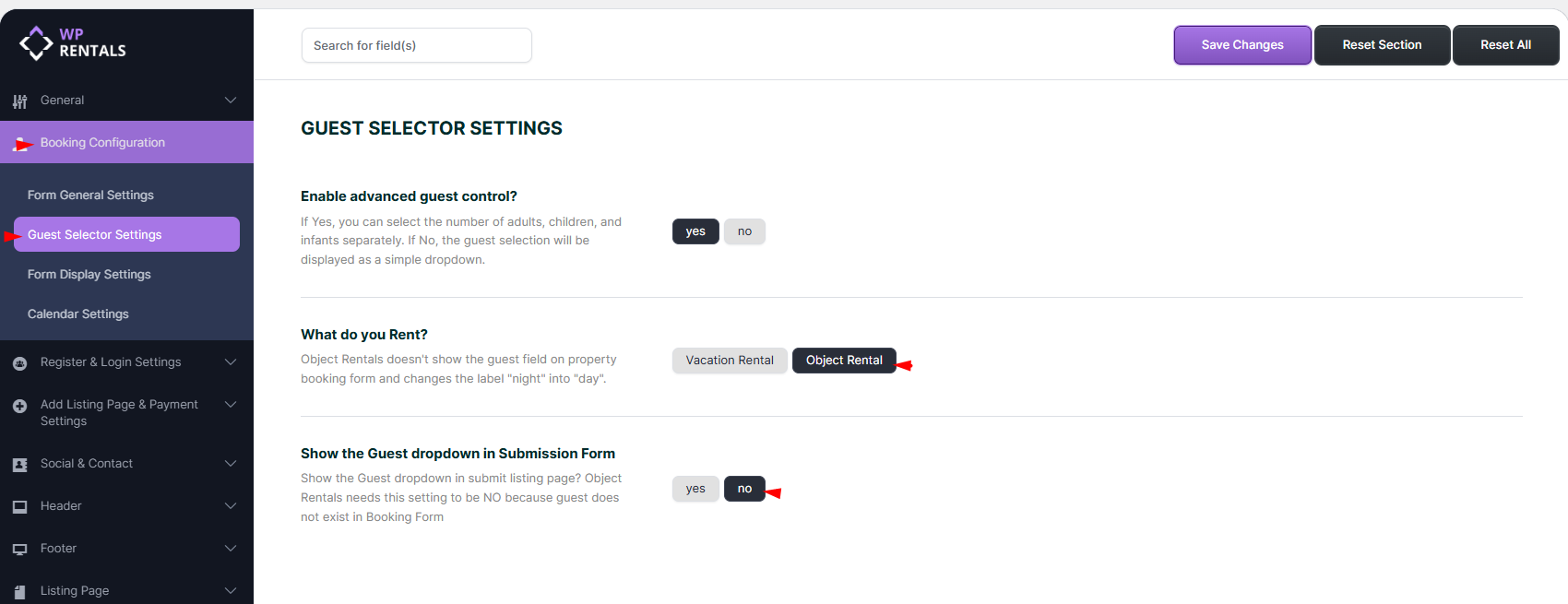
This is enabled from Theme Options – Booking Configuration – Guest Selector Settings

  • Select Object Rental
  • Select Show the Guest dropdown in Submission Form -> NO
  • Once the Object Rental is enabled, all per night labels in the theme will become per day.
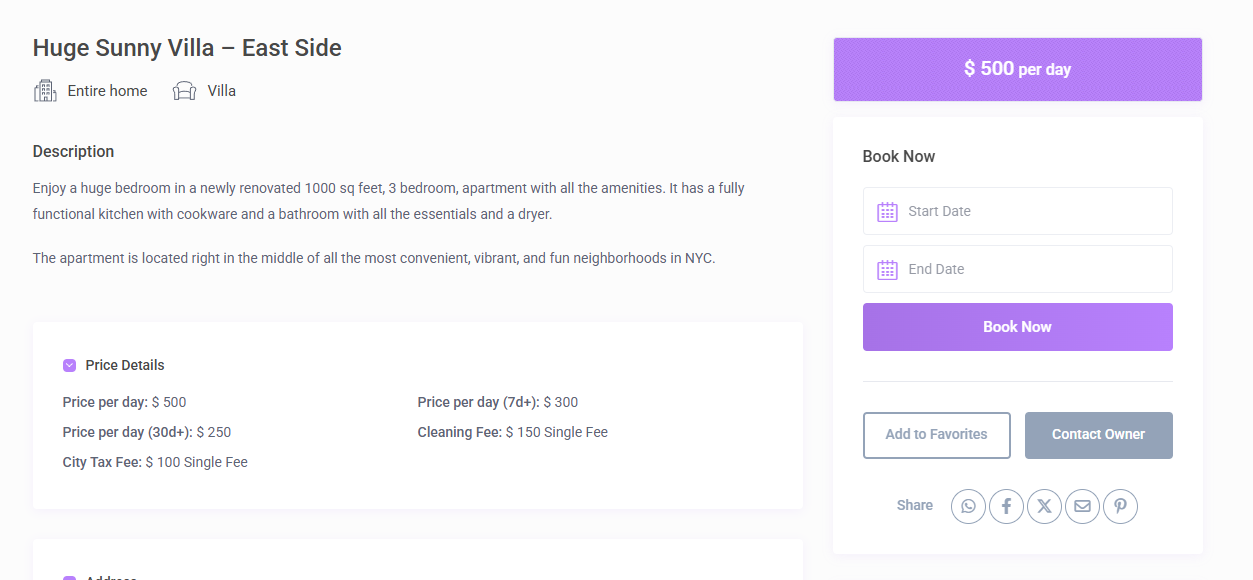
You will see the booking form without Guest.
 

Hide from contact owner form

This is done with css

/*remove guest from owner contact form*/
.modal-body #booking_guest_no {
display: none;
}

Help for custom css.

3. How Booking Works

Related Articles

  • Send booking. Approve booking & Issue invoice or reject booking as owner. Cancel Request. Cancel confirmed booking. Pay Admin fee to confirm booking.
  • How to confirm a booking when admin deposit and service fees are 0
  • Security Deposit Fee vs Booking Deposit Fee in WPRentals
  • Booking: How to work with Deposit Fee and Service Fee

HELP CATEGORIES

  • 61. General
  • 72. Installation & Basic Setup
  • 373. How Booking Works
  • 18Advanced Search
  • 17Elementor WPRentals Studio
  • 14Email Notifications
  • 23FAQ
  • 14Installation FAQ
  • 10Menu Options
  • 33Owner & Renter
  • 8Page Templates
  • 24Property / Listing
  • 22Shortcodes
  • 4Supported Maps
  • 99Technical how to
  • 5Third Party plugins
  • 4Translation & Multi Languages
  • 3WordPress Blog Post
  • 13WordPress Widgets
  • 12WP Rentals Payments
  • 80WP Rentals Theme Options
  • 26WPML & Weglot

Join Us On

Powered by WP Estate - All Rights Reserved
  • Client Support
  • Video Tutorials
  • WPRentals
  • WPEstate
  • API