
You can choose whether the search dropdowns should show cities and areas that do not have any published listings assigned to them.
This option is managed from:
WPRentals Options > Search > Location Field Search Settings > Show Cities and Areas with 0 listings in dropdowns?
- Yes – shows all cities and areas in the dropdowns, including cities and areas that currently have 0 listings.
- No – shows only cities and areas that have published listings assigned to them.
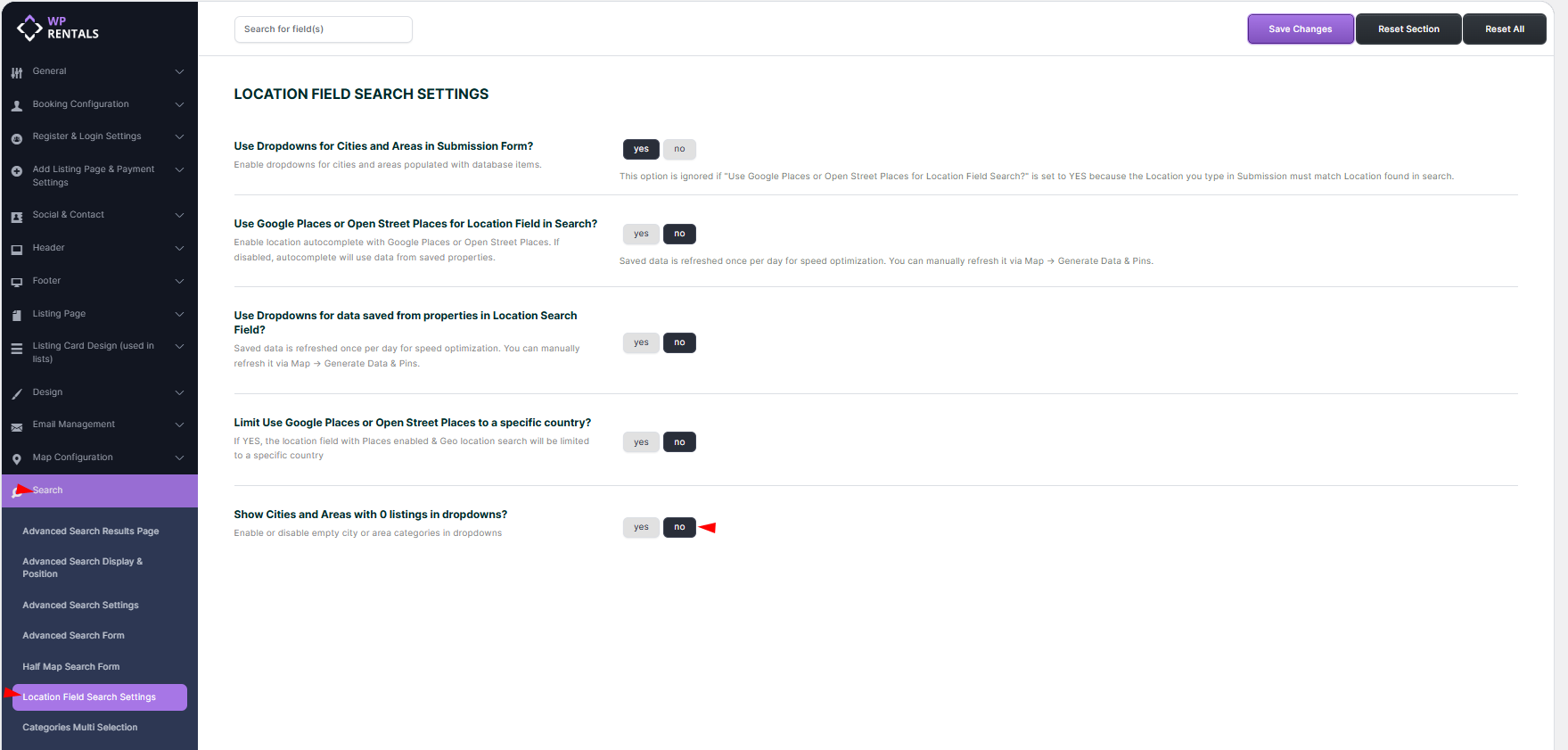
Recommended: We recommend setting this option to No for live websites. This way, visitors only see cities and areas that have listings, so they are more likely to get search results instead of landing on an empty results page.
Use Yes only if you intentionally want to display all city and area options, even before listings are added to those locations.