WPRentals Theme Documentation WPRentals Theme Documentation

  • Client Support
  • Video Tutorials
  • WPRentals
  • WPEstate
  • API
Home / Owner & Renter, Property / Listing / How to be redirected to a specific page after submitting a property

How to be redirected to a specific page after submitting a property

10075 views

You can control where users are redirected after they complete the front-end property submission form.

Set the Redirect URL

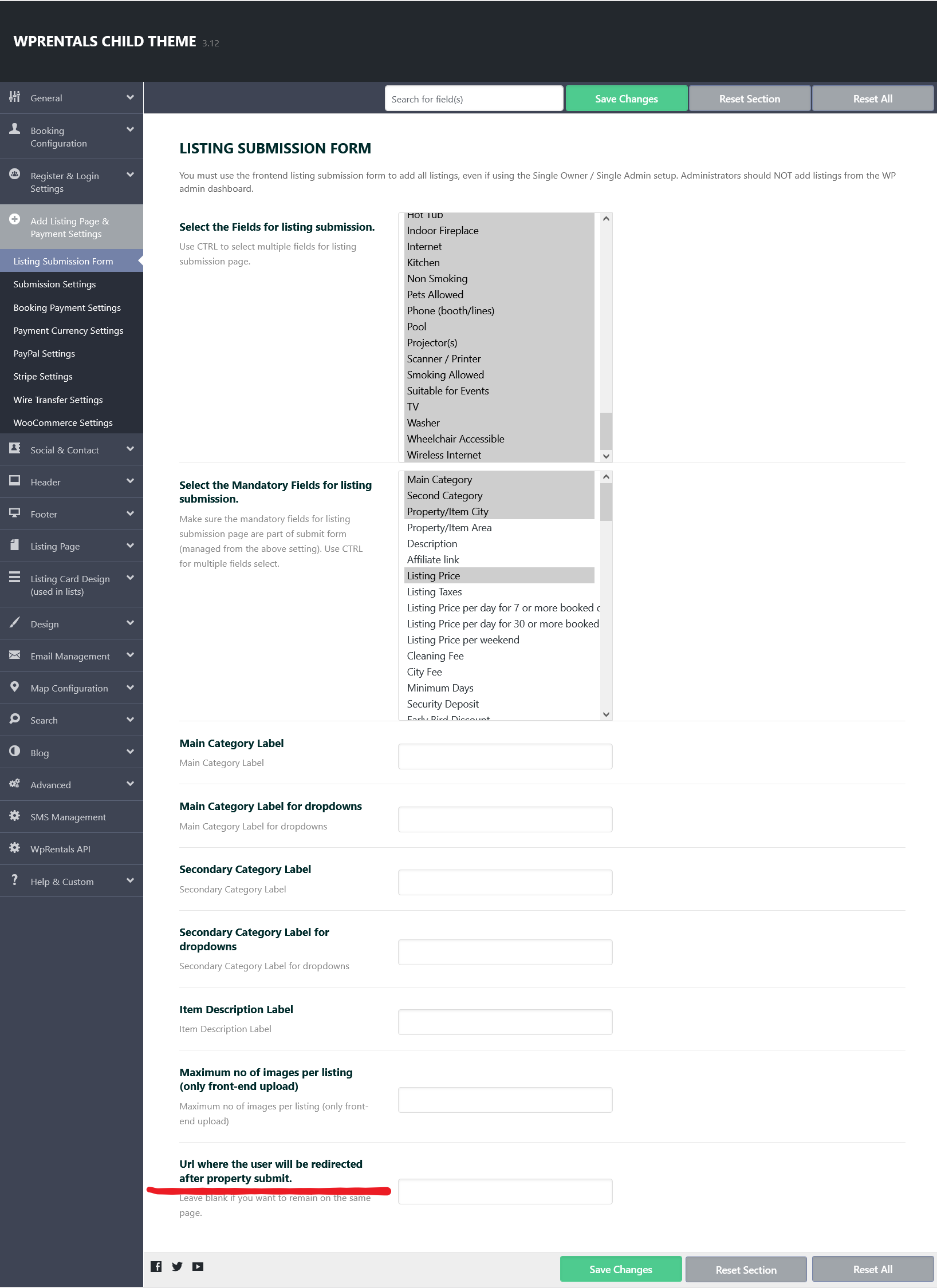
  1. Go to Theme Options → Add Listing Page & Payment Settings -> Listing Submission Form

  2. Locate the “URL where the user will be redirected after submission” option.

  3. Enter the full URL of the page where you want users to be redirected after they complete the submission process.
When the Redirect Happens

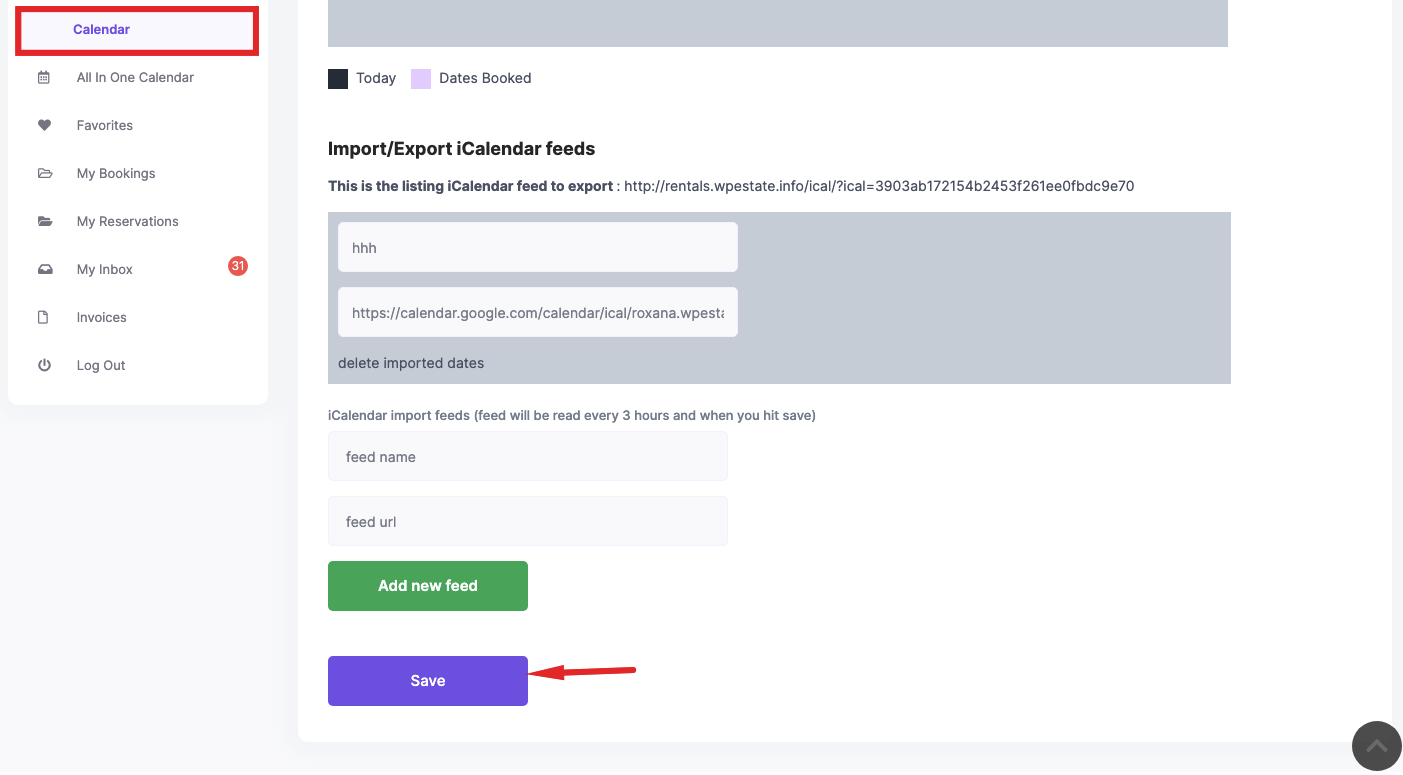
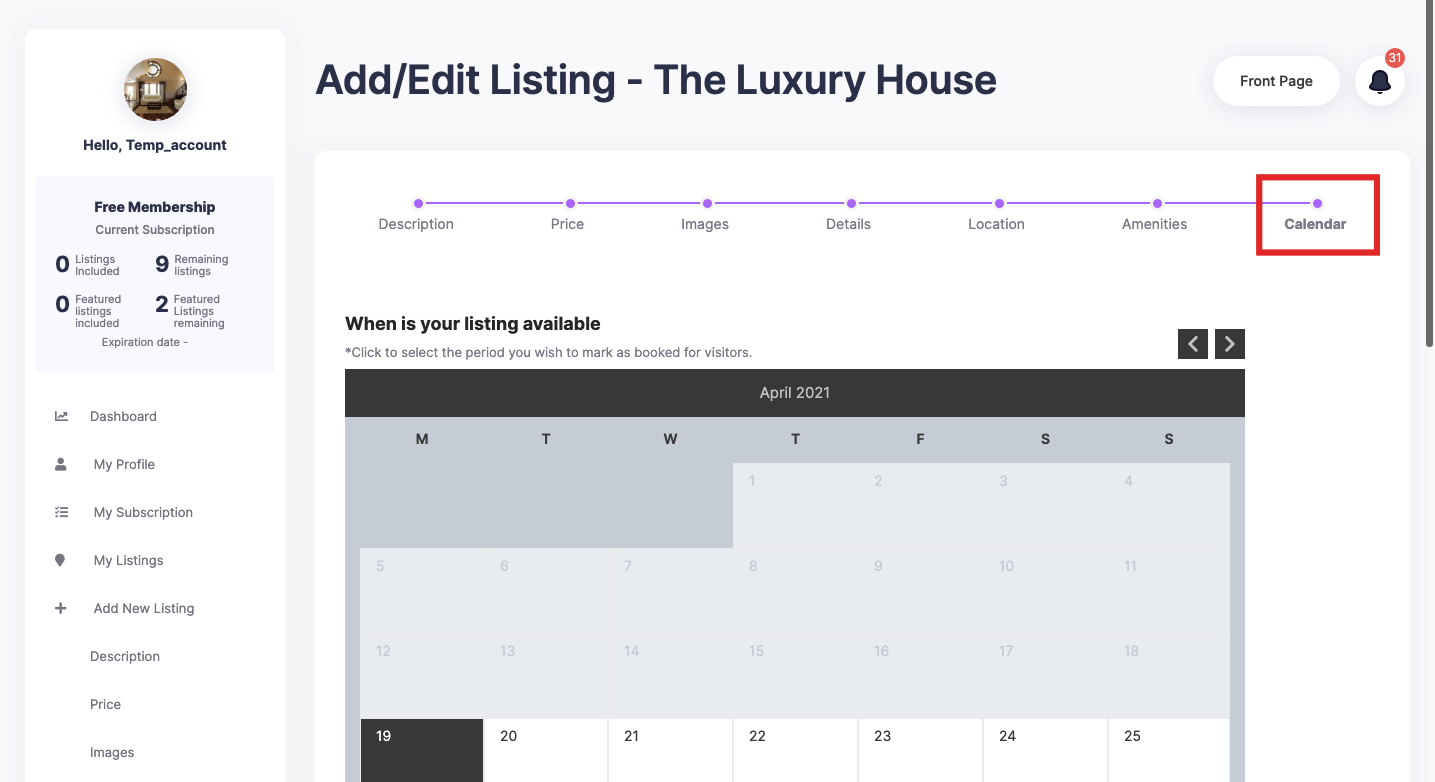
The redirect will occur after the user clicks “Save” on the final step of the submission form — typically under the Calendar Settings section.

Note: Make sure the redirect URL is correct and points to a published page on your site.
Owner & RenterProperty / Listing

Related Articles

  • Why the “User Registration Is Currently Disabled” Message Appears
  • How to Add and Sync Owners from the WordPress Admin in WPRentals
  • Owner Profile Page
  • How to Change Thumbnail / Images Sizes

HELP CATEGORIES

  • 61. General
  • 72. Installation & Basic Setup
  • 373. How Booking Works
  • 18Advanced Search
  • 17Elementor WPRentals Studio
  • 14Email Notifications
  • 23FAQ
  • 14Installation FAQ
  • 10Menu Options
  • 34Owner & Renter
  • 8Page Templates
  • 23Property / Listing
  • 22Shortcodes
  • 4Supported Maps
  • 99Technical how to
  • 5Third Party plugins
  • 4Translation & Multi Languages
  • 3WordPress Blog Post
  • 13WordPress Widgets
  • 12WP Rentals Payments
  • 80WP Rentals Theme Options
  • 26WPML & Weglot

Join Us On

Powered by WP Estate - All Rights Reserved
  • Client Support
  • Video Tutorials
  • WPRentals
  • WPEstate
  • API