
WPRentals Theme Documentation WPRentals Theme Documentation

  • Client Support
  • Video Tutorials
  • WPRentals
  • WPEstate
  • API
Home / FAQ / Why Is the Current Month Missing from the WPRentals Calendar?

Why Is the Current Month Missing from the WPRentals Calendar?

16 views

If the current month is missing from the WPRentals calendar, the issue can be related to the WordPress timezone and server timezone not matching correctly.

This can affect both the owner dashboard calendar and the frontend availability calendar.

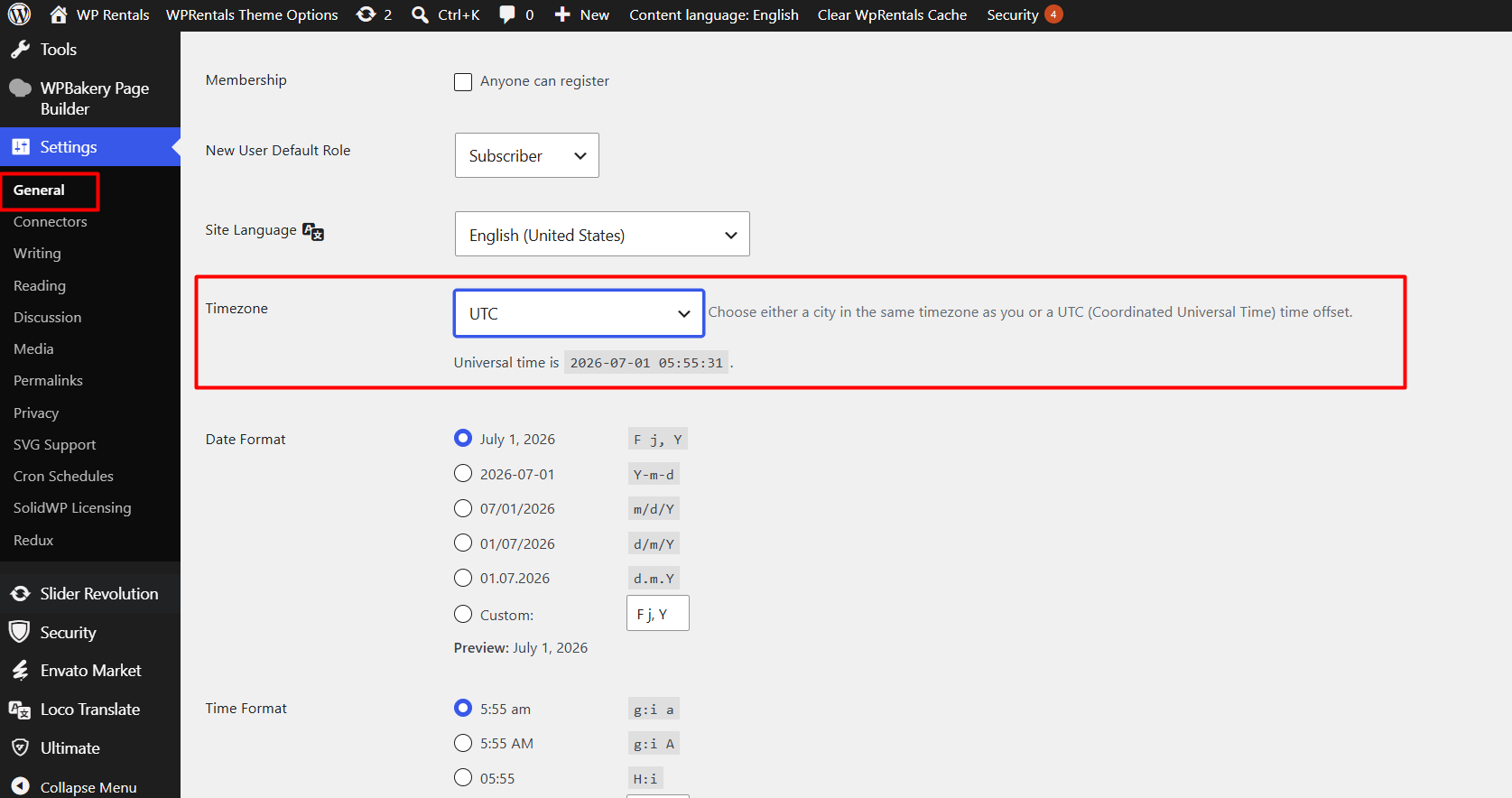
Check the WordPress Timezone

Go to:

WP-Admin → Settings → General → Timezone

Make sure the timezone is set to UTC – Universal Timezone.
Ask Hosting to Check the Server Timezone

Please ask your hosting provider to confirm that the PHP/server timezone is also set to the universal timezone.

The server value is usually called:

date.timezone

If the WordPress timezone and server/PHP timezone do not match correctly, the calendar may skip or display the current month incorrectly.

FAQ

Related Articles

  • Why does the mobile search not show on some tablets in WPRentals?
  • Technical: How to Manually Assign a Guest/Renter to a Booking
  • Advanced Search Date Picker Error on Mobile
  • FAQ – Maps Are Not Showing

HELP CATEGORIES

  • 61. General
  • 72. Installation & Basic Setup
  • 373. How Booking Works
  • 18Advanced Search
  • 17Elementor WPRentals Studio
  • 14Email Notifications
  • 29FAQ
  • 14Installation FAQ
  • 10Menu Options
  • 33Owner & Renter
  • 8Page Templates
  • 24Property / Listing
  • 22Shortcodes
  • 4Supported Maps
  • 99Technical how to
  • 5Third Party plugins
  • 4Translation & Multi Languages
  • 3WordPress Blog Post
  • 13WordPress Widgets
  • 12WP Rentals Payments
  • 80WP Rentals Theme Options
  • 26WPML & Weglot

Join Us On

Powered by WP Estate - All Rights Reserved
  • Client Support
  • Video Tutorials
  • WPRentals
  • WPEstate
  • API