Updated in January 2024 for latest theme versions
By default, a non logged user can contact any listing owner. If you want to force users to be logged in before contact property owner you need to do this change.
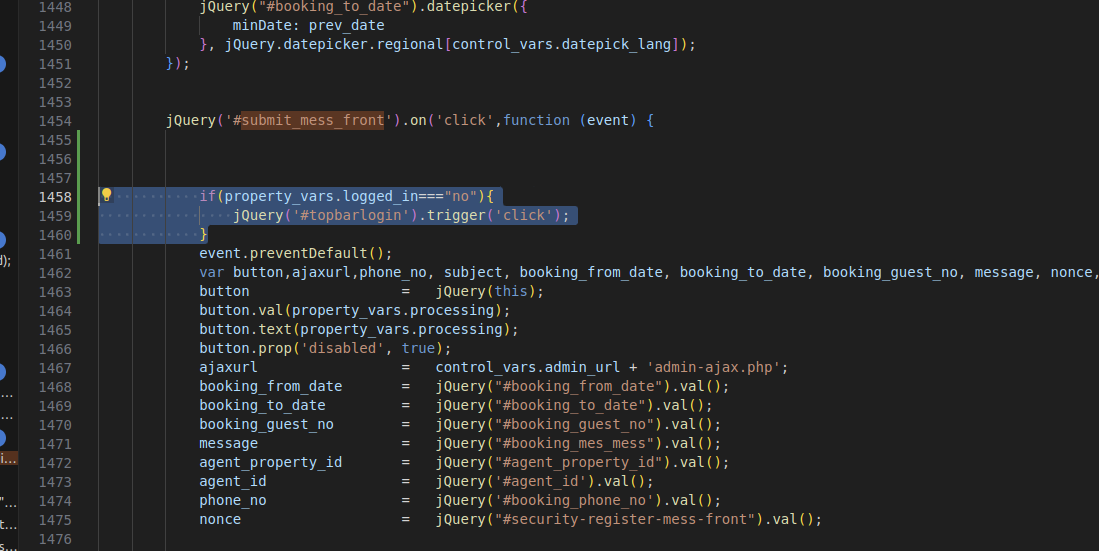
In wprentals/js/property.js , function wpestate_show_contact_owner_form (around like 1380) you must add the below code
function wpestate_show_contact_owner_form(booking_id, agent_id) {

	var  ajaxurl;
	ajaxurl     =   ajaxcalls_vars.admin_url + 'admin-ajax.php';
	if( property_vars.logged_in==="yes" ){
	var mmodal_window= jQuery('#contact_owner_modal');
	mmodal_window.appendTo("body");
	mmodal_window.modal();Copyenable_actions_modal_contact();

	}else{
	login_modal_type=2;jQuery('#topbarlogin').trigger('click');
	}
}
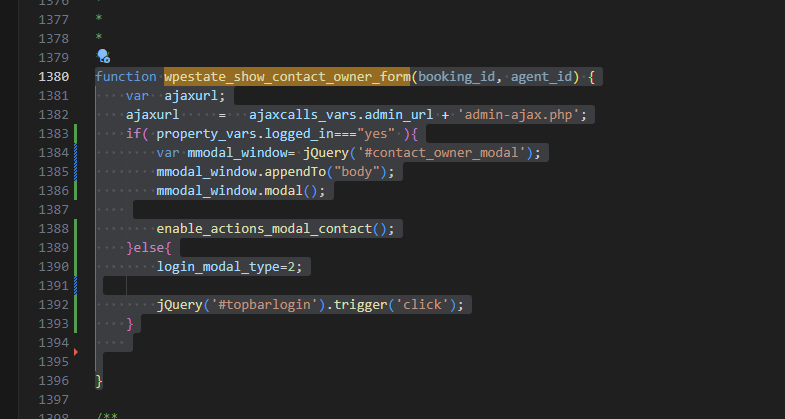
To force login for the Contact form in the listing page, when it is rep[lacing the Booking form, you need to go to js/property.js and around line 1458 and add the below code
if(property_vars.logged_in==="no"){

jQuery('#topbarlogin').trigger('click');

}