
WPRentals Theme Documentation WPRentals Theme Documentation

  • Client Support
  • Video Tutorials
  • WpRentals
  • WpEstate
  • API
Home / 3. How Booking Works, Owner & Renter / What is a Verified Owner & How Does It Work?

What is a Verified Owner & How Does It Work?

11643 views

The Verified Owner system allows admins to verify property owners by reviewing an uploaded ID scan. Once verified, the owner’s profile will display a “Verified” badge.

Step-by-Step Process

1️⃣ Owner Registers & Uploads ID

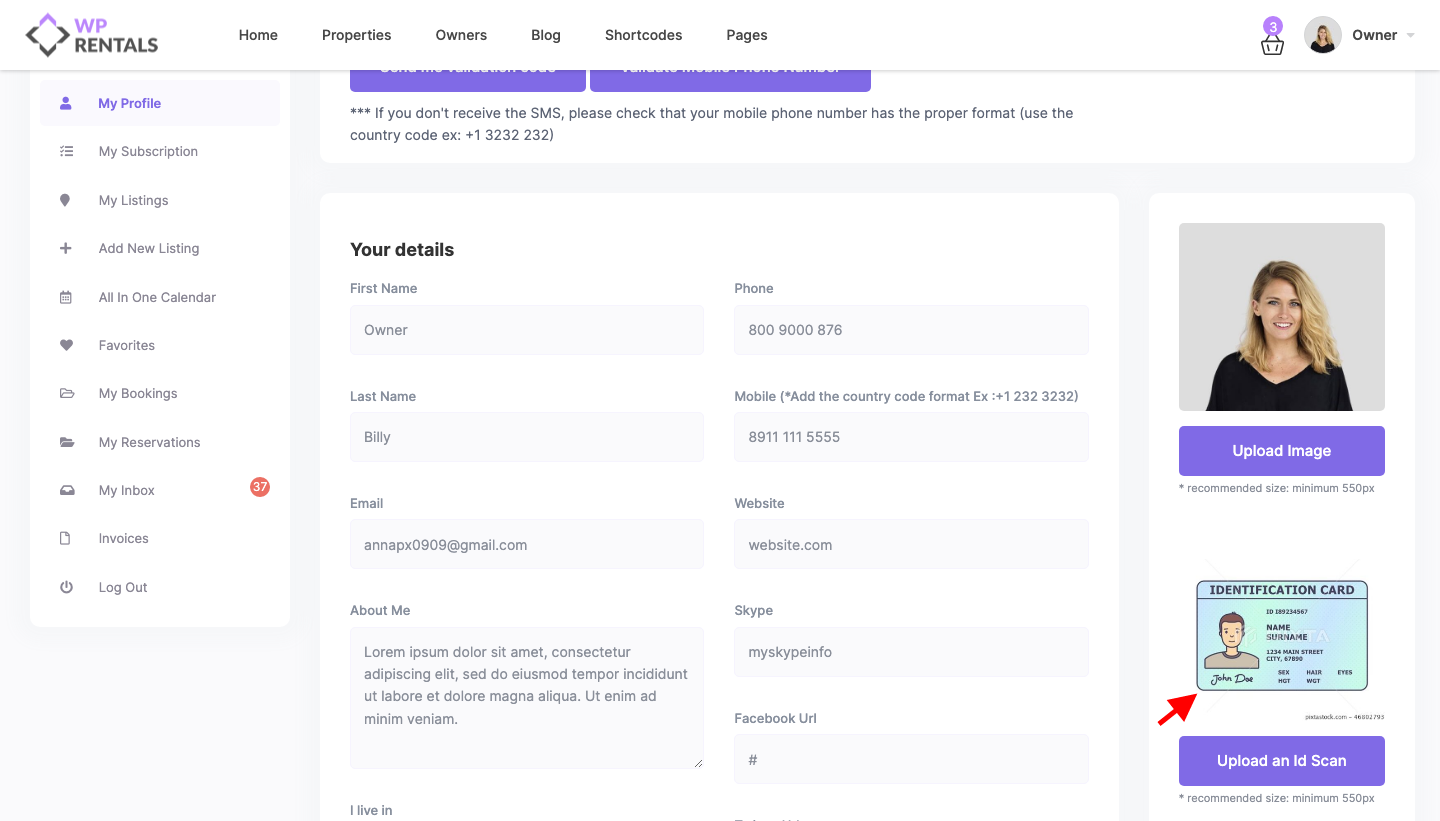
  • After registering, the owner goes to My Profile page.
  • There will be an option to UPLOAD AN ID SCAN (e.g., passport, driver’s license).
  • The owner uploads the image and saves the profile.
2️⃣ Admin Notification & Verification

  • The admin receives an email notification about the new ID submission.
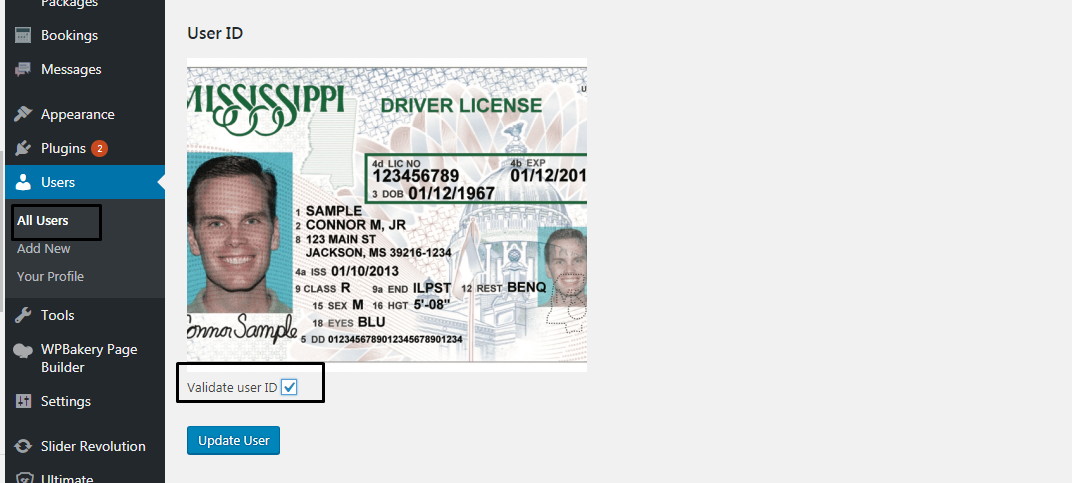
  • The admin must log in to WordPress Dashboard → Users to review the ID.


3️⃣ Admin Approves the Owner

  • If the ID is valid, the admin marks the owner as verified.
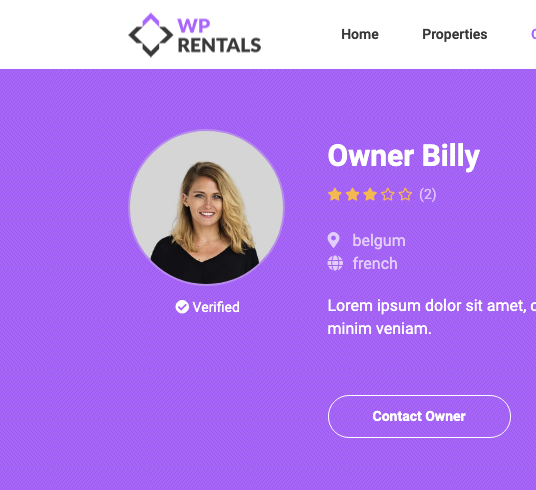
  • Once verified, a “Verified” status appears below the owner’s profile image.
4️⃣ Verified Badge Display

  • The Verified badge will appear as “verified” on owner Owner profile
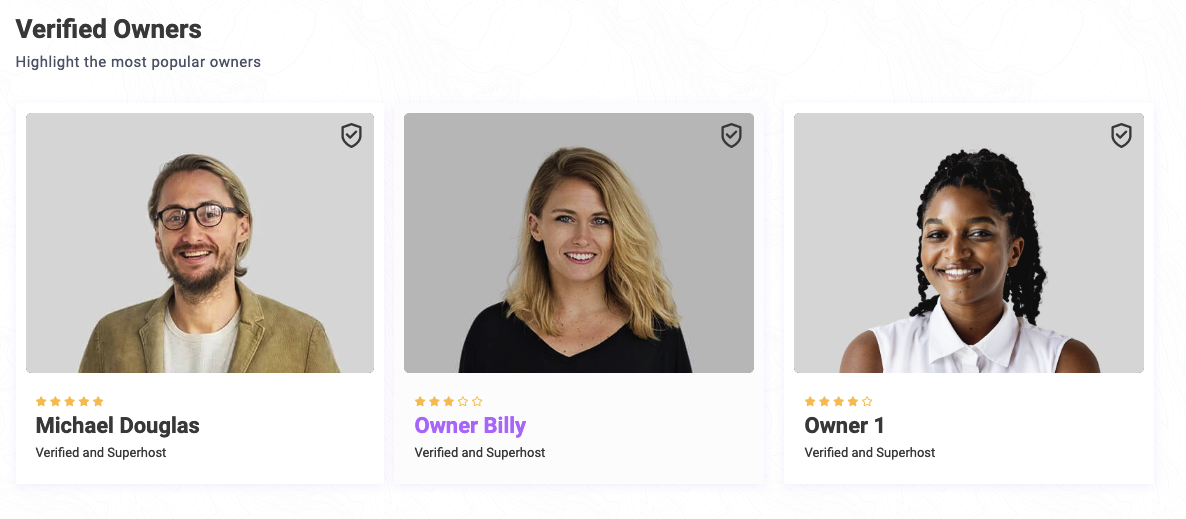
  • The Verified badge will show in the featured owner shortcode 
Important Notes

🔹 Owners Cannot Change Their ID After Verification

  • Once verified, owners cannot replace or edit their uploaded ID.
  • If an owner needs to change their ID, the admin must manually remove the verification from the user’s account.
3. How Booking WorksOwner & Renter

Related Articles

  • How to Add and Sync Owners from the WordPress Admin in WPRentals
  • Owner Profile Page
  • How to Manage Pricing Per Guest for Your Property
  • Send booking. Approve booking & Issue invoice or reject booking as owner. Cancel Request. Cancel confirmed booking. Pay Admin fee to confirm booking.

HELP CATEGORIES

  • 71. General
  • 102. Installation & Basic Setup
  • 393. How Booking Works
  • 20Advanced Search
  • 18Elementor Free & WP Rentals Studio
  • 13Email Notifications
  • 12FAQ
  • 14Installation FAQ
  • 10Menu Options
  • 27Multi-Languages - 3rd party
  • 33Owner & Renter
  • 9Page Templates
  • 23Property / Listing
  • 22Shortcodes
  • 4Supported Maps
  • 98Technical how to
  • 5Third Party plugins
  • 3Translation
  • 3WordPress Blog Post
  • 13WordPress Widgets
  • 13WP Rentals Payments
  • 79WP Rentals Theme Options

Join Us On

Powered by WP Estate - All Rights Reserved
  • Client Support
  • Video Tutorials
  • WpRentals
  • WpEstate
  • API