
When a listing is saved from the front-end submission form, WPRentals can handle the Area in two ways. It can save the Area exactly as it was selected, or it can create a separate “Area, City” area when the selected Area belongs to a different City. This article shows how to choose between them.
WPRentals 3.19.0 and newer
No code change is needed. Go to WPRentals Theme Options > Add Listing Page & Payment Settings > Listing Submission Form and find the option Save Area independent from City?
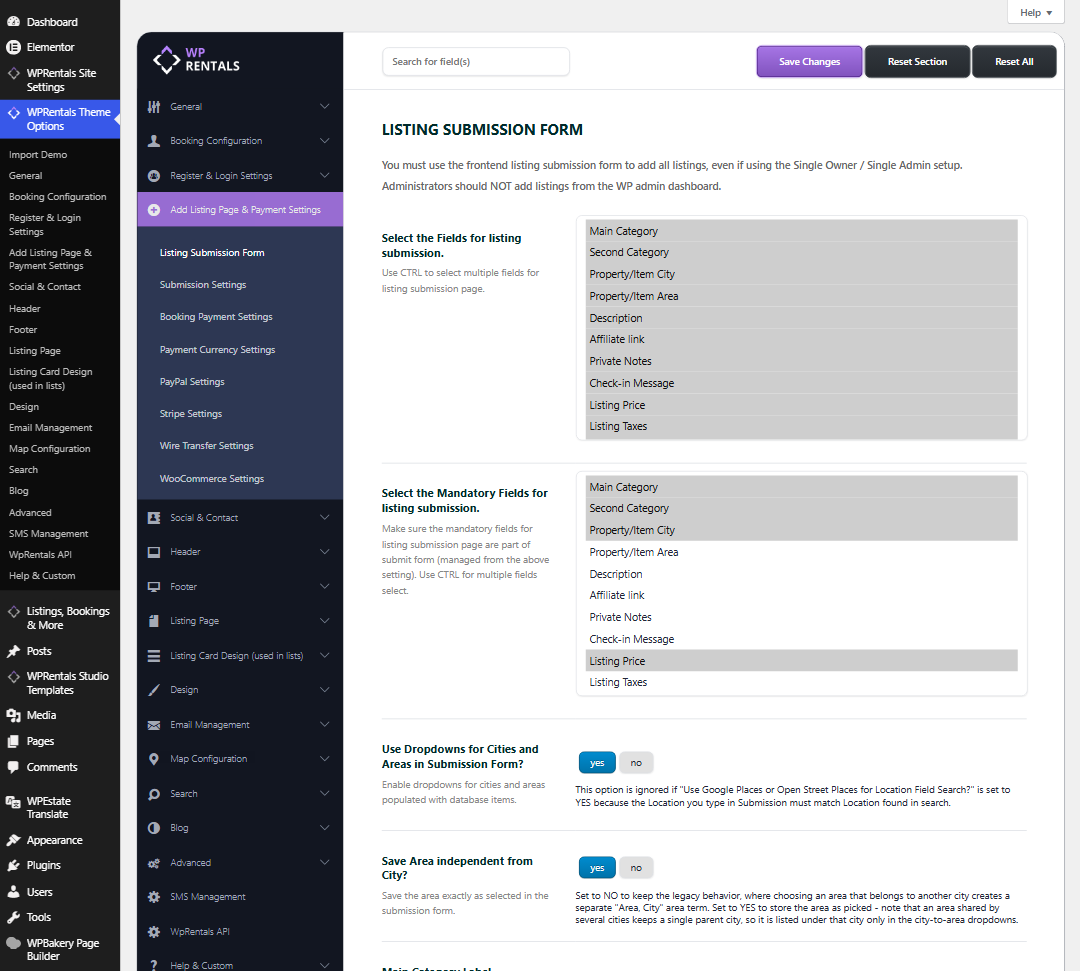

- yes (default) – the Area is saved exactly as it was selected in the submission form.
- no – the older behavior. If the selected Area belongs to another City, a separate “Area, City” area is created for the listing.
Please note: an Area used by several Cities keeps only one parent City. In the city-to-area dropdowns it is listed under that City only.
Click Save Changes after you change the option.
Older WPRentals versions (before 3.19.0)
The option above is not available in older versions. The best way to get it is to update the theme and its plugins: How to update WPRentals theme and included plugins.
If you cannot update yet, open wprentals/functions.php, find the function wpestate_double_tax_cover and add these two lines at the start of the function:
wp_set_object_terms($post_id,$property_area,'property_area');
return $property_area;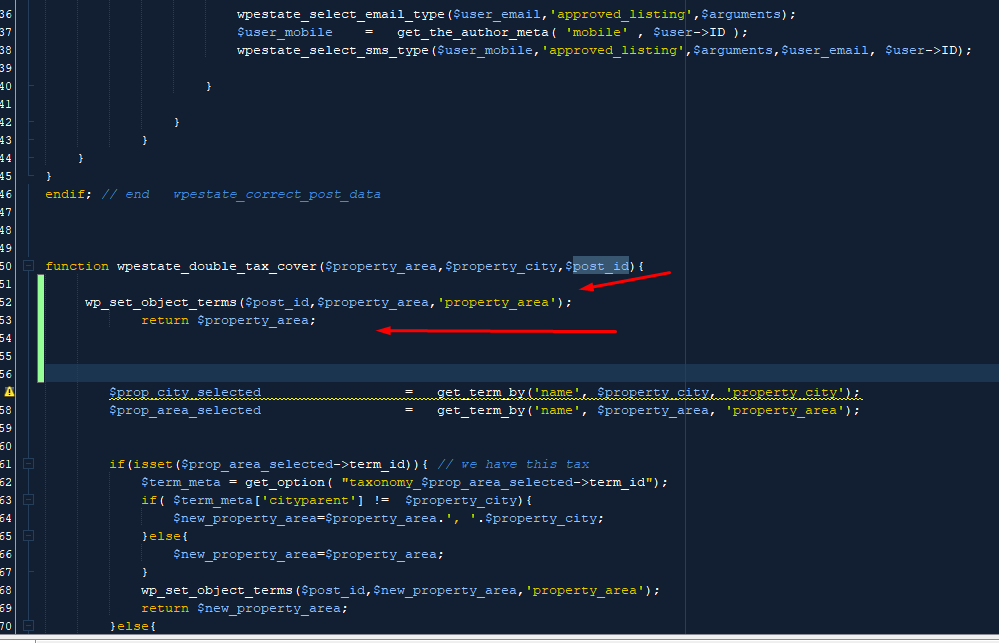
This change is lost when the theme is updated, because the update replaces functions.php. After you update to 3.19.0 or newer, use the Save Area independent from City? option instead.