
When using cache plugins in WordPress (such as WP Rocket or WP Fastest Cache), it is important to understand that these plugins cache not only pages, but also cookies.
Caching cookies can break dynamic functionality, because cookies store user-specific or session-based data.
Common features affected by cached cookies include:
- Multi-currency switching
- Multiple measurement systems
- User-specific data (favorites, login state)
If these cookies are cached, visitors may see incorrect, outdated, or mixed data between users.
Why specific cookies must be excluded from cache
To ensure dynamic features work correctly, the following cookies must be excluded from page caching:
| Cookie name | Purpose |
|---|---|
my_custom_curr |
Stores the selected currency |
my_custom_curr_pos |
Stores currency symbol position |
my_custom_curr_symbol |
Stores currency symbol |
is_user_logged_in |
Indicates whether the user is logged in |
wpestate_favorites |
Stores user favorite properties |
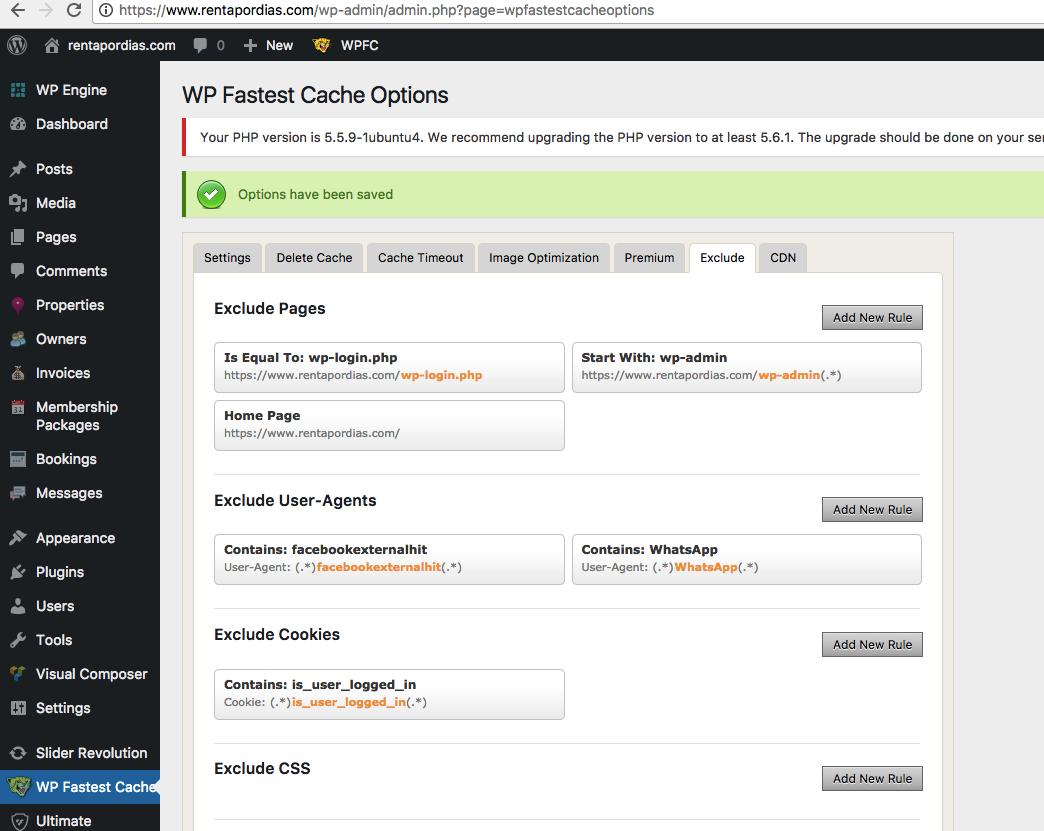
Example: Excluding cookies in WP Fastest Cache
- Go to your WordPress dashboard.
- Navigate to WP Fastest Cache → Exclude.
- In the Exclude Cookies section, add the following cookies, one per line:
my_custom_curr my_custom_curr_pos my_custom_curr_symbol is_user_logged_in wpestate_favorites
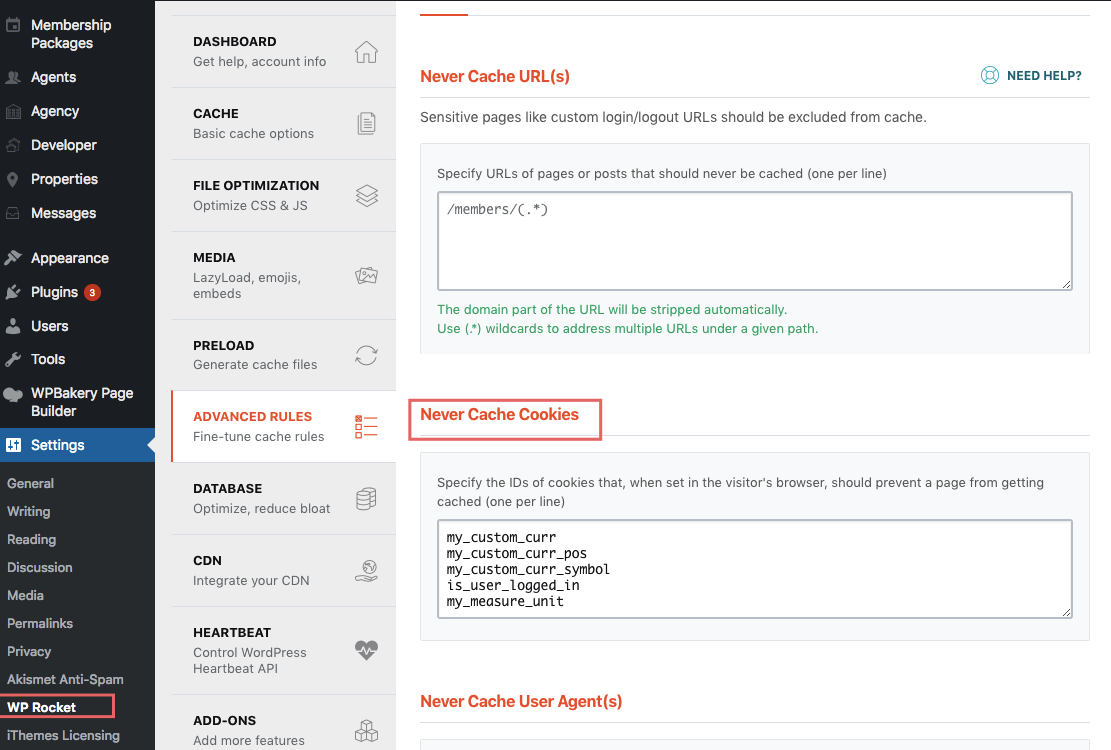
Example: Excluding cookies in WP Rocket
In WP Rocket, go to Settings → Advanced Rules → Never Cache Cookies and add the same cookie names listed above.
After updating cookie exclusions, always clear your cache and test the site in a new incognito window to confirm that dynamic features work correctly.