
WPRentals Theme Documentation WPRentals Theme Documentation

  • Client Support
  • Video Tutorials
  • WPRentals
  • WPEstate
  • API
Home / Technical how to / How to hide the categories number in advanced search dropdown

How to hide the categories number in advanced search dropdown

7068 views

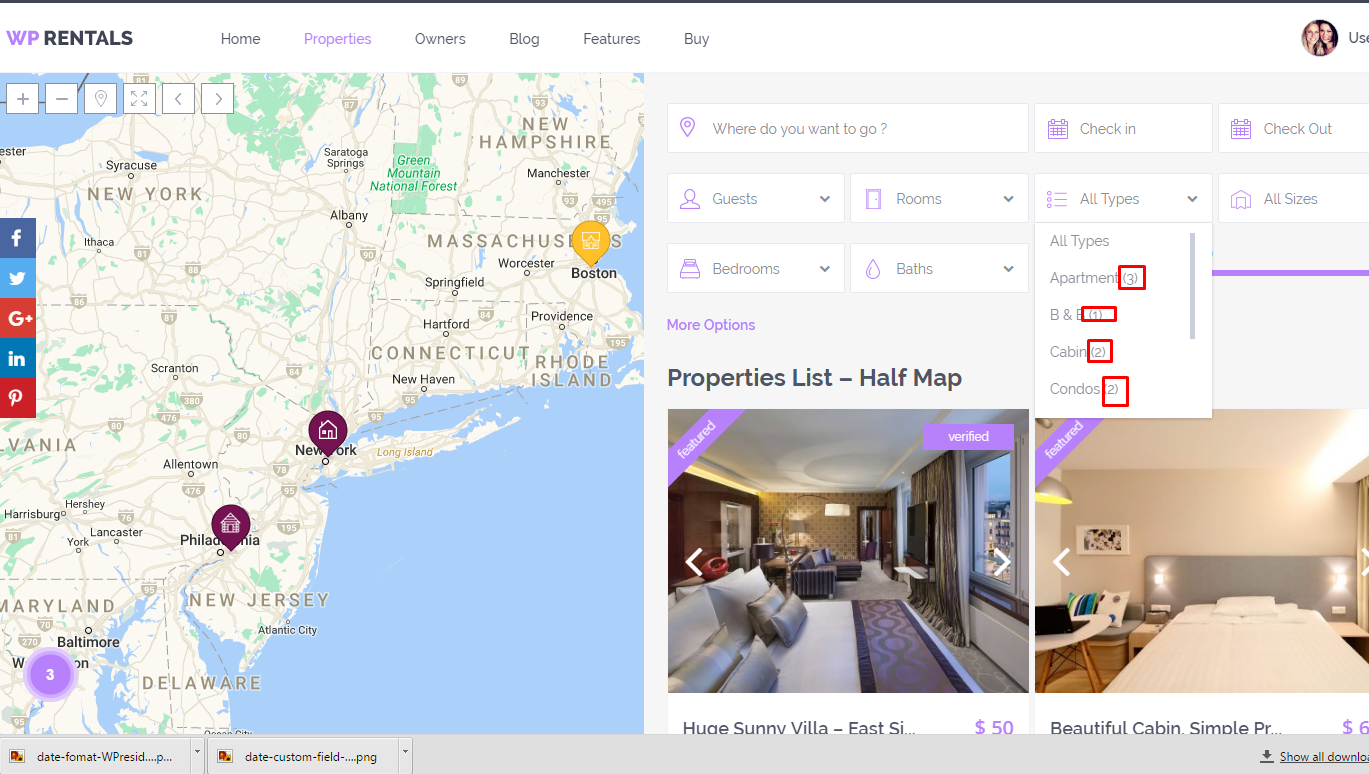
remove-number-WPrenlats

If you want to remove that information you need to remove ('.$counter.')

from functions wpestate_get_category_select_list , wpestate_get_action_select_list,wpestate_get_city_select_list,wpestate_get_area_select_list and wpestate_get_status_select_list from

wprentals/libs/help_functions.php file.

To remove it for subcategories you need to do the same thing but for function wpestate_hierarchical_category_childen .


For half map, search type 3 and 4 must make the same change on

wprentals\libs\search_functions3.php and

wprentals\libs\search_functions4.php

Technical how to

Related Articles

  • How to Make a Contact Button Open WhatsApp
  • How to add a new currency in Theme Options for payments.
  • How to Disable WordPress Image Compression and Preserve Original Quality
  • How to Change the Default Categories Icon from Listing Card Unit

HELP CATEGORIES

  • 61. General
  • 72. Installation & Basic Setup
  • 373. How Booking Works
  • 18Advanced Search
  • 17Elementor WPRentals Studio
  • 14Email Notifications
  • 27FAQ
  • 14Installation FAQ
  • 10Menu Options
  • 33Owner & Renter
  • 8Page Templates
  • 24Property / Listing
  • 22Shortcodes
  • 4Supported Maps
  • 99Technical how to
  • 5Third Party plugins
  • 4Translation & Multi Languages
  • 3WordPress Blog Post
  • 13WordPress Widgets
  • 12WP Rentals Payments
  • 80WP Rentals Theme Options
  • 26WPML & Weglot

Join Us On

Powered by WP Estate - All Rights Reserved
  • Client Support
  • Video Tutorials
  • WPRentals
  • WPEstate
  • API