
How to Manage Property List Order in WpRentals
This guide explains how to control the order in which properties are displayed in WpRentals listing pages.
Changing the default order helps you highlight specific listings first and create a clearer browsing experience for your visitors.
The property order can be configured for:
- the Advanced Search Results page
- the Properties List standard page template
- the Properties List Half page template
These settings are managed in different places, depending on which type of page you use.
Where to Find the Order Settings
Search Results Page Order
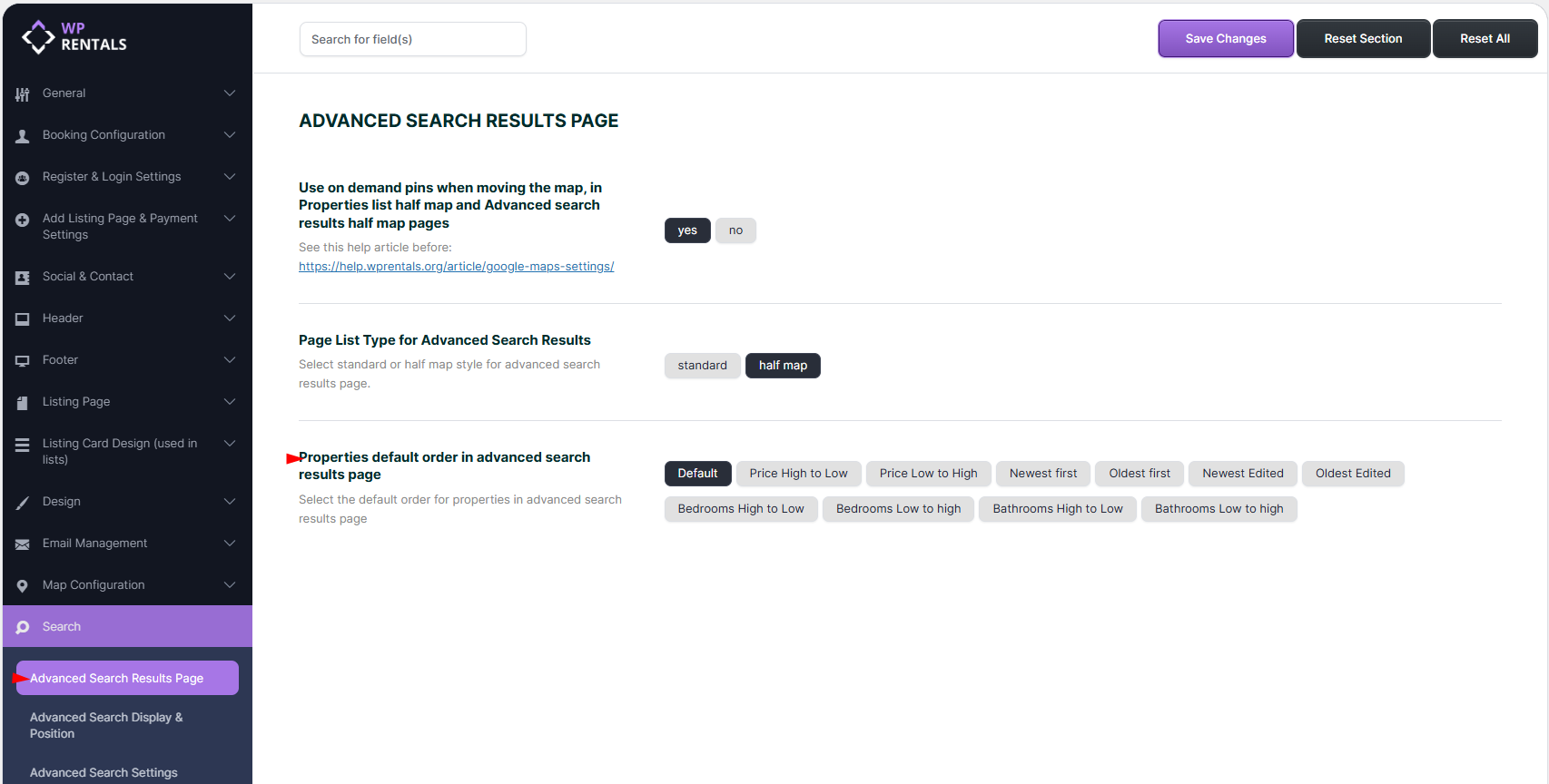
For the Advanced Search Results page, go to:
Theme Options > Search > Advanced Search Results Page
From here, you can choose the default order for properties shown on the search results page.
Standard and Half Map List Page Order
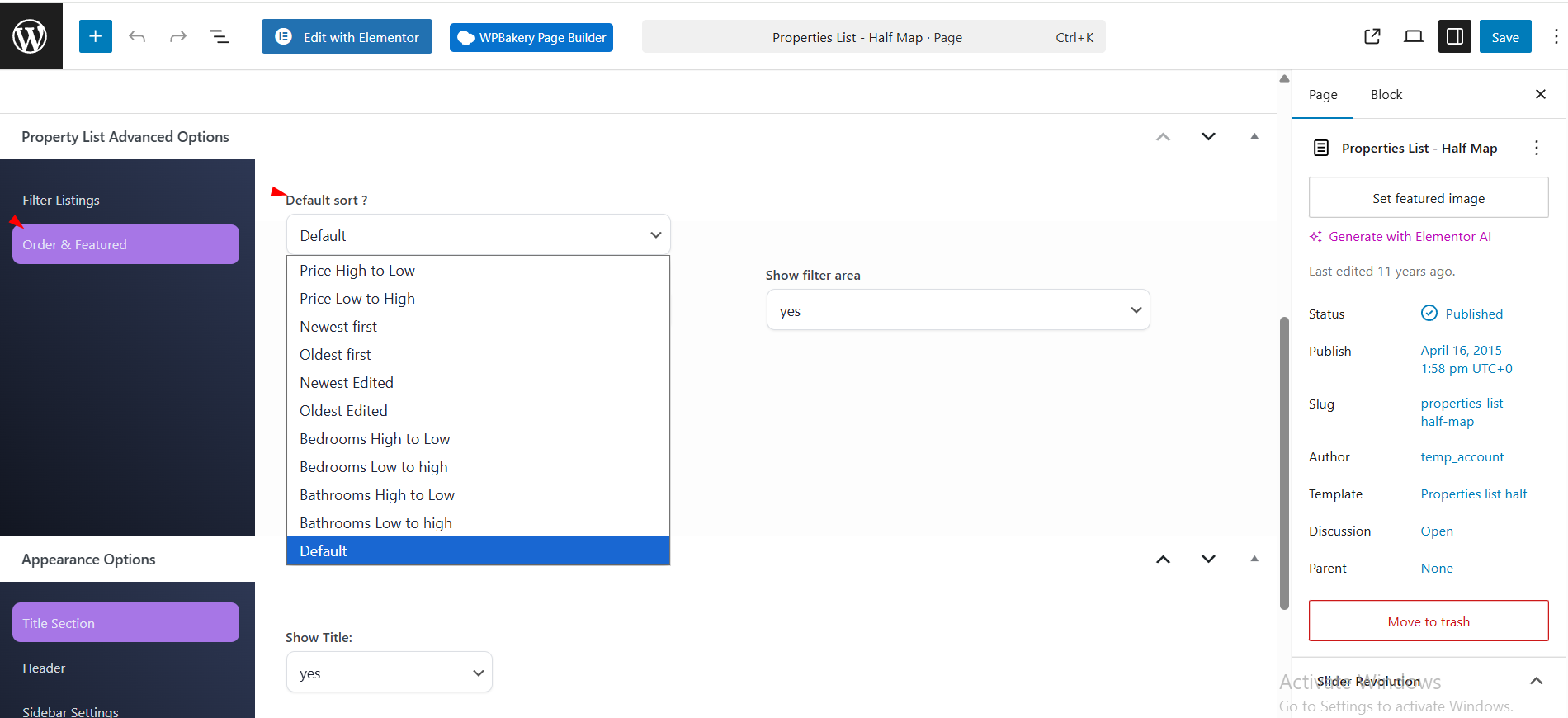
For custom list pages created with the theme templates, the sort option is set from the page editor in wp-admin.
This applies to:
- Properties List
- Properties List Half
The standard list page and half map list page use the same ordering logic, but the setting is selected directly in the page options for that template.
Available Ordering Options
WpRentals allows you to define how properties are sorted on listing pages.
- Default – featured properties appear first, and the rest of the listings follow the default theme order.
- Price High to Low – properties with higher prices are shown first.
- Price Low to High – properties with lower prices are shown first.
- Newest First – the most recently published properties are shown first.
- Oldest First – the oldest published properties are shown first.
- Newest Edited – the most recently updated properties are shown first.
- Oldest Edited – the least recently updated properties are shown first.
- Bedrooms High to Low – properties with more bedrooms are shown first.
- Bedrooms Low to High – properties with fewer bedrooms are shown first.
- Bathrooms High to Low – properties with more bathrooms are shown first.
- Bathrooms Low to High – properties with fewer bathrooms are shown first.
These options help you adjust the browsing experience based on your website goals. For example, showing the newest listings first works well for active rental marketplaces, while price-based sorting helps users compare options more easily.
Best Practice
Choose the ordering method that best matches your business model:
- Newest First for active rental marketplaces
- Price Low to High for budget-focused platforms
- Default if you want featured listings to remain at the top